vLookApp - A Free vLookup Function for Monday

  • June 15, 2021
  • 58 replies
  • 17018 views

Yoggie
  • Participating Frequently

- What is your app called? - vLookApp.
- Why did you build this app? - Because I needed this tool.
- What does your app do? - Exactly what it says, a Lookup function across Monday boards.
- What example use cases and workflows does this app apply to? - If you need to lookup a value from one column in a different columns, and return a specific value from this row (just like in other spreadsheets).
- Who are you? Are you a monday partner? My name is Yogev, and I’m not sure what a Monday Partner is.
- How can users use your app? - Just install it here and follow the recipe explanation bellow.
- Are there any dependencies (eg: must have an enterprise subscription to X tool) - No.
- Does it have a cost? - No.

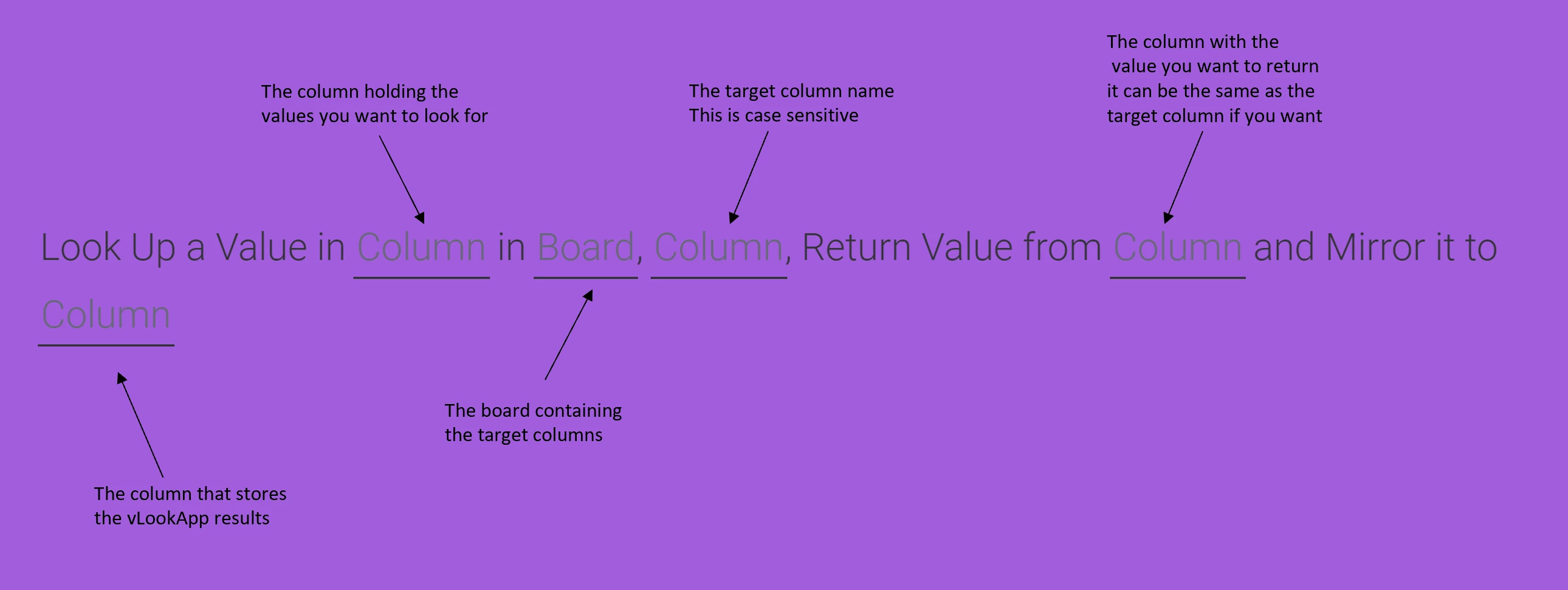
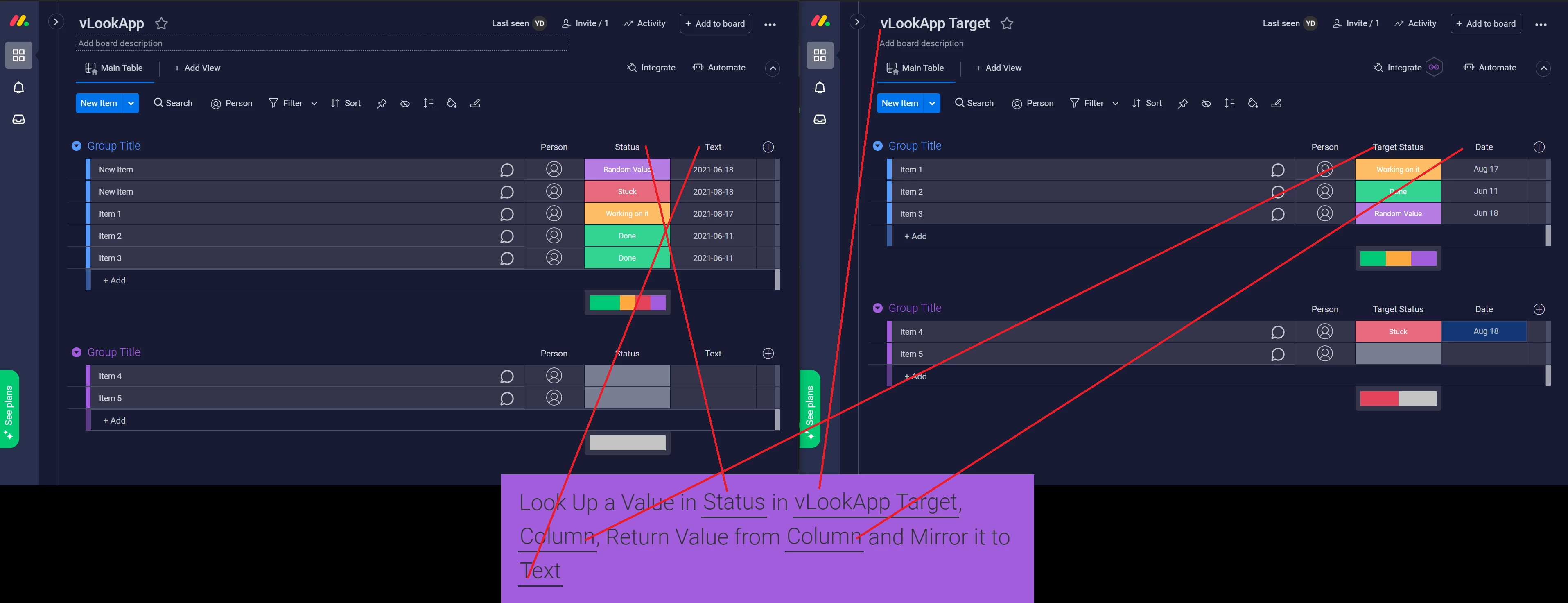
Here’s an explanation on how to use the recipe:
Hope you’d find it useful,
I’m here for any questions,
You can also reach me at Yogev@formrally.com

58 replies

Brante
  • New Participant
  • June 15, 2021

You can show an example here? I make some tests but not see what work properly, thanks


Yoggie
  • Author
  • Participating Frequently
  • June 15, 2021

Sure thing, here’s a working example with a recipe:


Brante
  • New Participant
  • June 15, 2021

Perfect, thanks for the help.
This help me a lot


  • New Participant
  • June 16, 2021

This looks really promising, will definitely check it out!


Yoggie
  • Author
  • Participating Frequently
  • June 17, 2021

Thank you!
Let me know if you need any help.


  • New Participant
  • June 18, 2021

Howdy! Just installed this, but am having trouble accessing it within the automations view. Is there a certain set of steps I need to take to find the vlookup functionality? Thanks!


Yoggie
  • Author
  • Participating Frequently
  • June 18, 2021

Hi @jared.smith !
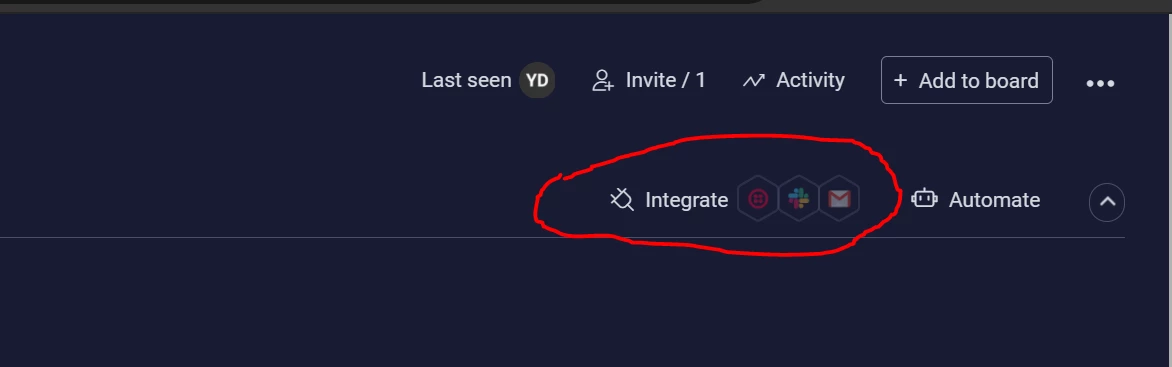
It’s under “Integration” not “Automation”


  • New Participant
  • June 21, 2021

Hi @Yoggie
I’m not sure if I’m doing it right:

Look up a value in client SKU in Artwork, column (Name), Return value from Status and mirror it to Approval

Artwork is the board where my client is a guest and confirms via a status column when each tag is approved or under review. I want that response to show up in a board where my colleagues are (Approval column) so they can see as soon as the same tag is approved within that second board.
The column Name is the first column from the left, I don’t see any other way to reference it. Nothing is showing up.


Yoggie
  • Author
  • Participating Frequently
  • June 22, 2021

Hi @Paolaura !

Unfortunately, what you refer to as “the first column from the left” in not actually a column, it’s the Item Name, this is how Monday boards are designed, unlike in an excel spreadsheet.
Notice that you cannot move or delete it, for the exact same reason.

You can use this app with any other regular column though.
Hope this helps.


  • New Participant
  • June 22, 2021

Thank you, @Yoggie!

If I were to move it to the second column rather than trying to use the first, what would I need to correct?
I think I am interpreting the recipe wrong.


  • Participating Frequently
  • June 22, 2021

Workaround.

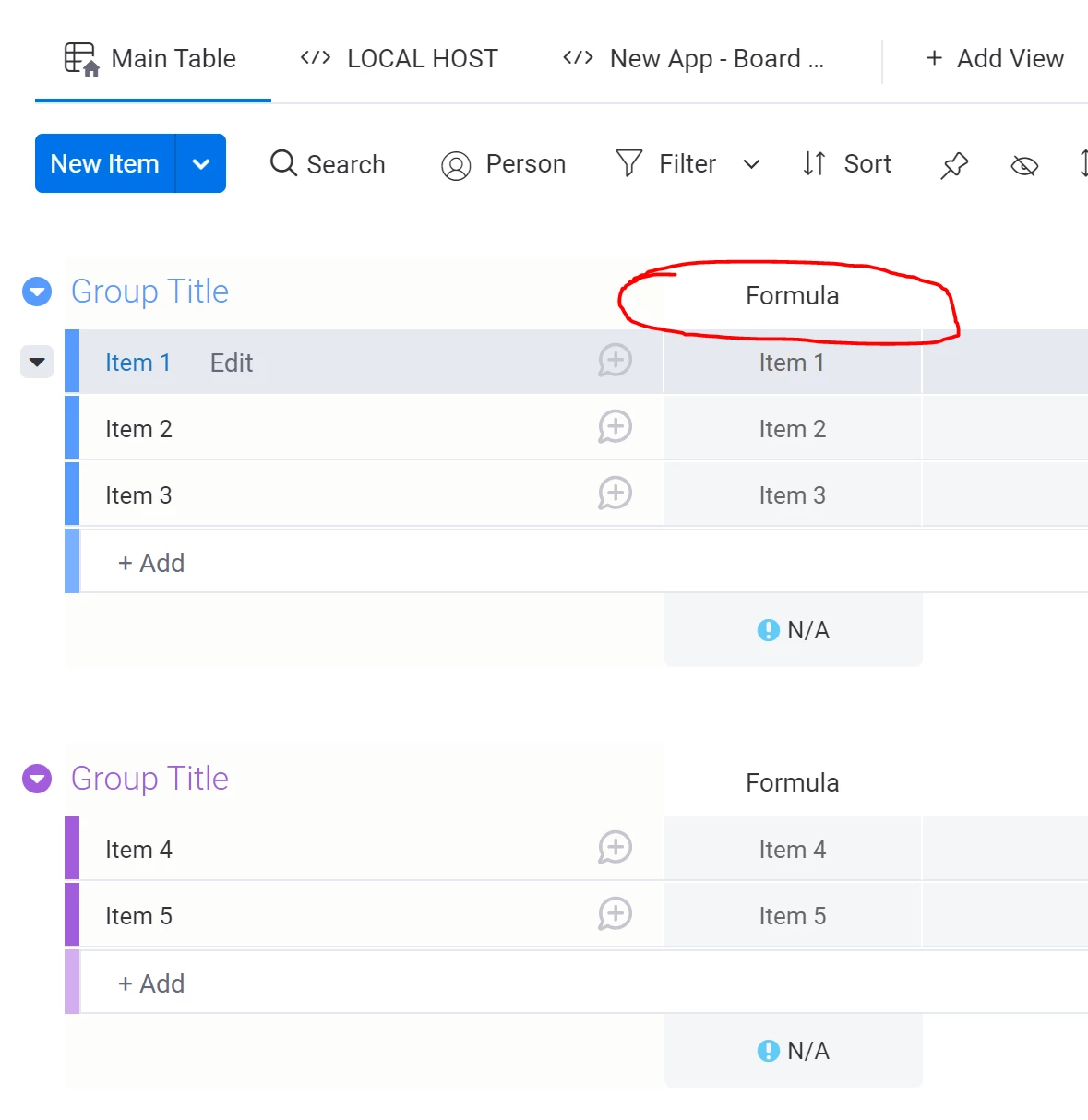
You can use a formula column to have h to e item name duplicated into it and link that.


jjay.lewin
  • New Participant
  • August 4, 2021

Hey @Yoggie I love the app! However, is there a way to have the “column” that contains the value I want to look up/look for to be the Item’s name?

same for the target I am looking it up in? Like, I want to use it for a central database of clients, so when I make a new board for a specific event that some clients might be interested in then I can just copy in their names and it instantly mirrors in all the relevant contact details.

Regards,
Jake


Yoggie
  • Author
  • Participating Frequently
  • August 4, 2021

Hi @jjay.lewin !

Just use a formula column and mirror the item’s name:

Hope this helps.


  • New Participant
  • August 19, 2021

Hey Yoggie. Thanks for helping me set this up! Very useful app 😬


  • New Participant
  • August 24, 2021

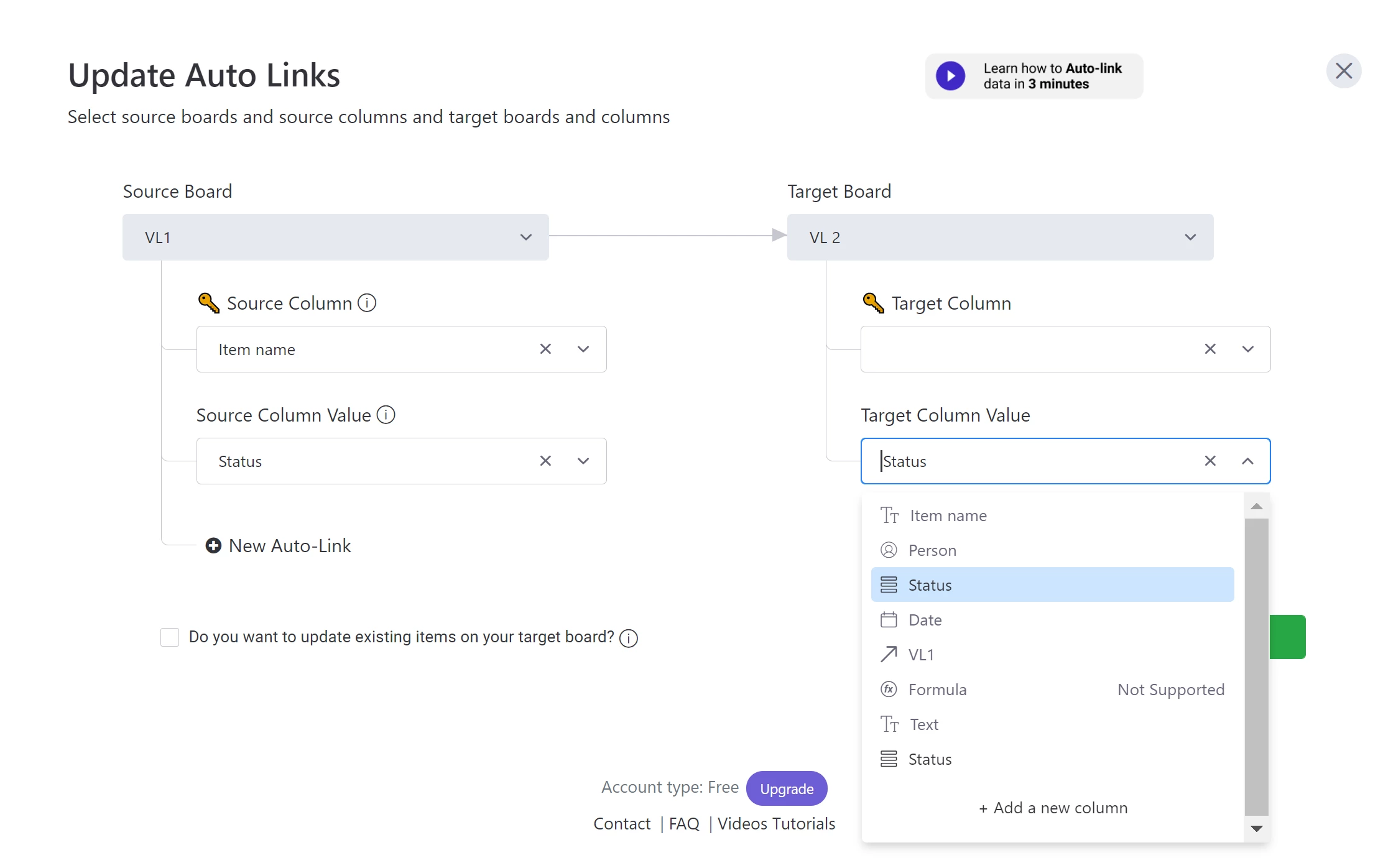
Hi Yoggie, it seems formulas columns are not supported ?


  • New Participant
  • August 24, 2021

I’m trying to have Vlookup replace the mirrors columns of monday, I though I could use the link board column and then use Vlookup to update the status of my columns (instead of having mirrors columns). However I see that the linkboard column is also not supported (VL1 in my screenshot) :


Yoggie
  • Author
  • Participating Frequently
  • August 24, 2021

Hi @EA8 !

Unfortunately Monday don’t store the value of a formula, so automations and integrations do not apply to it.
They might change it in the future, the app is set to be able to handle function columns once they do.


  • New Participant
  • September 14, 2021

Hello Yoggie

Will you able to share the source code of this integration? Or maybe an example or template?

Thanks


  • New Participant
  • September 20, 2021

Hi @Yoggie,

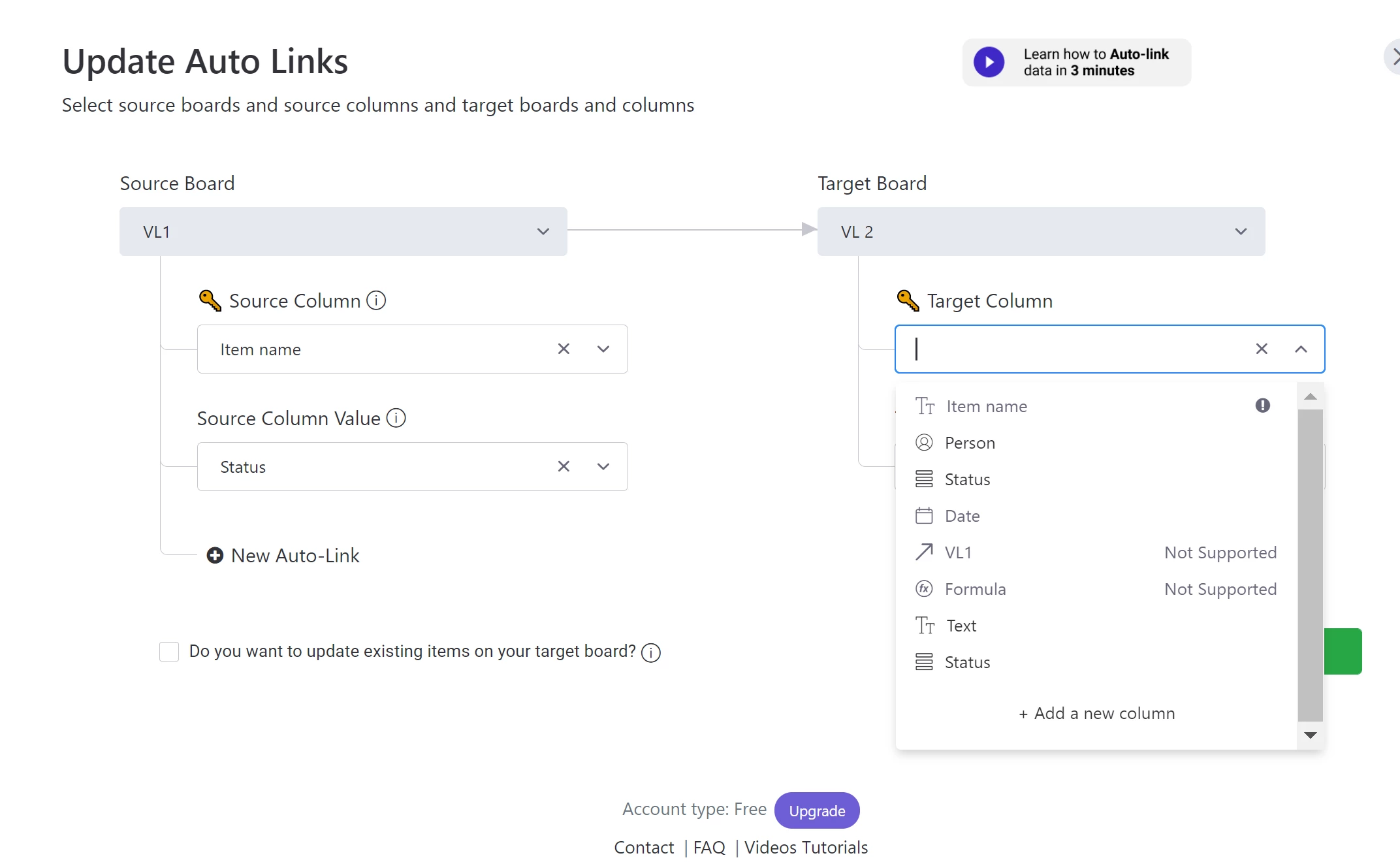
I’ve been trying out a few tests and it doesn’t seem to be working for me. When I try to select the Status and Target Status I get a dropdown that allows me to input a text rather than selecting the specific columns. Should I input the name of the column or the column number?


I’m having the same problem here, @Yoggie could you help us please?


Yoggie
  • Author
  • Participating Frequently
  • September 29, 2021

Hi!
Just the name, it’s case sensitive so it should be exact.


Yoggie
  • Author
  • Participating Frequently
  • September 29, 2021

Hi!

Just follow this example


  • New Participant
  • September 29, 2021

Hi @Yoggie ,

  1. Do the target column and column holding the value have to be the same format?

  2. Can this work by checking values in Dropdown column and mirroring it to a Status column? (It works the other way around like in your example from status to text, but can’t seem to mirror values into a status column)


cfernandez
  • New Participant
  • October 5, 2021

Hi @Yoggie

Great app!! Do you have a server to run it? What platform are you using?
Thanks!!


Paolaura08
  • New Participant
  • October 18, 2021

Hi @Yoggie

I’ve applied the recipe for the integration this way:

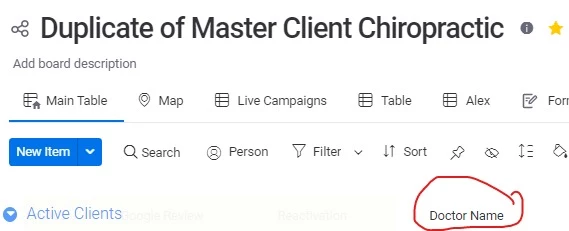
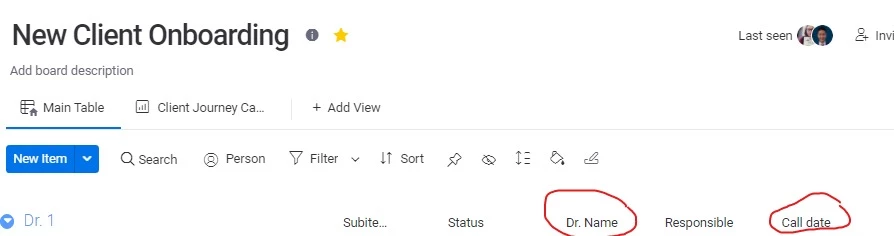
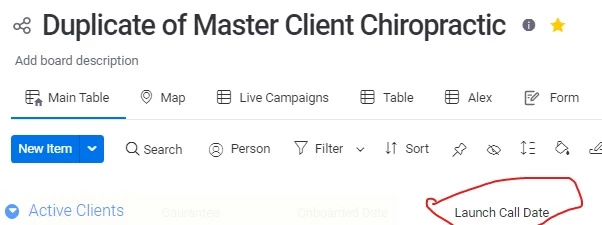
Look up a value in Doctor Name in New Client Onboarding, Dr.Name, return value from call date and mirror it to Launch Call Date.

1


3

I want the date registered for a specific Dr in the New Client board to be mirrored in the Master client board. I used the recipe example that you posted above in response to Brante. Can you confirm if I’m doing something wrong, please?