

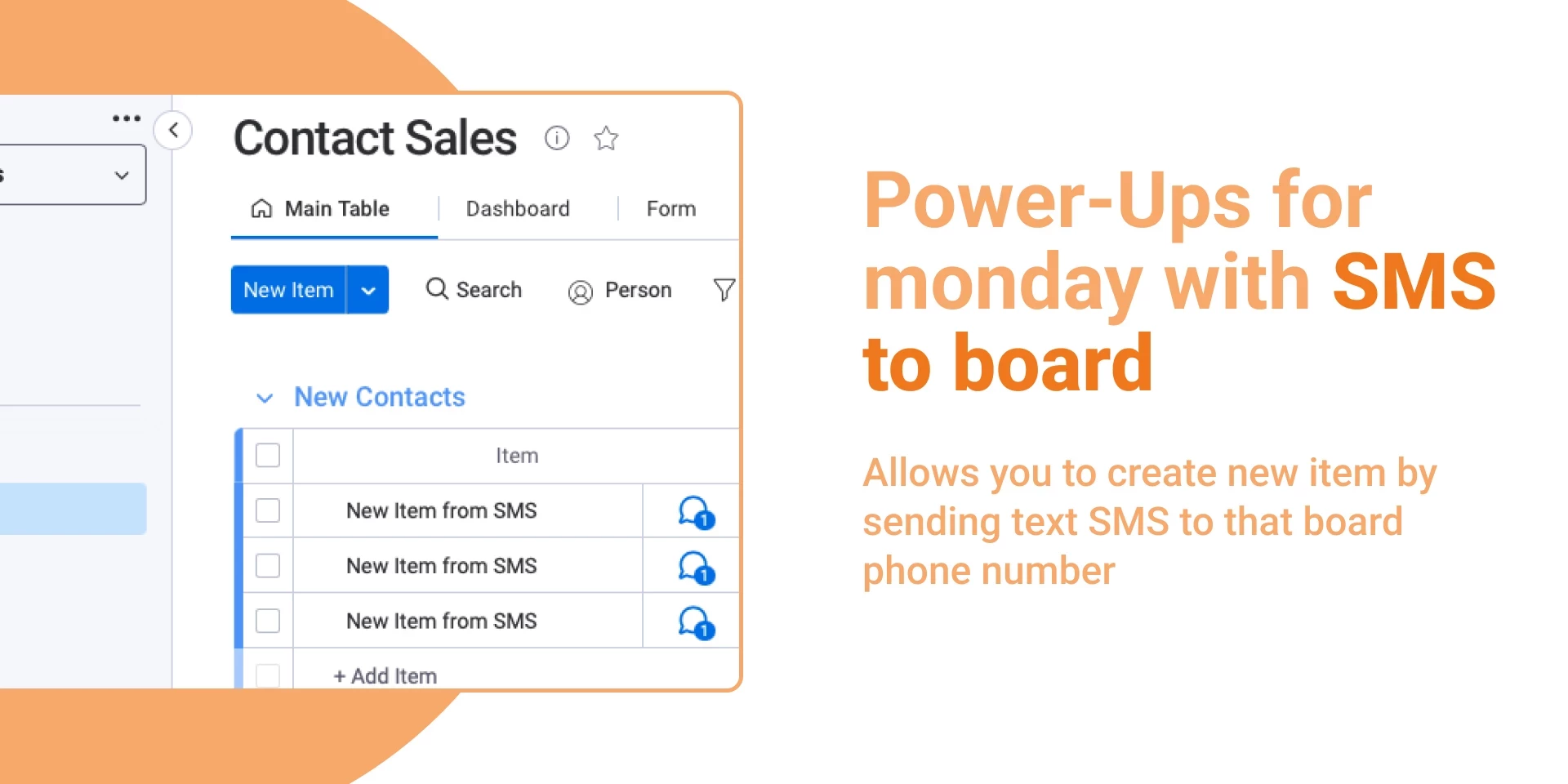
We’ve just launched a powerful upgrade to SMS to Board, introducing a fully redesigned SMS & Numbers Dashboard and advanced number management capabilities.
Here’s what’s new:
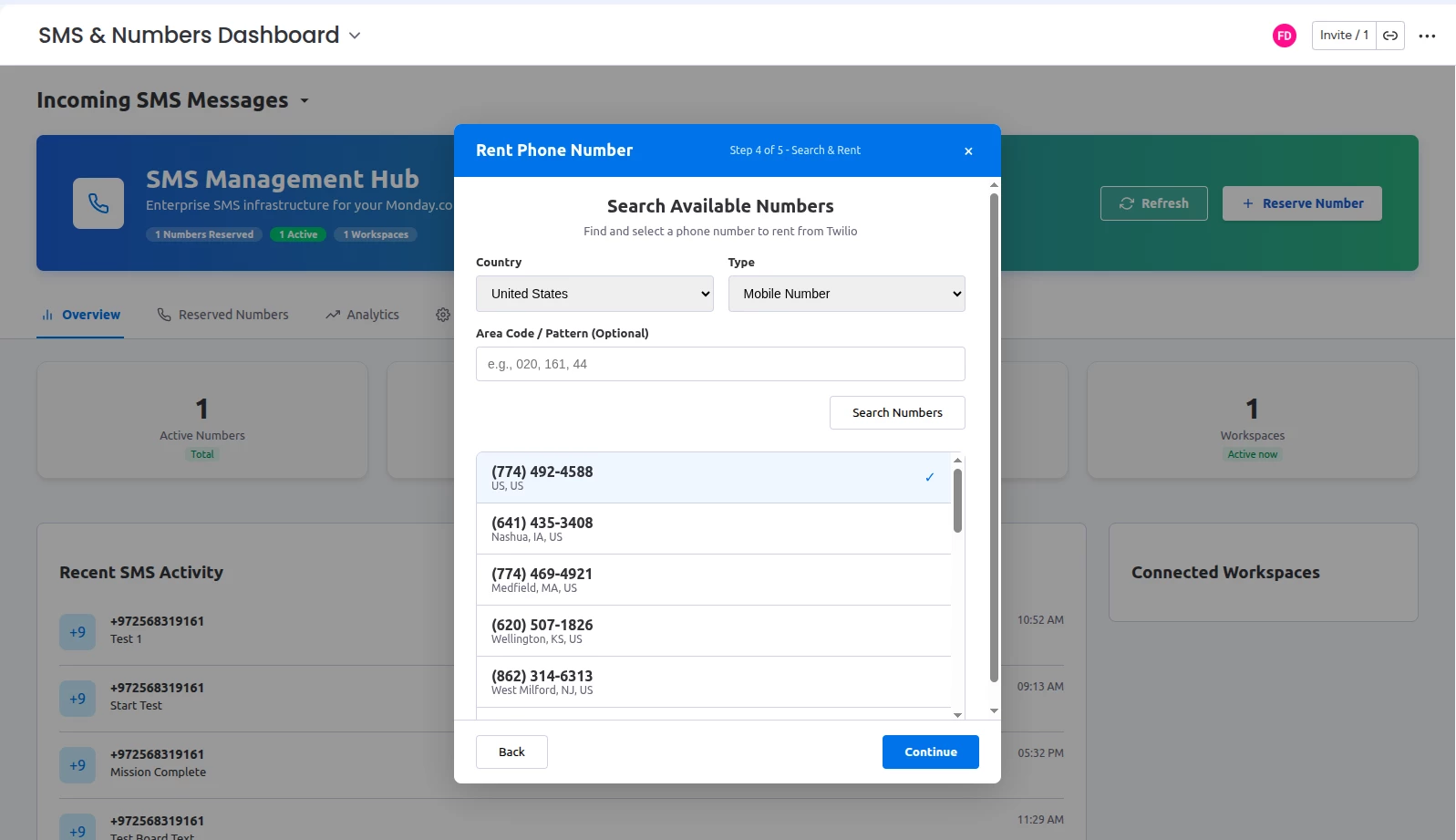
📞 Smarter Phone Number Search & Reservation
You now have complete control when reserving numbers. No more random assignment — you choose the number.:
-
🌍 Select country before searching
-
📱 Choose number type (mobile, etc.)
-
🔎 Search by area code or specific number pattern
-
🎯 Find numbers containing specific digits
-
📋 Browse available numbers before renting
-
✅ Select the exact number that fits your business needs
🔗 Advanced Board Linking & Field Mapping
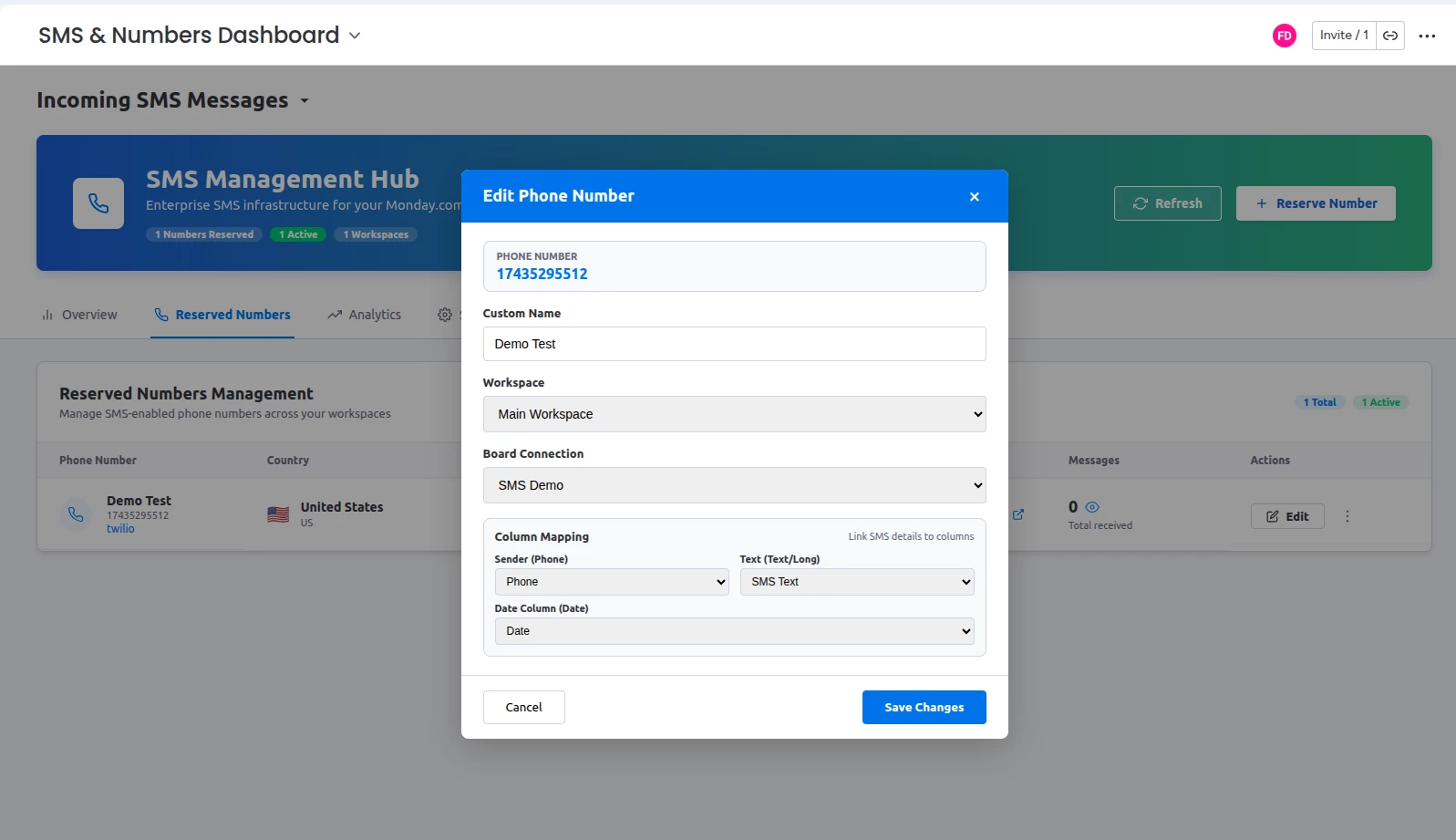
We’ve added deeper integration controls:
-
Link each phone number to a specific workspace
-
Choose the exact board that will receive messages
-
Map SMS data to custom board columns:
-
Sender number
-
Message text
-
Date column
-
-
Assign a custom alias/name to each phone number
(e.g., “Sales Line”, “Support UK”, “Marketing Campaign”)
This gives you structured, clean data inside your boards.
⚙️ Full Number Management Dashboard
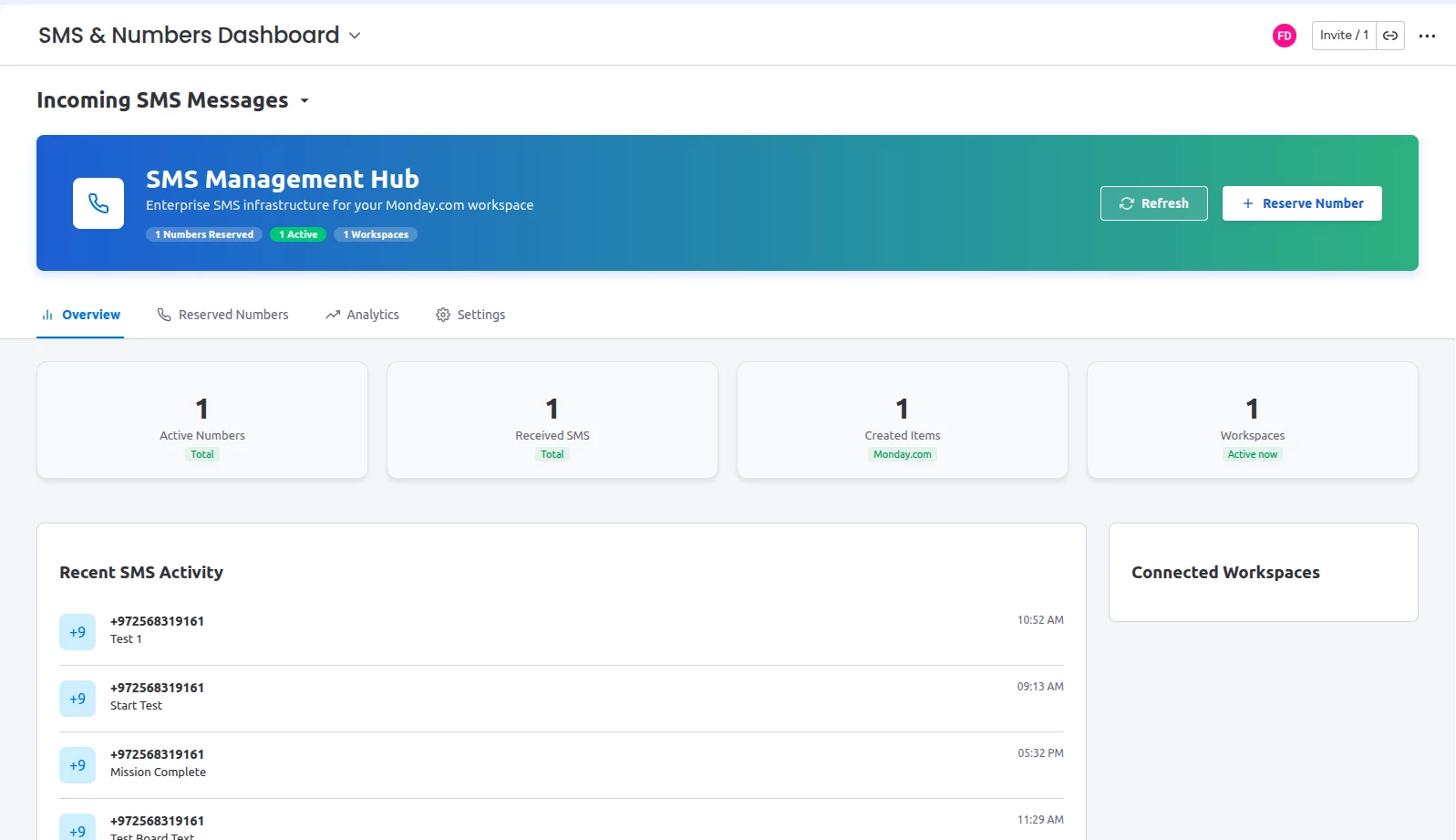
The new SMS & Numbers Dashboard allows you to:
-
View all reserved numbers in one place
-
See number status (active / inactive)
-
Activate or deactivate numbers anytime
-
Track total messages
-
Edit configuration at any time
-
Destroy numbers when no longer needed (Soon)
You are now in full control of your SMS infrastructure
Full Guide: https://elasticday.com/sms-to-board
The app can be installed from Apps Marketplace
Have feedback or improvement ideas?
Please send us any feedback or ideas, we would love to hear them https://wkf.ms/3tsNjB