
General Caster is here. Get rid of formula columns!

  • July 3, 2020
  • 218 replies
  • 28328 views

Show first post

218 replies

andrewalmand

@rob

Not sure if this has been asked before:

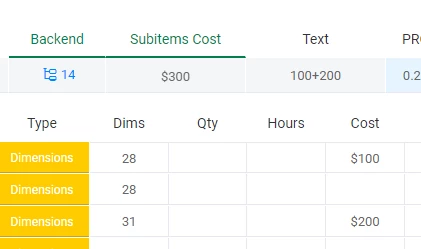
I’ve got number columns within subitems that I’m showing summary on parent item, and they cast as A+B instead of the summary.
image

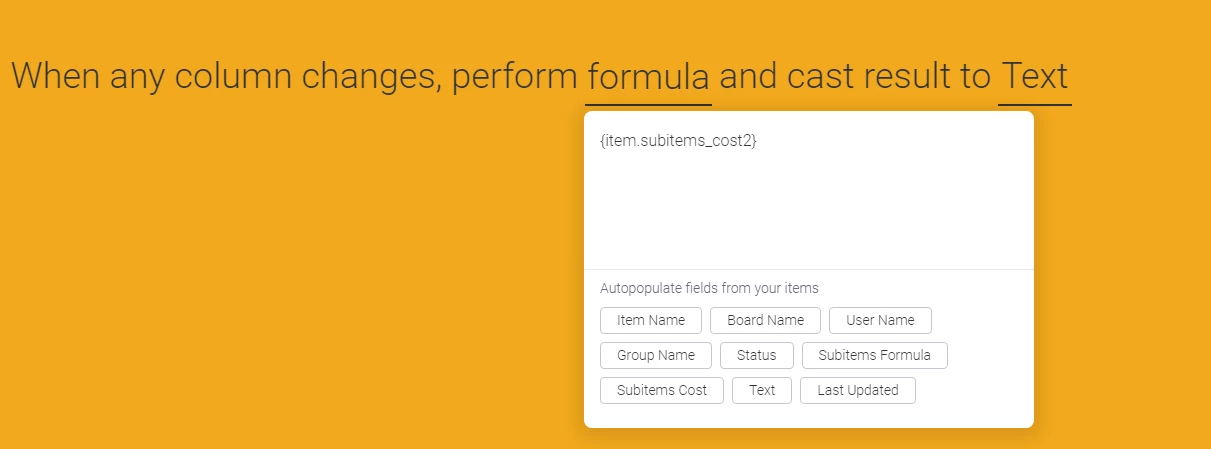
Is there a workaround for this? My General Caster formula is just {item.subitems_cost}.

Thoughts?


rob
Forum|alt.badge.img
  • Author
  • monday.com Partner
  • April 20, 2021

The + sign is used as delimiter when multiple results are returned, in this case 100 and 200.
You need to split them and sum the single values.


andrewalmand

@rob

Thanks. I figured that would be solution but couldn’t find a split or separate function in the list of available ones: Excel functions (by category) - Microsoft Support

So I did some digging and I don’t think this can be accomplished dynamically without the use of EVALUATE which obviously isn’t available in General Caster. Now if I always had a set number of numbers separated by delimiters sure, but if that number changes any LEFT, RIGHT or MID formula doesn’t work.

Can you think of another way this could work in the case where the number of numbers separated by delimiters isn’t a static amount?

Thanks!


rob
Forum|alt.badge.img
  • Author
  • monday.com Partner
  • April 20, 2021

@andrewalmand Can you send me a screenshot of your GC integration with focus on formula field?
Maybe I have a solution for you.


andrewalmand

Thanks @rob

I was actually able to solve this issue with Integromat and calculating the SUM(SPLIT( there.

BUT I ran into another issue that you’ve addressed here before, SubItems. What I really need is to be able to run GC formulas within subitems. I’m curious if you have an ETA on subitem support?


rob
Forum|alt.badge.img
  • Author
  • monday.com Partner
  • April 20, 2021

@andrewalmand What GC integration you used that gave you the 100+200 result?
We are working to add support for subitems with count/sum/average/min/max results but at the moment they are not supported yet, so I was wondering how did you get the result.


andrewalmand

Here you go! Let me know if you need more info.


rob
Forum|alt.badge.img
  • Author
  • monday.com Partner
  • April 20, 2021

That’s enough at the moment, thanks.
I’ll keep you posted.


andrewalmand

@rob

Funny, now I actually want to use the delimiter to my advantage.

So I’ve got a set of numbers separated by “+” AND I’ve got a set of text from dropdown also separated by “+”.

How can I combine them, in order of separation by the delimiter? For example:

Numbers: 100+200+300
Text: A+B+C
Result: 100A 200B 300C

Something like that. Thoughts?


rob
Forum|alt.badge.img
  • Author
  • monday.com Partner
  • April 22, 2021

@andrewalmand It’s like a puzzle 🙂
I suggest you to take a look at this page: Split text into different columns with functions - Microsoft Support


andrewalmand

So I got this formula working in Excel, but getting an error in Monday:
#Not Yet Implemented#Not Yet Implemented

Formula:

=TEXTJOIN(“, “,FILTERXML(””&SUBSTITUTE({item.text},“+”,“”)&“”,“//b”)&FILTERXML(“”&SUBSTITUTE({item.text_1},“+”,“”)&“”,“//b”))

Error seems pretty self explanatory, but do you know when it will be implemented? Or is there another way to write this formula so it works with the current General Caster? Thanks!


rob
Forum|alt.badge.img
  • Author
  • monday.com Partner
  • April 23, 2021

@andrewalmand You are a pro in Excel formulas! 😀
Unfortunately you caught one of the few unsupported functions.
General Caster relies on PhpSpreadsheet library.
Here’s the complete list of functions currently available:
https://phpspreadsheet.readthedocs.io/en/latest/references/function-list-by-name/#function-list-by-name


  • New Participant
  • April 30, 2021

Was General Caster experiencing any downtime lately?
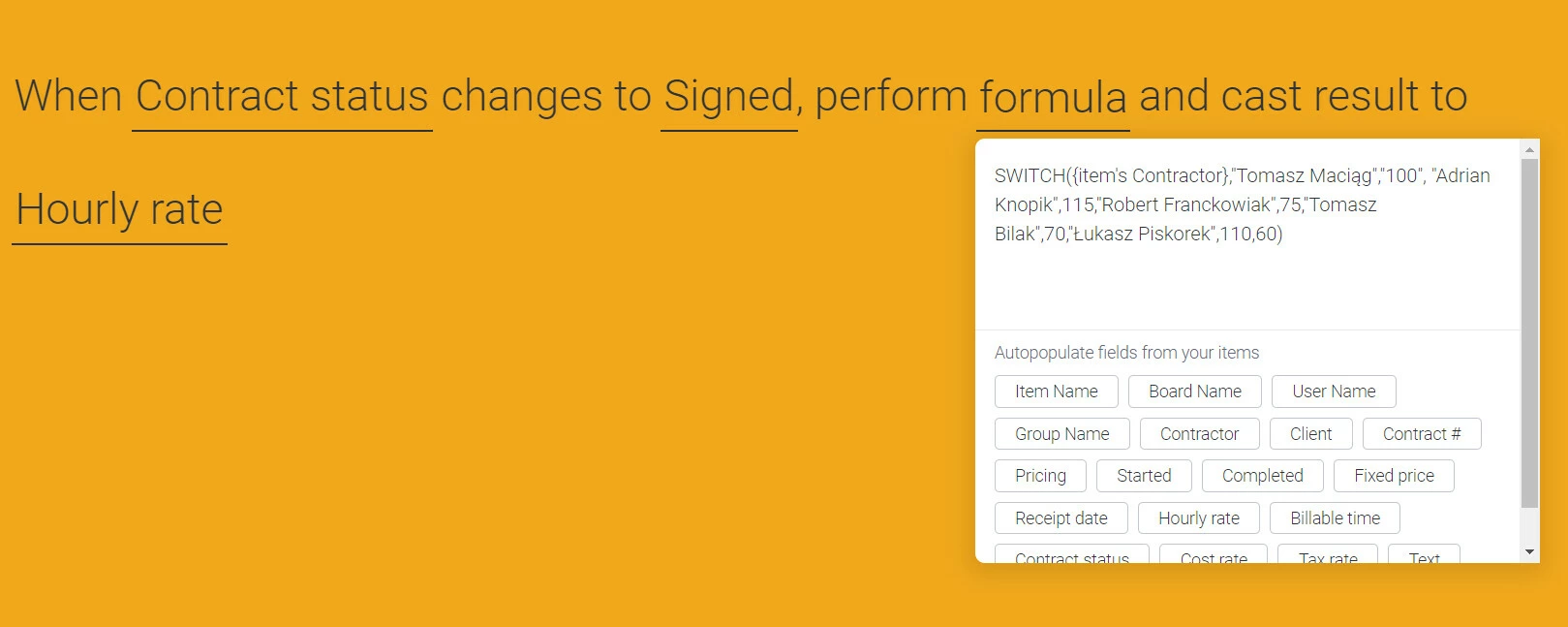
I have simple formula to set hourly rate based on person. From some time now I’m seeing problems with this integration working properly. It didn’t fire every time. Right now it’t not working.


rob
Forum|alt.badge.img
  • Author
  • monday.com Partner
  • April 30, 2021

Hey @t.maciag
General Caster is up and running.
Anyway AFAICS your formula is not correct.
{item's Contractor} is not a valid column reference. Please remove it and click on the button of the corresponding column below to get the correct reference.


  • New Participant
  • May 5, 2021

@rob When I click “Contractor” from list below formula, I get “{item’s Contractor}”.
However in regular Monday formula column, I can select options from person field like ids, names e.g. {Contractor#Names}. I tried to use names in my switch formula in Caster, but with no luck.

Edit.
I figured it out.
It seems that General is not supporting my original formula “When status changes to something, perform formula and cast to field”. You can’t add it when creating new formula, so I changed trigger to something different.
I also had to change details in switch formula, because People field gets different output in Caster.


hlopezvc
  • monday club member
  • May 16, 2021

Hey @rob or anyone can help me here:

I need to do some simple functions and i dont know what im doing wrong in this new version.

To resume:

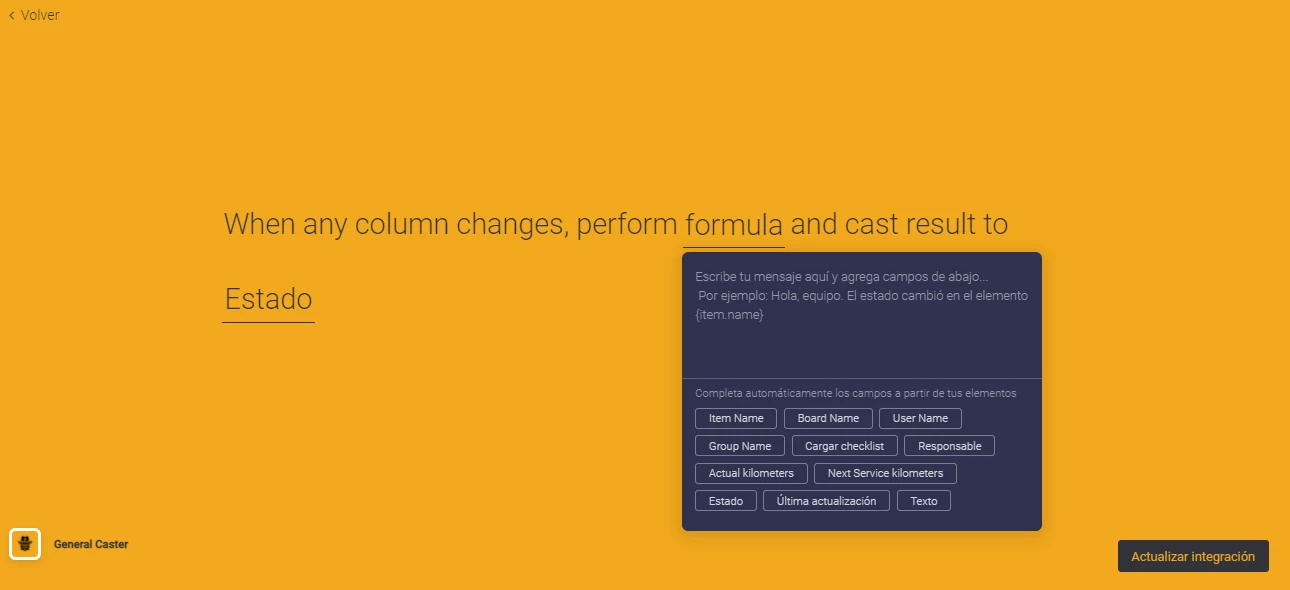
  • I have a resume column from a number subitems column named “Actual kilometers” using the MAX function to retrieve the last value registered.
  • In the parent item i have a number column named “Next Service kilometers”

I have a formula column that doesnt seem useful right now with this GC versión, but it does what i want to achieve:

IF(({Next Service kilometers}-{Actual kilometers})<500, “Service Approaching”, 0)

The purpose of this, is to cast the result to a status column “Service Approaching” that will trigger a notification to the vehicle owner.

So, here i am: 😔


rob
Forum|alt.badge.img
  • Author
  • monday.com Partner
  • May 17, 2021

Subitems are not supported by General Caster.


  • Participating Frequently
  • May 20, 2021

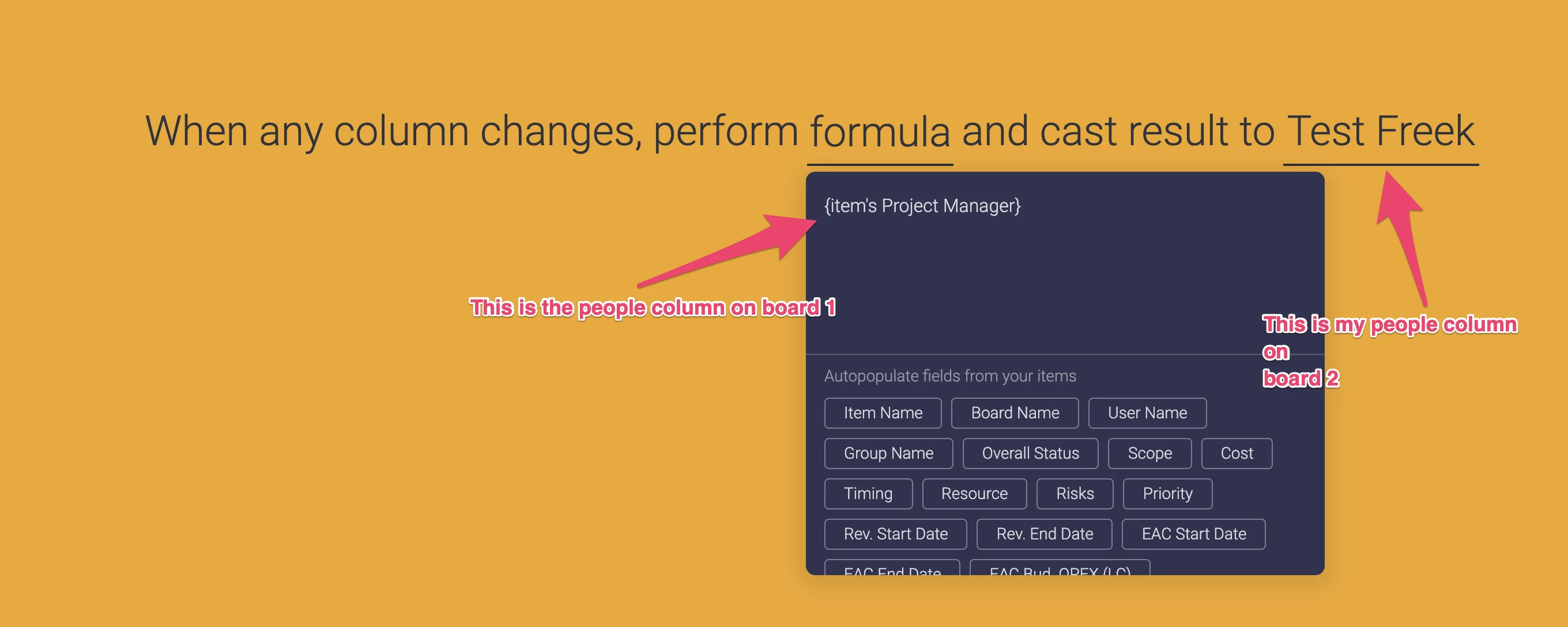
Hi @rob quick question: I need to base permissions in “board 2” based on a people column that’s actually coming from a “board 1”.
I wanted to use the General Caster for this purpose.

Whenever any column changes, I’ll have my people column in board 2 reflect the value of the people column in board 1.
Please see screenshot below.

This doesn’t seem to work as the people column on board 2 remains empty. Is what I’m trying to do supported at all?


rob
Forum|alt.badge.img
  • Author
  • monday.com Partner
  • May 21, 2021

Hey @freek-gcompany
Please make sure you are casting to people column using the correct format:

generalcaster.app

hlopezvc
  • monday club member
  • May 23, 2021

It will be supported some time in your roadmap?


rob
Forum|alt.badge.img
  • Author
  • monday.com Partner
  • May 24, 2021

@hlopezvc Actually, though not directly supported, General Caster supports the subitems summary column in the item row.


hlopezvc
  • monday club member
  • May 24, 2021

Hi @rob thanks. I noticed that, but when i require the MAX value for this resume, General Caster avoid my choice and cast the TOTAL SUM value of every subitem. Maybe its something that could be fixed.


  • New Participant
  • May 24, 2021

General caster is installed on our Monday account, and I’ve used it before successfully. Today it won’t load when I try to add a new integration - I click on the integration to add and it just redirects me to the board without doing anything. Anyone have advice?


rob
Forum|alt.badge.img
  • Author
  • monday.com Partner
  • May 25, 2021

Hey @oboothhowe
It seems a widespread problem, common to all integrations.
Monday.com devs are looking into it.


rob
Forum|alt.badge.img
  • Author
  • monday.com Partner
  • May 25, 2021