
General Caster is here. Get rid of formula columns!

  • July 3, 2020
  • 218 replies
  • 28327 views

Show first post

218 replies

rob
Forum|alt.badge.img
  • Author
  • monday.com Partner
  • March 5, 2021

Hey @opgoodmanors
“Perform existing formula” has been removed because now we are using a more powerful engine to calculate results and the syntax is slightly different from the one used in the Formula column.
The syntax is now the same of Microsoft Excel (not Excel-like as previously).
We are going to release new documentation soon.

Hey @WTagreen
I confirm you can perform the same formula in General Caster, with few changes as said.

Examples:

The old

ADD_DAYS({item.date}, 10)

is now a much simpler

{item.date} + 10

The old

DATE_FORMAT({item.date}, "YYYY-MM-DD")

is now

TEXT({item.date}, "yyyy-mm-dd")

Just as in Microsoft Excel.


  • Leader
  • March 5, 2021

Update I’ve managed to make this work using the column ID instead 🙂

Are you able to help me transfer this formula into something that will work in Caster?

IF({Job Size}=“Extra Small”,2,IF({Job Size}=“Small”,5,IF({Job Size}=“Medium”,12,IF({Job Size}=“Large”,30,IF({Job Size}=“Extra Large”,70,"<-- Enter Job Size")))))

Thanks


  • Participating Frequently
  • March 6, 2021

@rob

Hello, the new application does not work properly.
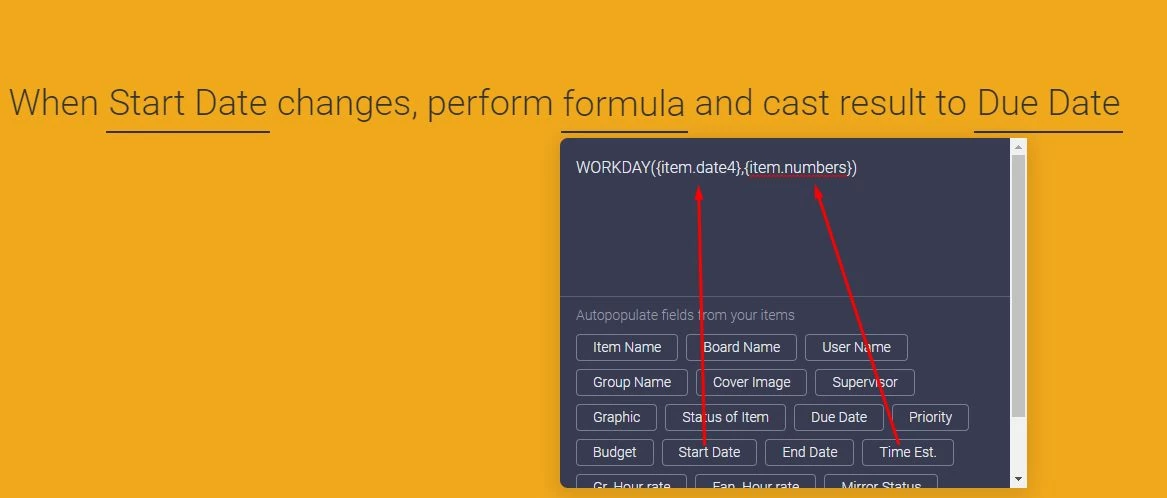
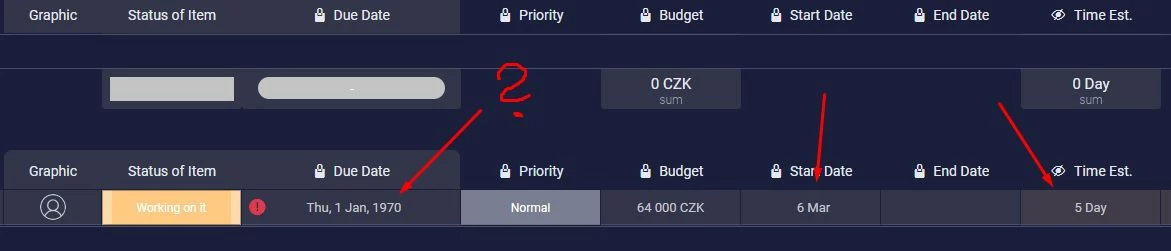
I’m trying to calculate a new date (except weekends).
Please see at the pictures. Can you help me?
Thanks


rob
Forum|alt.badge.img
  • Author
  • monday.com Partner
  • March 8, 2021

Hey @Jiri

General Caster recently migrated to a new more powerful and faster platform.

The PROS are that now more integrations have been published (and more are to come) and formulas use the Excel official syntax (not a Excel-like syntax as previously).

The CONS are that “performing existing formula” integration is now gone due to small differences in the syntax used in the Formula column and in General Caster and some of your formulas must be updated.

We are going to publish a complete documentation. In the meantime, you can take a look at

https://phpspreadsheet.readthedocs.io/en/latest/references/function-list-by-name/#function-list-by-name

support.microsoft.com

In order to check what’s wrong with your formula, please check what the result actually is by casting it into a temporary Text column and change it accordingly.

You should be able to use TEXT(WORKDAY({item.date4} + {item.numbers}), “yyyy-mm-dd”) to get the correct format.


  • Participating Frequently
  • March 8, 2021

Hey @rob,

thank you very much, but the formula does not work: Genera Caster Formula Error: Wrong number of arguments for Workday() function: 1 given, between 2 and 3 expected 😦


rob
Forum|alt.badge.img
  • Author
  • monday.com Partner
  • March 8, 2021

TEXT(WORKDAY({item.date4}, {item.numbers}), “yyyy-mm-dd”)


  • Participating Frequently
  • March 8, 2021

@rob

Yes, this formula: TEXT(WORKDAY({item.date4}, {item.numbers}), “yyyy-mm-dd”) does not work. Formula Error.


rob
Forum|alt.badge.img
  • Author
  • monday.com Partner
  • March 9, 2021

Please make sure you are using the correct double quotes.
This forum replaces straight quotes with diagonal ones.

TEXT(WORKDAY({item.date4}, {item.numbers}), "yyyy-mm-dd")


  • New Participant
  • March 9, 2021

I @rob, I also have a problem with my formula that was working with “existing formula”.
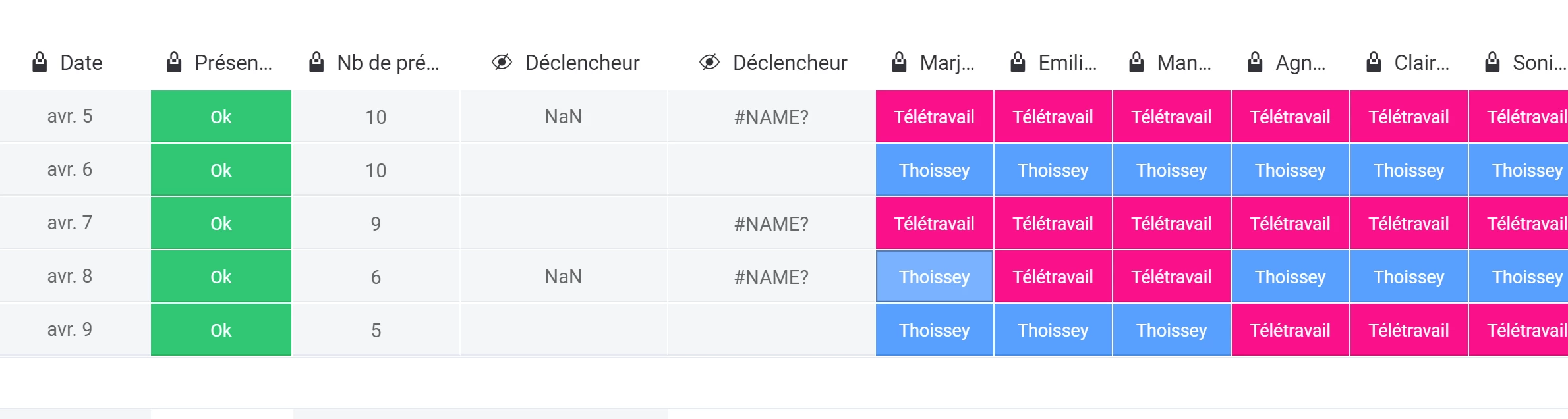
Here it is : I want to know the number of status set to “Thoissey”. The number colunm give me “NaN” result …
SUM(IF({Marjorie A.}=“Thoissey”,1,0),IF({Emilie M.}=“Thoissey”,1,0),IF({Manon T.}=“Thoissey”,1,0),IF({Agnès C.}=“Thoissey”,1,0),IF({Marion B}=“Thoissey”,1,0),IF({Claire T.}=“Thoissey”,1,0),IF({Sonia S.}=“Thoissey”,1,0),IF({Thomas D.}=“Thoissey”,1,0),IF({Léa D}=“Thoissey”,1,0),IF({Laureen LA}=“Thoissey”,1,0),IF({Frédéric D}=“Thoissey”,1,0),IF({Emilie D}=“Thoissey”,1,0),IF({Bruno A}=“Thoissey”,1,0),IF({François D}=“Thoissey”,1,0),IF({Emilie B}=“Thoissey”,1,0),IF({Amélie B}=“Thoissey”,1,0),IF({Sabina D}=“Thoissey”,1,0),IF({Fanny M}=“Thoissey”,1,0),IF({Caroline B}=“Thoissey”,1,0),IF({Baptiste R}=“Thoissey”,1,0),IF({Samantha L}=“Thoissey”,1,0),IF({Sarah L}=“Thoissey”,1,0),IF({Michael M}=“Thoissey”,1,0),IF({Marine J}=“Thoissey”,1,0),IF({Cyril N}=“Thoissey”,1,0),IF({Nina M}=“Thoissey”,1,0),IF({Marie S}=“Thoissey”,1,0),IF({Catherine C}=“Thoissey”,1,0),IF({Jean G}=“Thoissey”,1,0),IF({Anne D}=“Thoissey”,1,0),IF({Marion B}=“Thoissey”,1,0),IF({Coralie R}=“Thoissey”,1,0),IF({Valérie I}=“Thoissey”,1,0))


rob
Forum|alt.badge.img
  • Author
  • monday.com Partner
  • March 10, 2021

Hey @marianne
As already said, “perform existing formula” integration is now gone.
You need to convert it into a “perform formula” integration and update column references accordingly.


  • New Participant
  • March 10, 2021

Yes, I read that “perform existing formulas” is gone, that’s why I am trying to recreate my formula with a “perform formula” and the link you gave on the excel syntax.
But it is not working… 🤕


  • Leader
  • March 11, 2021

Hi Rob,

Struggling with an existing formula again. I get an error with this formula, I’m trying to get the result into a date column.

FORMAT_DATE(SUBTRACT_DAYS({date4},{numbers}*7))

Thanks


rob
Forum|alt.badge.img
  • Author
  • monday.com Partner
  • March 11, 2021

Hey @WTagreen
I’ve already said that there are some differences between syntax used in Formula column (and used in first GC version) and the one used in this new version of GC.
It’s now Microsoft Excel syntax.
FORMAT_DATE and SUBTRACT_DAYS functions don’t exist.
Try using the following formula.

TEXT(DATEVALUE({item.date4}) - {item.numbers} * 7, "YYYY-MM-DD")

Note that {date4} is not a valid column reference, use {item.date4} or whatever the integration writes when you click on the corresponding column button in formula composer.


  • Leader
  • March 11, 2021

Hi Rob,

Appreciate your help on that one 🙂


  • New Participant
  • March 18, 2021

I have used this formula but it didn’t work well
TEXT(WORKDAY({item.date4}, 3), "yyyy-mm-dd")
In the above situation,if you choose the day on Wednesday, it will be calculated correctly to next Monday, but if you choose a day on Thursday or Friday, it will continue to be on next Monday instead of next Tuesday or next Wednesday


rob
Forum|alt.badge.img
  • Author
  • monday.com Partner
  • March 18, 2021

Hey @floor10px
I guess it depends on how WORKDAY function works.
New General Caster version uses official Microsoft Excel formula syntax.
https://generalcaster.app/website/documentation/#formula


  • New Participant
  • March 18, 2021

I have reference to the formula of Excel and the one you provided
So is it possible that a bug caused a calculation error?


rob
Forum|alt.badge.img
  • Author
  • monday.com Partner
  • March 18, 2021

Thanks for your feedback.
We will take a look at the problem you reported.


rob
Forum|alt.badge.img
  • Author
  • monday.com Partner
  • March 19, 2021

I confirm it’s a bug. It will be fixed soon.


  • New Participant
  • March 20, 2021

Thanks Rob, look forward to your good news


  • Participating Frequently
  • March 30, 2021

@rob

Hello,
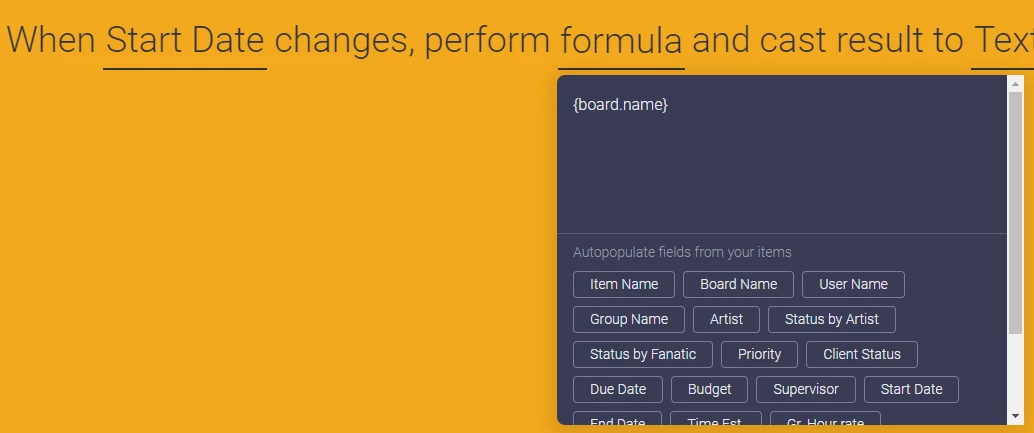
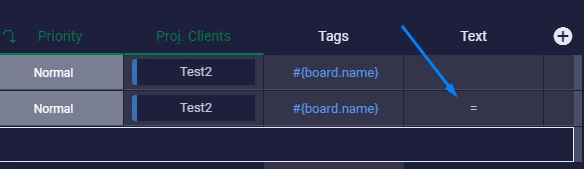
why, when I want the name of the board, “=” appears as a result?
Thanks


image


rob
Forum|alt.badge.img
  • Author
  • monday.com Partner
  • March 31, 2021

Hei @Jiri
Please try again.
We have added support to both Group name and Board name.


  • Participating Frequently
  • March 31, 2021

Now works. Great.

Thanks 😀


  • Participating Frequently
  • April 4, 2021

@rob do you have any updates on this? or know of a way that we could use value of the sum/max/etc… of an entire column of a group to use in charts for measuring purposes?

😭


rob
Forum|alt.badge.img
  • Author
  • monday.com Partner
  • April 6, 2021

No updates on this, @Yu1992