Autoboost - Puts mirror values in normal columns, can uses formulas in automations, summary of group values

  • March 13, 2023
  • 20 replies
  • 3792 views

Forum|alt.badge.img

Hey guys, just wanted to make sure you heard about Autoboost 🚀

Autoboost was initially built to help us internally over here at Boost, as a monday.com partner with the more complicated implementations. There were some features we knew we had to have in order for us to create solid workflows. So we built them 💪🏾

We have released the mirror columns ~ Autoboost can set the values of mirror columns (including people, timeline, status, and numbers) to regular columns.

Set formula results to regular columns ~ To use automations on formula results.

Autoboost can use the subitem values in items and formulas ~

Autoboost can use the group summary value ~

We have made a cool Doc 📃that shows a bit about what this can do, and you can check out our How To Use for more info.

Please feel free to contact for what ever you need at Apps@moveoboost.com

20 replies

Usernamegame
  • Participating Frequently
  • March 24, 2023

I am trying to use Autoboost to do the following: When a subitem mirror column (that is, the rollup of a status column in subitems) reaches 100% change the status in another column on the same parent line to “Complete.” I have been trying for a while and cannot figure this out. Thank you.


Matias.Monday
Forum|alt.badge.img
  • monday.com Team Member
  • March 26, 2023

@Shaul_Klarman, I think this one is for you 🙂


Forum|alt.badge.img
  • Author
  • Participating Frequently
  • March 29, 2023

Hey there,

As much as i wold like this to be solved via Autoboost, i actually think i have a way to natively solve it within mondy.
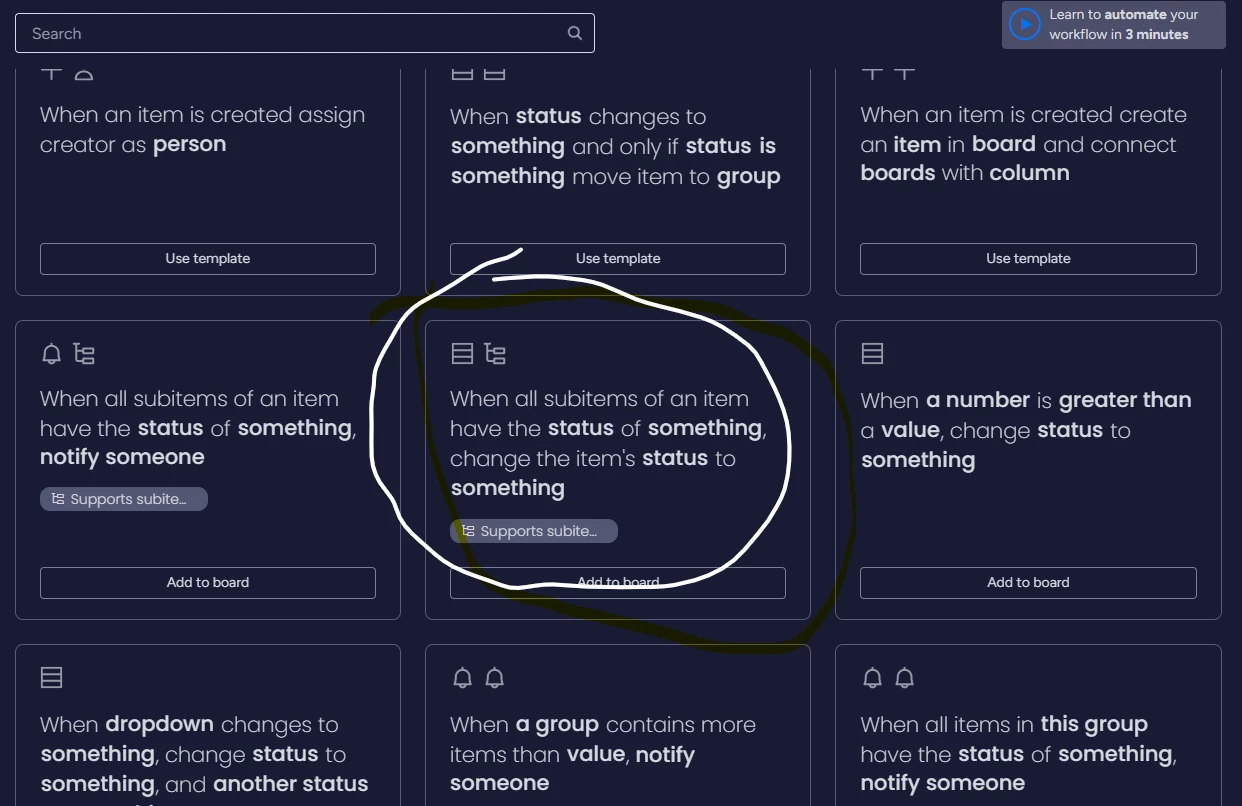
see attached pic and let me know if this solves it.


Usernamegame
  • Participating Frequently
  • March 29, 2023

Yes, but what if one status is changed to incomplete, or blocked, or whatever. The below doesn’t help. I need “When ANY subitem has the status of something, changed the items status to something"


Forum|alt.badge.img
  • Author
  • Participating Frequently
  • March 29, 2023

@Inbar Ziter
Yeah, Autoboost can do it.

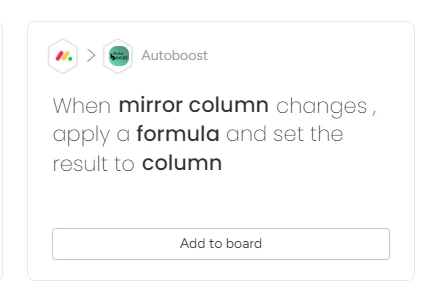
What you wanna do is use the “When Coulmn changes, apply a formula, and set the result to column” recepie.

In the formula use this: IF ([subitem.“column id”] IS “X”, “Completed”, “Not completed”).

Or if it doesn’t work check it out here: https://www.moveoboost.com/autoboost-app-how-to-use

Or talk to me again 🙂


Usernamegame
  • Participating Frequently
  • March 29, 2023

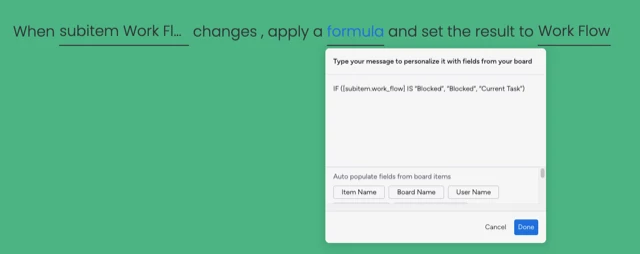
Thank you. I have been to that page several times. Please tell me what is wrong with this syntax:

PastedGraphic-1.png


Forum|alt.badge.img
  • Author
  • Participating Frequently
  • March 30, 2023

Is “work_flow” the ID or the name of the subitem column?


Usernamegame
  • Participating Frequently
  • March 30, 2023

That’s the column ID.


Usernamegame
  • Participating Frequently
  • March 30, 2023

It is the subitem column ID. Sorry if this came through twice.


Forum|alt.badge.img
  • Author
  • Participating Frequently
  • March 30, 2023

No prob,
We are having a look. Ill update 🙂


Forum|alt.badge.img
  • Author
  • Participating Frequently
  • April 4, 2023

Hey man,
Try deleting the space between the IF to the"("
Let me know if this works!


Usernamegame
  • Participating Frequently
  • April 11, 2023

Yes, this worked. Thank you. Is Long Text a supported column? It is not listed as a supposed column although text column is supported…


Forum|alt.badge.img
  • Author
  • Participating Frequently
  • April 11, 2023

Hey,

Currently, long text is not yet supported, but its right around the corner.


  • New Participant
  • April 21, 2023

Hi, i am currently trying to cast a mirrored column value (coming from a formula) to a number value each time a status changes to sth specific but although the integration activity says that is successfully completed the column value doesn’t get copied…


Forum|alt.badge.img
  • Author
  • Participating Frequently
  • April 22, 2023

Hey there -
Please provide more information 🙂
The best thing will be to either make a short video (using loom for example) of the whole flow or come on to a quick zoom call with us.


  • New Participant
  • June 16, 2023

@Shaul_Klarman I have a much simpler question for the group. I’m just trying to get a mirrored status column to update a status column in another board to match the status in the mirrored column whenever it is updated, but I cannot for the life of me figure out how to do it with the mirrored column “formula”/equation or whatever. Can someone help me out?

image


  • New Participant
  • November 17, 2023

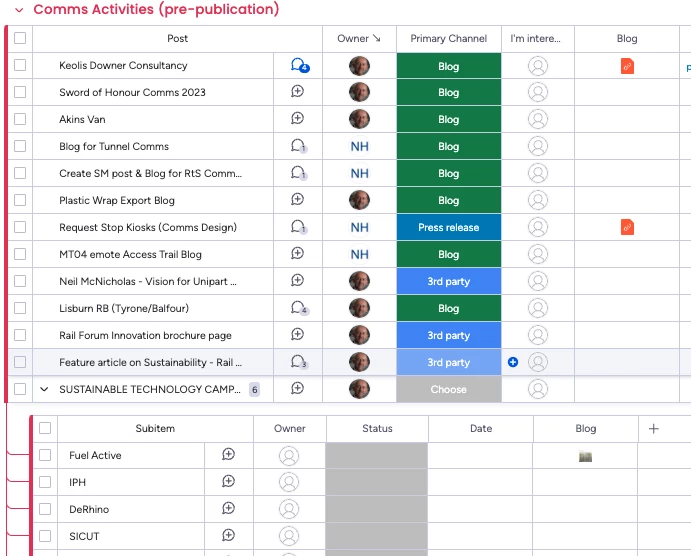
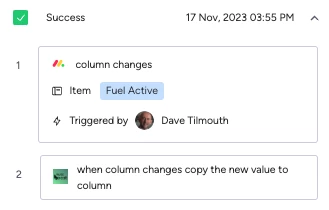
Hi! I am using Autoboost where I have a Subitems columns that’s “Files” (ie I’m either linking to a Google doc or uploading a png etc) and want that same file to appear in the Parent column. I upload a file to the Subitem column and the Boost says it’s worked - but it hasn’t. Am I doing something wrong or does the Boost not work on File columns?


Screenshot 2023-11-17 at 16.11.52


Forum|alt.badge.img
  • Author
  • Participating Frequently
  • November 19, 2023

Hey Dave,
Not sure this can work this way,
how about we hop on a quick call and see what we can do?

https://calendly.com/shaulk/15min


  • New Participant
  • November 20, 2023

i am also trying to use this one but i can’t even select the mirror column. The list to choose from is empty


Forum|alt.badge.img
  • Author
  • Participating Frequently
  • February 18, 2024

Could the connected column be connected to more than one board? if that’s the case it wont work for now. talk to me for the workaround