News

Your Developer Account Just Got a Major Upgrade

Related products:Apps FrameworkMarketplaceDeveloper center
  • February 2, 2026
  • 6 replies
  • 180 views
OmerK
Forum|alt.badge.img+1
  • monday.com Team Member

Hi marketplace partners and developers,

We’re happy to share a big improvement to your monday.com developer experience.

Until now, developer accounts were limited to monday Work Management. We’ve now expanded access to help you build for more use cases and test your apps between monday product suite.

What’s New:

  • Full product access: Build and test across monday Work Management, CRM, Service, and Dev.
  • Test with your team: Invite up to 10 users to simulate realistic workflows and collaboration.
  • Higher limits: Use up to 25,000 automation or integration actions per month, with a 10 million API complexity budget.

Need More?

If your app requires additional testing capacity, submit a request here in the community and we’ll review it promptly.

Watch the Launch Video

Want a quick tour of the new developer experience?
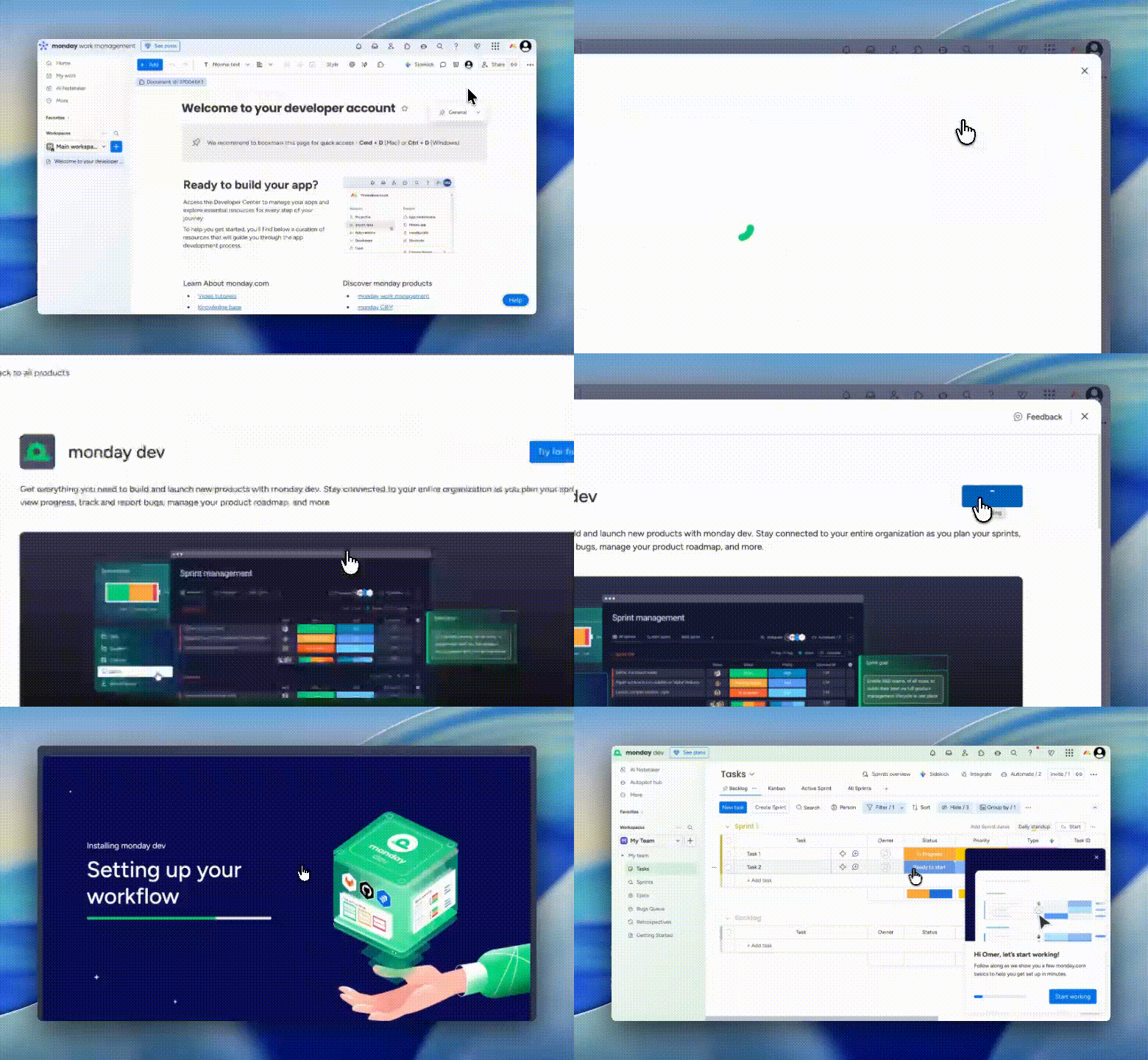
🎥 Watch the launch video to see what's possible and how to get the most from your upgraded account.

Get Started:

  • Already have a developer account? No action needed, your account has been upgraded automatically.
  • New to building on monday? Sign up here to get started.

This upgrade gives you more tools and flexibility to build high-quality apps across the entire monday platform. We can’t wait to see what you create.

 

6 replies

hellotimi
  • Participating Frequently
  • February 2, 2026

This sounds exciting. 

How can I try out these new updates? I did a hard refresh on my developer account and I didn’t notice any changes.


OmerK
Forum|alt.badge.img+1
  • Author
  • monday.com Team Member
  • February 2, 2026

Curious about how to activate the products? Go to the Product switcher, select the product and hit start trial - don't worry, if it's marked as a dev account, it will have everything inside :)


dvdsmpsn
Forum|alt.badge.img+1
  • Participating Frequently
  • February 4, 2026

@OmerK Congrats on the launch. It’s really great that we now have this.
Does this include portfolios too?


OmerK
Forum|alt.badge.img+1
  • Author
  • monday.com Team Member
  • February 10, 2026

@OmerK Congrats on the launch. It’s really great that we now have this.
Does this include portfolios too?

Thank you, indeed! it doesn’t include portfolios but you can ask for it in the extensions form


Heorhii_Postolakii

Hi ​@OmerK ,

Thank you for the updates.

Could you please clarify which exact ‘extensions form’ you are referring to? Do you mean one of these:
https://developer-community.monday.com/p/marketplace-partner-extensions
https://forms.monday.com/forms/82eb9e28b4e58302218d35707012e3dc

Are these the correct places to request Portfolio for monday dev, or is there another official process?

We also reviewed the documentation about adding monday dev agile projects into a Work Management portfolio:
https://support.monday.com/hc/en-us/articles/28120542032274-Adding-monday-dev-agile-projects-into-work-management-portfolio

From this, it seems the intended architecture is Dev > Work Management > Portfolio.

At the same time, we’ve managed to create a Portfolio in Work Management and move it into monday dev, and it appears to function there. However, behavior differs depending on how it’s created (e.g., an empty Portfolio moved to Dev cannot accept Agile projects, while one configured in Work Management first works after migration).

Our client is on monday dev Enterprise only and requires portfolio-level visibility directly in Dev.

So the key question: can Portfolio now be enabled for a monday dev Enterprise account upon request, or does the client still need to purchase Work Management Enterprise seats for managers in order to properly create and manage Portfolios?

Thank you.


OmerK
Forum|alt.badge.img+1
  • Author
  • monday.com Team Member
  • March 2, 2026

Hi ​@OmerK ,

Thank you for the updates.

Could you please clarify which exact ‘extensions form’ you are referring to? Do you mean one of these:
https://developer-community.monday.com/p/marketplace-partner-extensions
https://forms.monday.com/forms/82eb9e28b4e58302218d35707012e3dc

Are these the correct places to request Portfolio for monday dev, or is there another official process?


Just regarding the form question, I mentioned the right link in the thread, here it is. the other form is for sales deck material.

As far as I know the Portfolio can be enabled only for Pro and Enterprise accounts of Work Management, I’m not sure what is the equivalent for monday dev and would recommend to reach our support