



Question

inputFields.itemId is the same as inputFields.boardId for one workflow action

  • February 7, 2026
  • 4 replies
  • 164 views

dvdsmpsn
Forum|alt.badge.img+1


For workflow actions triggered on boardId = 18397494666 & itemId = 11214110651, I'm seeing the itemId is wrongly giving an input of the boardId.

Here’s the setup screen (with the values of body.payload.inputFields on the right):
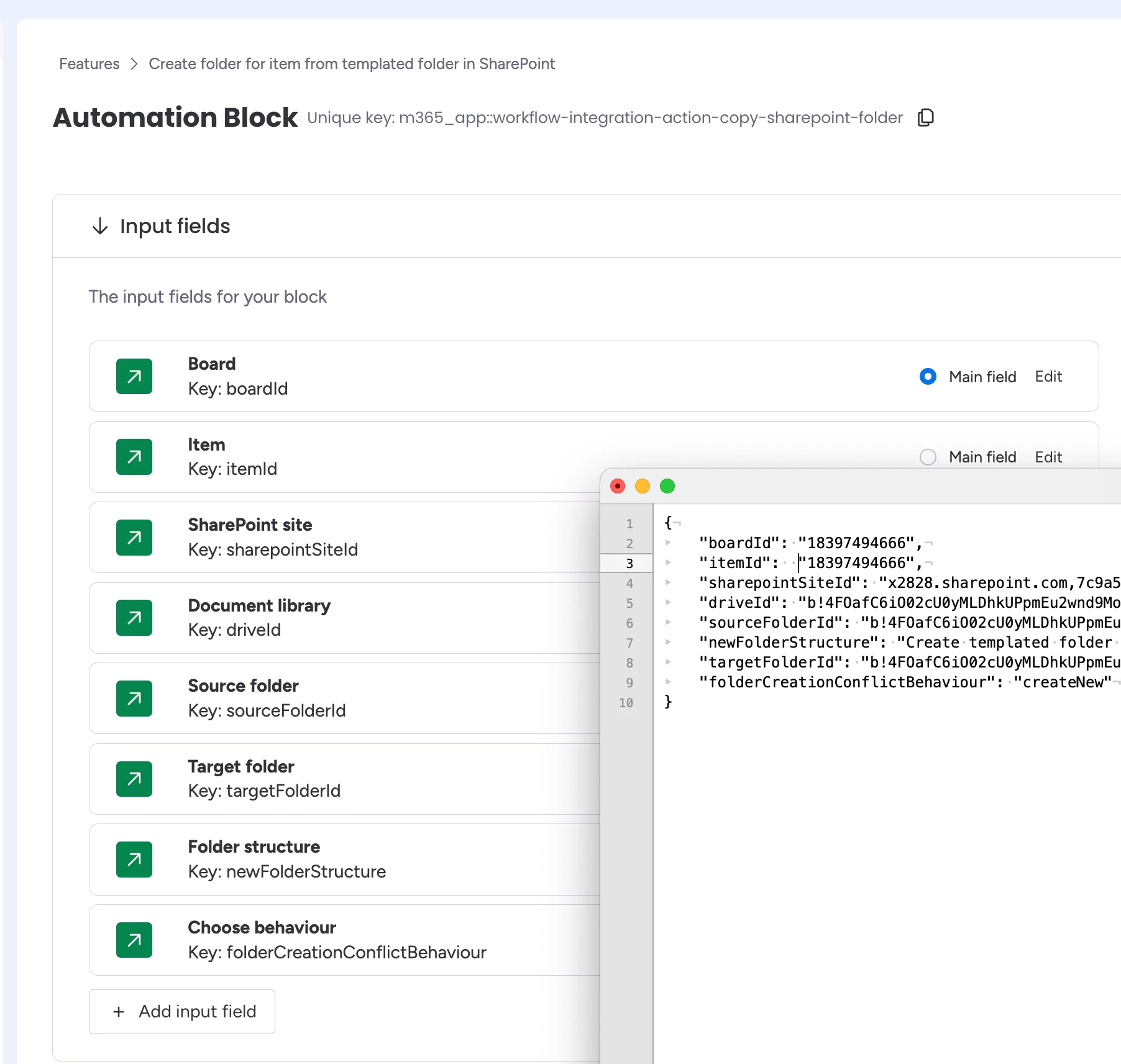


Here’s the setup for the Item:
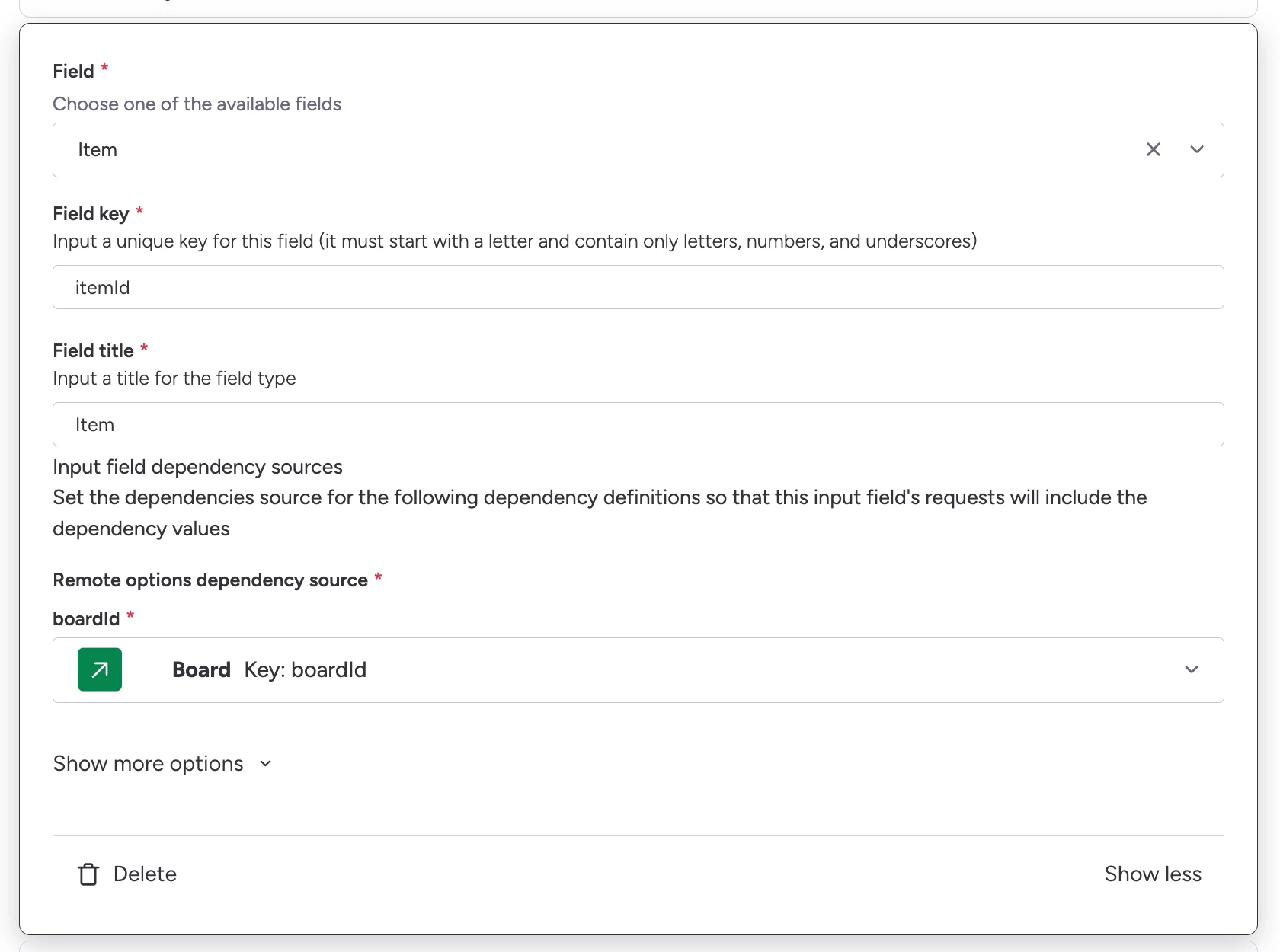
 

Why might this be?

const { inputFields } = body.payload;
console.log(inputFields);

Gives:

{
"boardId": "18397494666",
"itemId": "18397494666",
...
}


--- 


As this looks most likely to be a bug on monday’s end, here’s some metadata for one such automation run:

{
"actionUuid": "4e1f182bca59b6ca14776aa06df008f9",
"triggerUuid": "31e4712253b824058d35d985ebf69429",
"region": "use1",
"recipeId": 3975525,
"integrationId": 529923319
}
 

4 replies

dvdsmpsn
Forum|alt.badge.img+1
  • Author
  • Participating Frequently
  • February 7, 2026

Someone pointed me in the right direction:

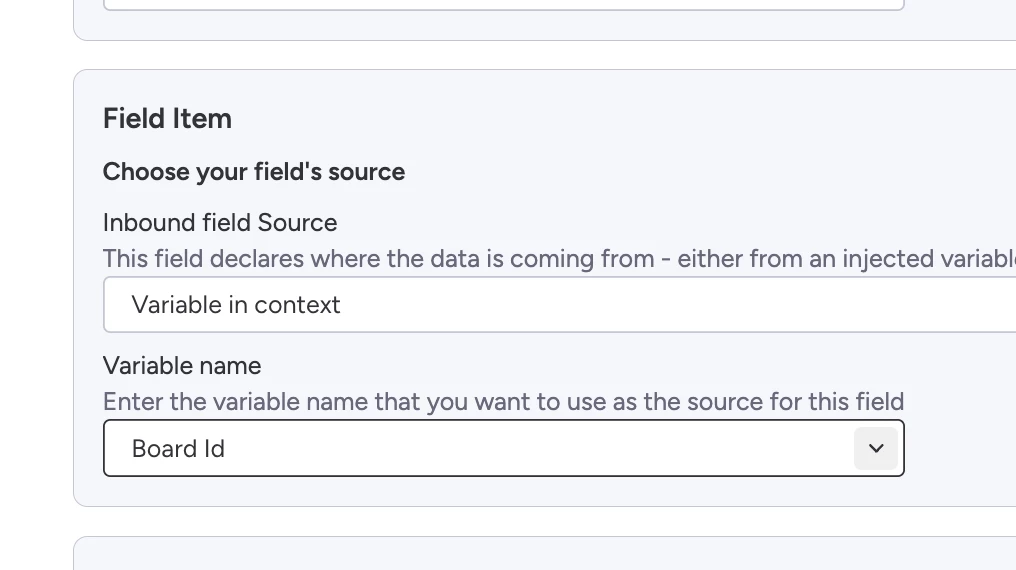
> have you scrolled to the very bottom? At the very bottom is a section related to mapping inputs in the new automation builder, maybe something is off there?

I configured it wrong here:


dvdsmpsn
Forum|alt.badge.img+1
  • Author
  • Participating Frequently
  • February 9, 2026

The trouble with updating the “Field item” at the bottom as suggested, is that while it should solve the problem completely, only the first value you set is remembered.

You basically cannot change anything in the sentence builder part if you initially made a mistake.

This is great if you do a one shot configuration without any human error, but to err is human.

I don’t know what to do now other than a support ticket.


dvdsmpsn
Forum|alt.badge.img+1
  • Author
  • Participating Frequently
  • February 9, 2026

Ticket # 4599157


Example payload sent to the action:
 

{
"payload": {
"blockKind": "action",
"credentialsValues": {
...
},
...
"inputFields": {
"boardId": "18397494666",
"itemId": "18397494666",
...
"folderCreationConflictBehaviour": "createNew"
},
"recipeId": 4067457,
"integrationId": 532243076
},
"runtimeMetadata": {
"actionUuid": "c13a3a5c678a3d49134768672e1ecc61",
"triggerUuid": "194302ac0528406e664a84f3104cacd8"
}
}


dvdsmpsn
Forum|alt.badge.img+1
  • Author
  • Participating Frequently
  • February 12, 2026

I got this response from support:

Audit Recipe Wiring: Open the automation builder for this specific recipe and re-map the itemId field. Please ensure it is explicitly mapped from the Trigger’s Item context rather than a generic ID or board-level variable.


I’d done precisely this already as that should be the fix.

At this point, I was of a mind to start deleting everything, but instead changed to have the Item field as part of the recipe sentence, save that and see what happened.

What happened was precisely nothing. It did not update the values in the inputField.itemId.

However, when I then updated it again to getting the itemId from the trigger output, save and trigger the automation again, it updated to the correct value.

Sooooooo, the answer appears to be, yes things don’t always change after you’ve updated them, but keep trying random changes and test again. Eventually, it might work.

Don’t make mistakes folks.