



Question

Automation blocks not triggered if you reduce the number of input fields

  • March 24, 2026
  • 2 replies
  • 39 views

dvdsmpsn
Forum|alt.badge.img+1

If you edit your automation block and reduce the number of input fields from a previous version, your automation block will fail to be triggered again.


You’ll get to see errors in the automation history like this:
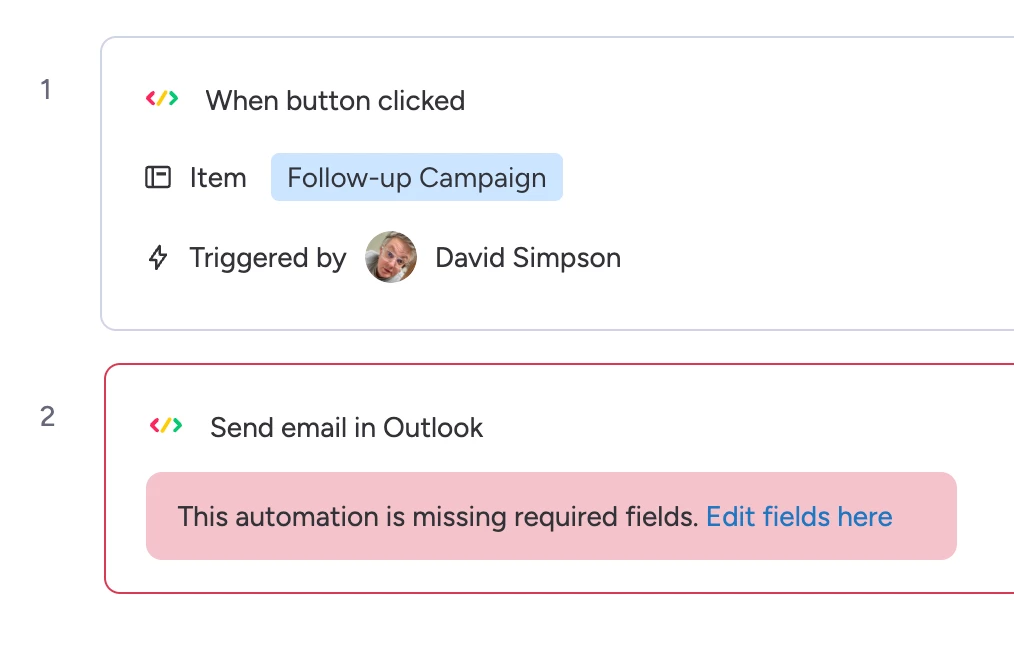
 

But the only way to fix this automation block is to delete it and recreate it from scratch.

It’s another undocumented bug in the new infrastructure.

Just thought others would like to know.

2 replies

Revilre
Forum|alt.badge.img+1
  • March 25, 2026

Have you tried clearing your browser cache or using an incognito window? Just in case something actually exists in your browser cache about the old block config and the platform actually relies on that in creating the automation entity on the back end.


dvdsmpsn
Forum|alt.badge.img+1
  • Author
  • Participating Frequently
  • March 25, 2026

@Revilre The UI says that I’ve deleted the input fields. It’s unlikely that it’s client side cache. 

There’s a bunch of random things going on, but they seem to be on the server side.

I don't have the time to investigate every single bug I encounter in this UI if it’s more pragmatic to start again from scratch when things go wrong. 

The new infra for setting up workflow based features is very buggy and needs fixing.