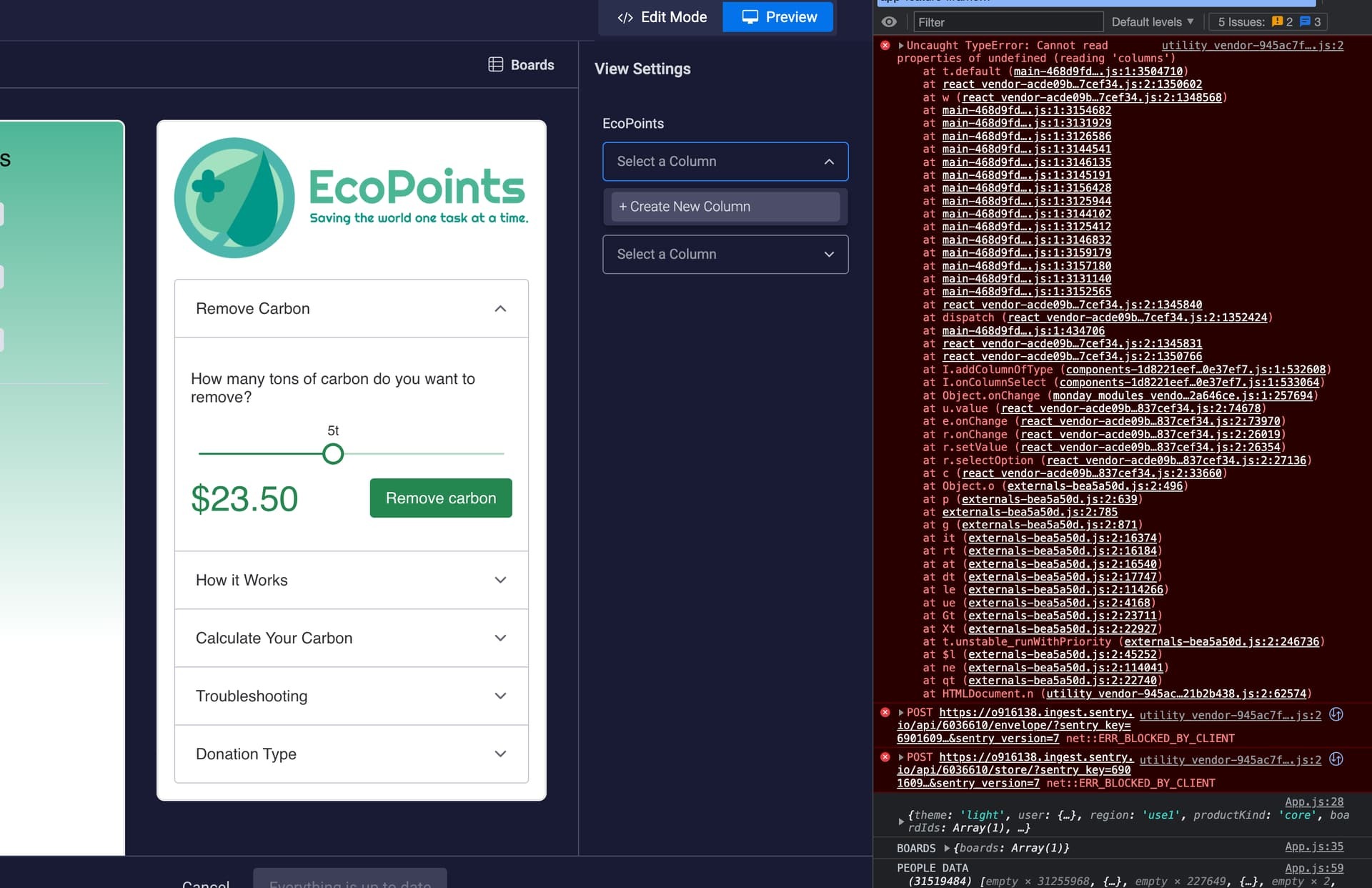
Using "Column" in Settings to Get Column Name

  • July 24, 2022
  • 3 replies
  • 802 views

Hi,
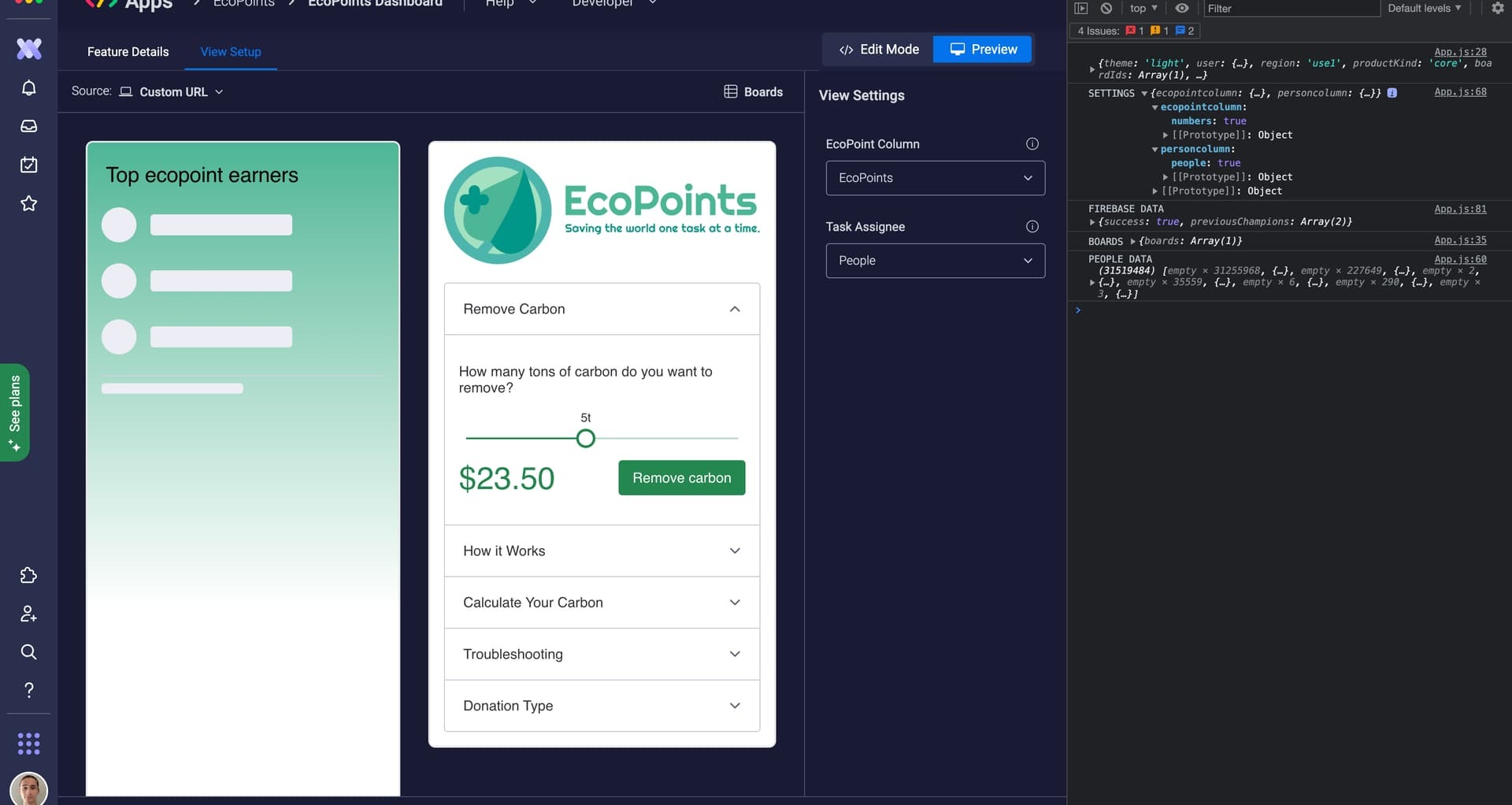
How do I get the column name from the settings when using the “Column” setting in a board view? At first glance, the column input in the settings is exactly what I wanted: to choose a column in a board. But when you look at what comes out, all you get is a boolean. How do I get identifying information about the column from the settings so that I can match it up with the board data?
Regards,
Jeremy


3 replies

Matias.Monday
Forum|alt.badge.img
  • monday.com Team Member
  • July 24, 2022

Hello there @jBoetticher!

The id of the column is in the response you get, before the value of the boolean.

In your case, the column ids would be “numbers” and “people”.

I hope that helps!

Cheers,
Matias


  • Author
  • Participating Frequently
  • July 31, 2022

Unfortunately the column selection feature stopped working in entirety. It no longer shows my columns, and trying to create a column throws an error in the console.


Matias.Monday
Forum|alt.badge.img
  • monday.com Team Member
  • August 1, 2022

Hello @jBoetticher!

Can you please send an email to appsupport@monday.com with the description of the issue, all the screenshots you think are relevant and the script you are using so we can take a closer look?

Looking forward to hearing from you 🙂

Cheers,
Matias