
Unable to properly add a 'columns' field to view setting for dashboard widget

  • February 28, 2022
  • 5 replies
  • 2252 views

Hello,

I’m making a dashboard widget for the Lessonly developers badge. I’m trying to add a setting that lets the user select which column they want the widget to read from.

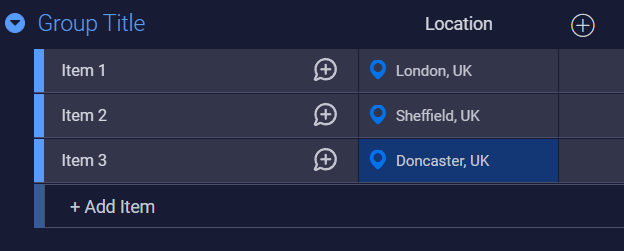
I’ve created a board with a locations column (EDIT: the pictured board is called Widget Test):
image
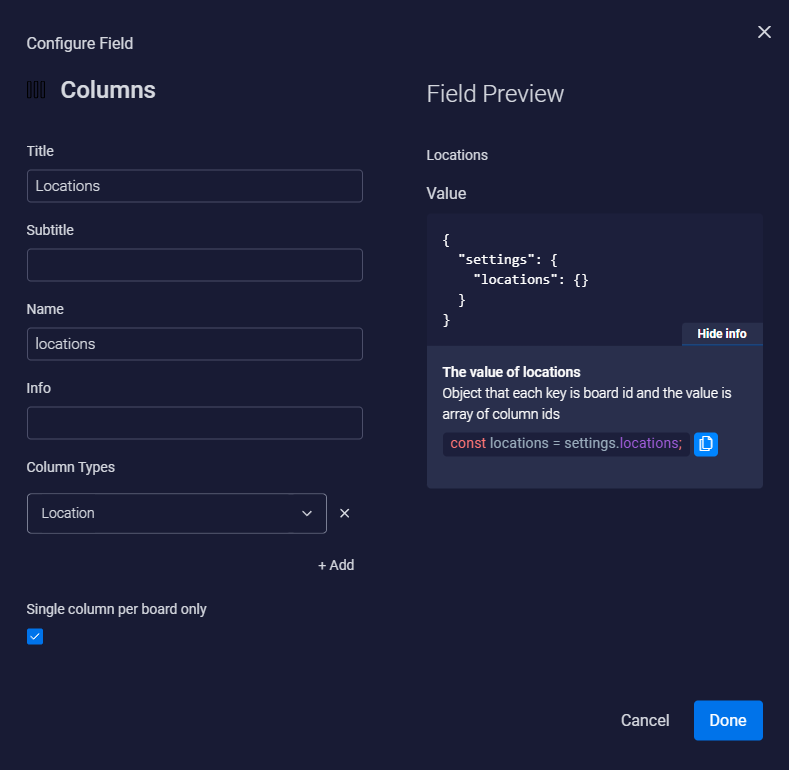
And I’ve added a columns field to the view settings, the configuration (don’t think its important but I’ll picture it just in case):

Yet, when I go to preview the settings display this:
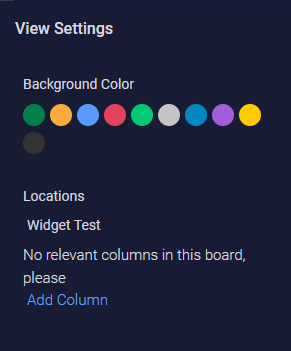
image
Which I don’t understand, since the board has a locations column, and the view setting accepts Location as its column type. Anyway, if I click the Add Column → Add to Board, nothing happens, and my console displays this error message (similarly unsure if it is relevant):
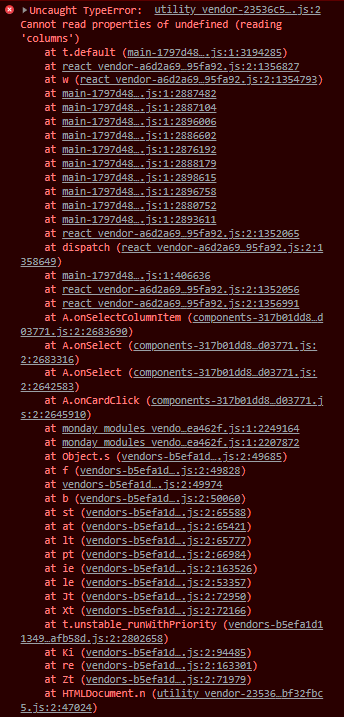
I’d be grateful for any assistance, thanks.


5 replies

Matias.Monday
Forum|alt.badge.img
  • monday.com Team Member
  • March 2, 2022

Hello @SamM and welcome to the community!

I hope you like it here 💪

When in “Edit mode”, have you selected a board by clicking on the “Boards” button that is to the left and a little below the “Edit mode” button?


  • Author
  • New Participant
  • March 5, 2022

Hello Matias,

I’ve added boards via the button you described, though I’ve always done it in preview mode since the button is visible in that mode. I tried removing all boards than adding them while in edit mode, but I still had the same message as in the 3rd image I linked.

What’s strange to me is that since this post I tried promoting a build to live and adding the widget I’d made to a dashboard, and the live widget works just fine.


Matias.Monday
Forum|alt.badge.img
  • monday.com Team Member
  • March 6, 2022

Hello again @SamM,

Are you saying that in the configuration you still do not see the widget as intended but when adding it to a dashboard, the widget works as designed?


  • Author
  • New Participant
  • March 8, 2022

Yes, I get a “no relevant columns found in this board” in the preview, and when I add it to a dashboard I am able to select a location column.


Matias.Monday
Forum|alt.badge.img
  • monday.com Team Member
  • March 8, 2022

Hello again @SamM !

Would you be able to send us an email to appsupport@monday.com with a screen recording of the whole process so we can take a closer look?

Cheers,
Matias