Setting a creator for updates

  • November 8, 2021
  • 7 replies
  • 1219 views

Forum|alt.badge.img

Hi all!
I have an integration that mirrors updates between mirrored item, and when an update is created, the update’s creator will always be the integration’s installer.
Is there a way to change update creator via monday’s API?
thank you!

This topic has been closed for replies.

7 replies

basdebruin
  • Community Expert
  • November 8, 2021

hi @yuvalNakav
An integration always runs under the credentials of the user that added the integration to the board. As the create_update mutations doesn’t have the userId as an argument I don’t think this can work. As a second thought: it would be kind of weird if an app could create updates form any user (just my opinion).


Forum|alt.badge.img
  • Author
  • Participating Frequently
  • November 8, 2021

Hi @basdebruin
The use-case of this integration is to sync between the updates of mirrored items in different boards.
The person that updated the first item and triggered the integration will be the creator of the mirrored update, and than my clients can keep their workflow without switching boards for every update.
As for now - the synced update does not reflect its original creator and creates confusion.


basdebruin
  • Community Expert
  • November 8, 2021

hi @yuvalNakav
That is correct, see my previous update. I do understand your use-case but unfortunately this is not possible. I suggest to submit a feature request.


Forum|alt.badge.img
  • Author
  • Participating Frequently
  • November 8, 2021

Thanks @basdebruin ! I will


AlexSavchuk
Forum|alt.badge.img
  • monday.com Team Member
  • November 8, 2021

Hey @yuvalNakav,

Another great question 🙂 Thanks for reaching out to us.

I can confirm @basdebruin 's explanation here. Any action your app performs will be done on behalf othe user who authorized the feature to run by adding the recipe. If your app creates items, then the user who created the recipe will be considered the item creator, and the same is true for updates.

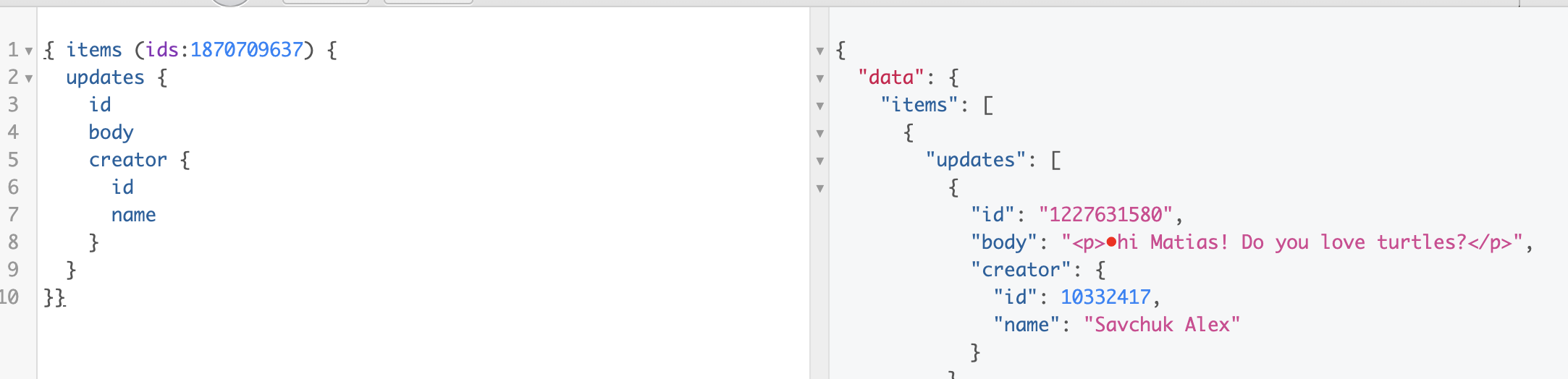
In my opinion, it could be helpful to query the “creator” field of updates, and then post the Name and ID for the synced updates. It isn’t as ideal as having a true copy of the update, but it can help clarify things a bit further.

I hope this can help.

-Alex


Forum|alt.badge.img
  • Author
  • Participating Frequently
  • November 14, 2021

Hi Alex!
This is the method I’m currently using, so I’ll just stick to that
Thanks!


  • November 21, 2021

This topic was automatically closed 7 days after the last reply. New replies are no longer allowed.