Parse error on change_multiple_column_values mutation with Postman

  • May 3, 2021
  • 8 replies
  • 2540 views

paulmiller3000

Hi there,

I’m using Postman to build out all of our API calls before coding them. I need to change multiple column values on an existing item with a single API call. However, I’m receiving a Parse error when sending the request using JSON

Here’s what the request body looks like, with board_id and item_id redacted for security:

{

    "query":

        "mutation {change_multiple_column_values (board_id: 12345, item_id: 67890, column_values: {\\"text03\\": \\"Pablo\\", \\"text22\\": \\"Miser\\" }"

}

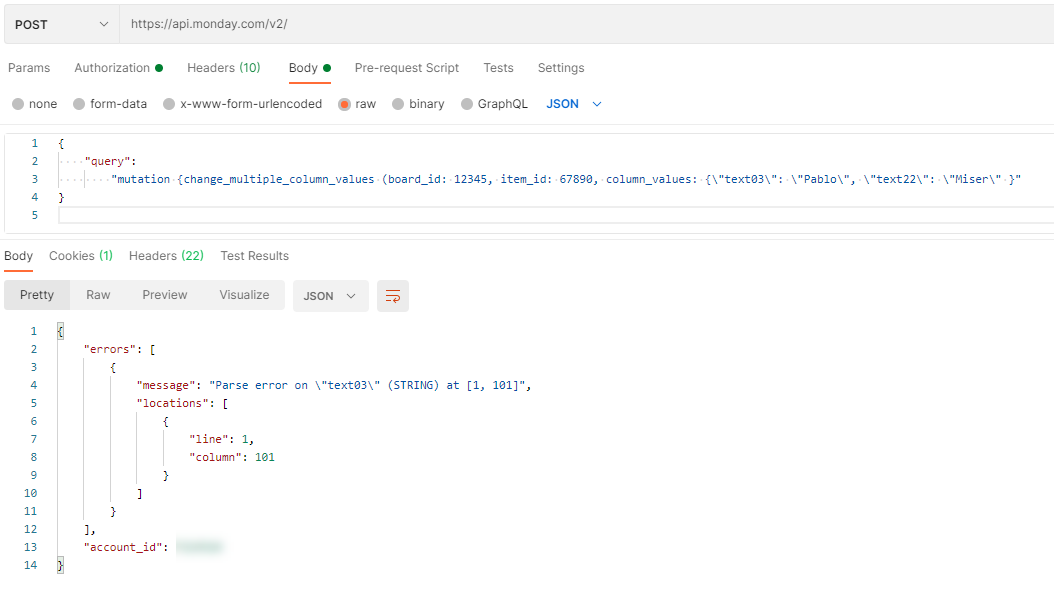
Here’s a screenshot:
What should I try next?

Thanks,
Paul

This topic has been closed for replies.

8 replies

basdebruin
  • Community Expert
  • May 4, 2021

hi @paulmiller3000

Welcome to the community. I believe the \\ character is a special character for Postman and needs to be escaped by a . I am not 100% sure but you could try:

column_values: {\\\\"text03\\\\":


paulmiller3000
  • Author
  • New Participant
  • May 4, 2021

Hi @basdebruin ,

Thank you for the welcome, and for the suggestion!

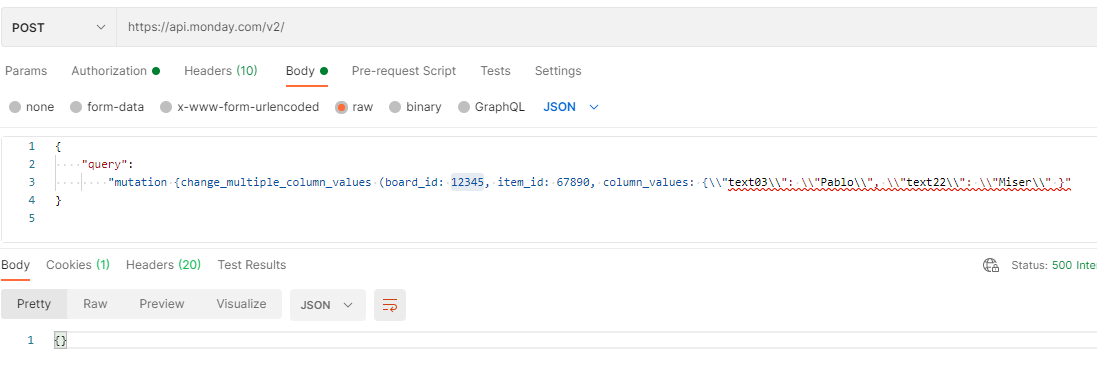
Unfortunately, the double slashes don’t make much of a difference. Postman underline the resulting string as malformed and the API simply returns {} with a 500.


Forum|alt.badge.img
  • monday.com Team Member
  • May 4, 2021

Hi @paulmiller3000!

I see you’re missing a single quotation mark outside of the curly brackets for your column_values() value.

I think it should be something like this: column_values: "{\\"text03\\":\\"Pablo\\", \\"text22\\":\\"Miser\\"}"

Try this out and let me know if it helps!


paulmiller3000
  • Author
  • New Participant
  • May 4, 2021

Hi @Helen ,

No luck there, either. The entire mutation string is encased in quotation marks, hence the need to escape additional quotes. I tried wrapping my column_values value in quotes, like this:

{

    "query":

        "mutation {change_multiple_column_values (board_id: 12345, item_id: 67890, column_values: "{\\"text03\\": \\"Pablo\\", \\"text22\\": \\"Miser\\" }""

}

Postman didn’t like that, and the API returned a 500 (surprising, would have expected a 400).

Then I tried escaping those quotes, like so:

{

    "query":

        "mutation {change_multiple_column_values (board_id: 12345, item_id: 67890, column_values: \\"{\\"text03\\": \\"Pablo\\", \\"text22\\": \\"Miser\\" }\\""

}

Postman liked it, but the API returned the following parse error:

{

    "errors": [

        {

            "message": "Parse error on \\": \\" (STRING) at [1, 108]",

            "locations": [

                {

                    "line": 1,

                    "column": 108

                }

            ]

        }

    ],

    "account_id": 12345

}

I think, given the troubles were having and the youthful nature of the API documentation, we’ll have to give up on using JSON in Postman.

Hopefully someone else can solve this and post an answer here for future visitors!

Thanks,
Paul


AlexSavchuk
Forum|alt.badge.img
  • monday.com Team Member
  • May 5, 2021

Hey @paulmiller3000,

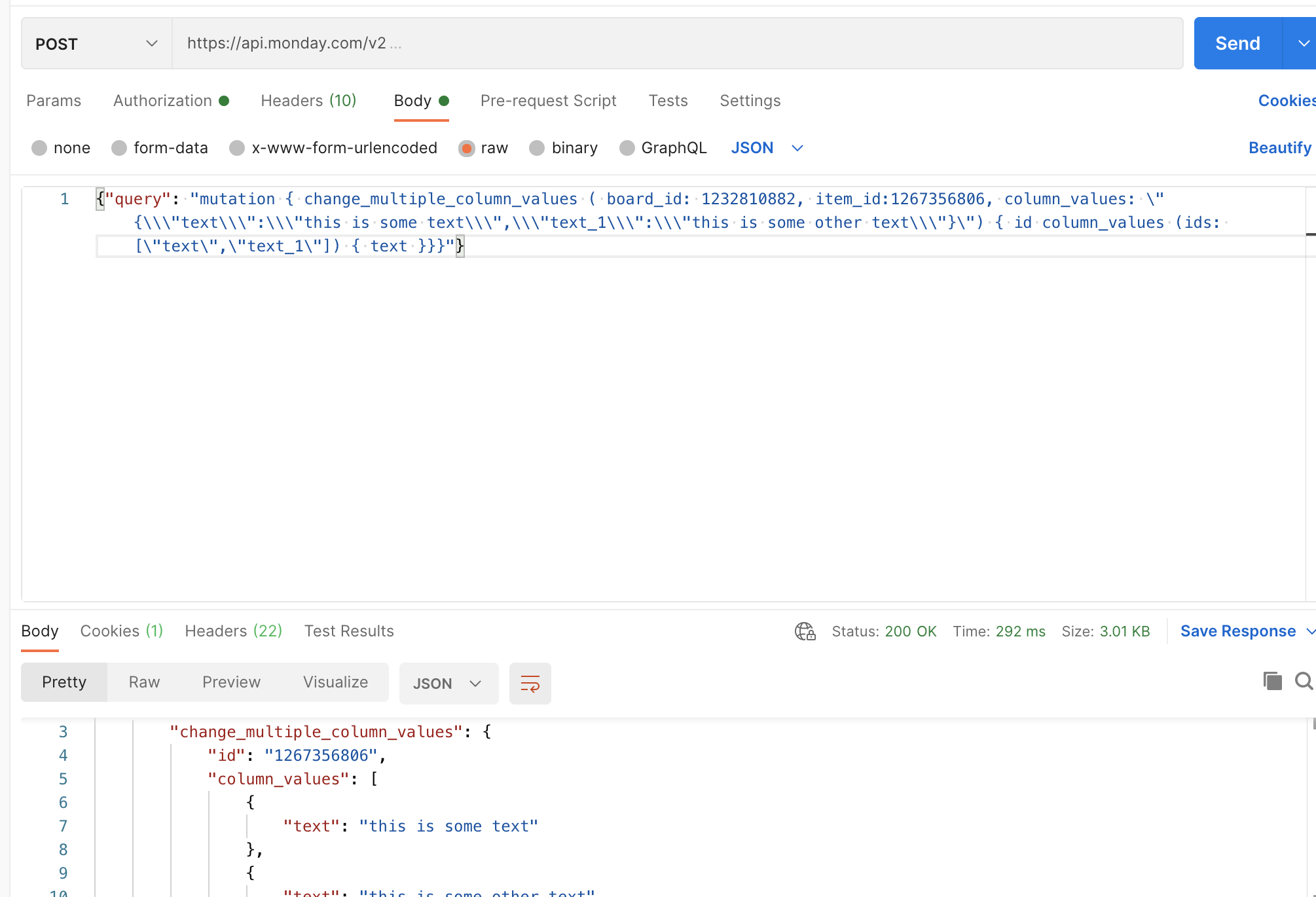
I’d love to try and have a go at this one 🙂 I’ve just used the following query and it seems to have worked for me:

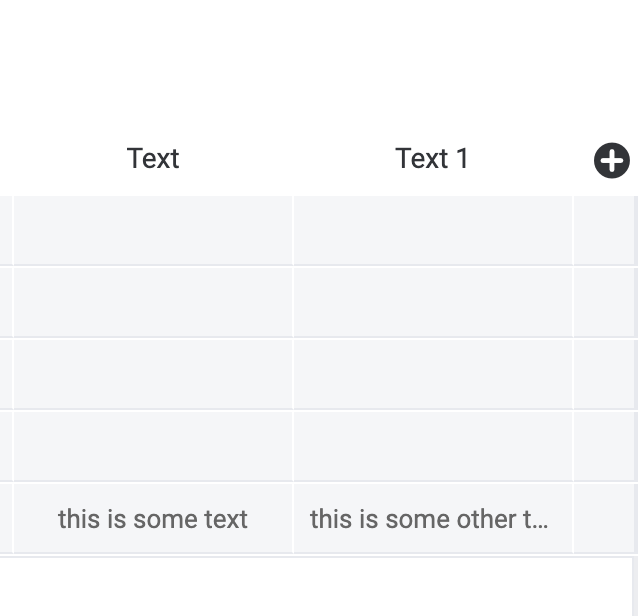
And on the board:

Here is the query itself:

{"query": "mutation { change_multiple_column_values ( board_id: 1232810882, item_id:1267356806, column_values: \\"{\\\\\\"text\\\\\\":\\\\\\"this is some text\\\\\\",\\\\\\"text_1\\\\\\":\\\\\\"this is some other text\\\\\\"}\\") { id column_values (ids: [\\"text\\",\\"text_1\\"]) { text }}}"}

Please note that you should send your Postman mutations as a single string, if you are using JSON! I think that might have been part of the issue you were having.

I hope this helps!

-Alex


paulmiller3000
  • Author
  • New Participant
  • May 5, 2021

Thank you, @AlexSavchuk . The problem was I was escaping quotes with a single backlash (\\"), rather than three (\\\\\\") as you recommended. I’m all set.

Thanks again!


AlexSavchuk
Forum|alt.badge.img
  • monday.com Team Member
  • May 6, 2021

@paulmiller3000

Amazing, I’m glad that did the trick 🙂

-Alex


  • May 13, 2021

This topic was automatically closed 7 days after the last reply. New replies are no longer allowed.