On marketplace submission form workspace view feature does not appear

  • May 4, 2024
  • 10 replies
  • 188 views

Hi,

I am trying to create an app submission form from here. Actually my app is a workspace view app not a workspace template. But on the form under App Features question workspace view is not on the list.
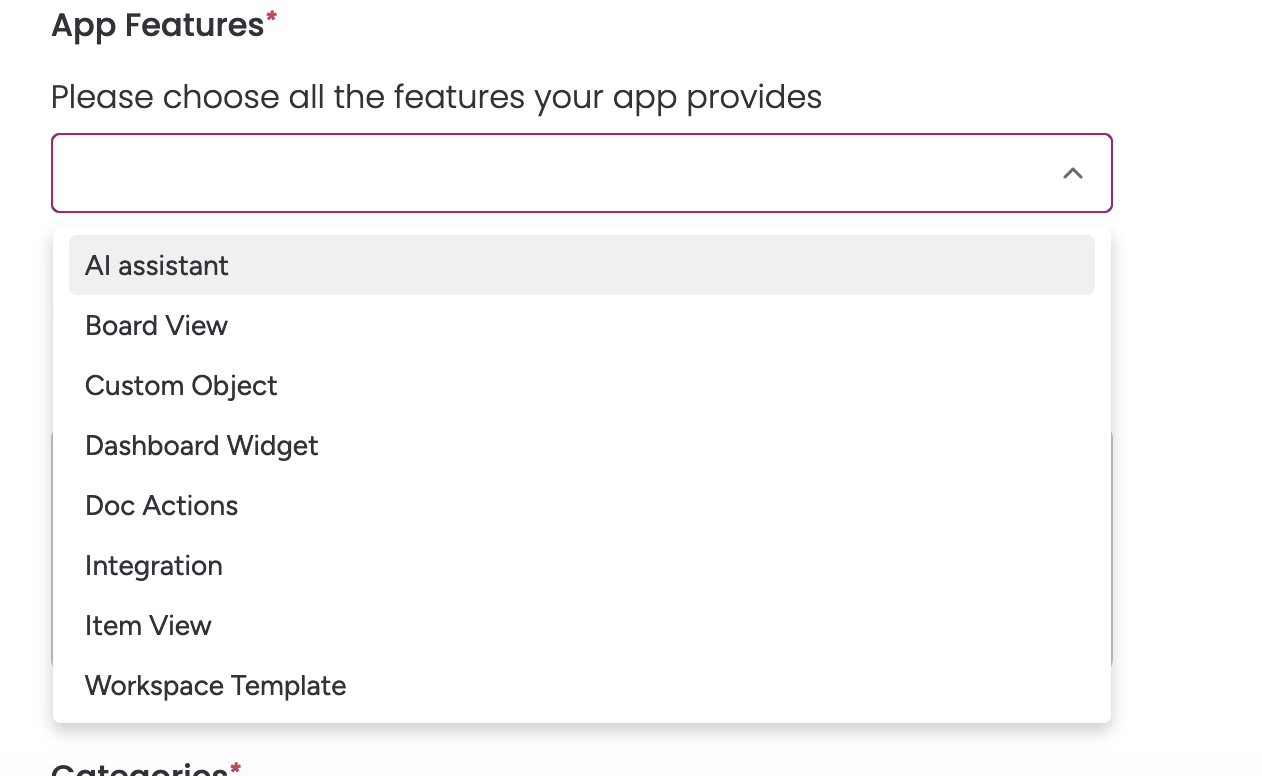
There is only Workspace Template. The question is, for workspace view apps, which option should I select to submit the form?

Thanks in advance.

Regards

10 replies

kolaai
Forum|alt.badge.img
  • monday.com Partner
  • May 4, 2024

If you are referring to apps that live on the left panel, you need to select Custom Object.


  • Author
  • Participating Frequently
  • May 4, 2024

Hi @kolaai,

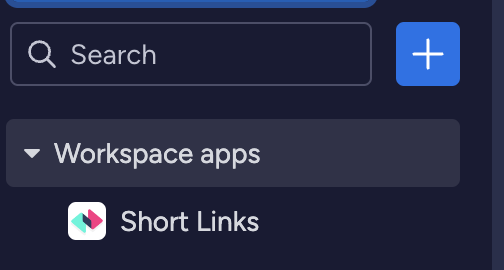
Thanks for your reply. I know custom objects but when you install workspace view as an app it is visible and usable in all workspaces. But custom objects are only listed in a specific workspace. So let’s say you have n workspaces then you have to install custom objects n times. However, workspace view is not like that. If you have n workspaces you just have install it once and it becomes available in all workspaces. Just like the following. It is labeled as workspace apps.

Screenshot 2024-05-04 at 21.36.48


  • Author
  • Participating Frequently
  • May 5, 2024

This feature is called Workspace App Feature. This is a fresh feature by monday and it was released at January 2nd, 2024

But it seems that this documentation has not been updated. And the submission form has not been updated also I think.


Matias.Monday
Forum|alt.badge.img
  • monday.com Team Member
  • May 6, 2024

Hello there @apsimos,

You can contact for this the marketplace team here 😀

Cheers,
Matias


  • Author
  • Participating Frequently
  • May 6, 2024

Hi @Matias.Monday

This link seems broken.

Best


Matias.Monday
Forum|alt.badge.img
  • monday.com Team Member
  • May 6, 2024

Hello again @apsimos,

That is odd. I just tried this link (https://forms.monday.com/forms/ef5378768a28878c7e623df66b14a549?r=use1) from my session, and then in incognito and it worked well for me.

What do you see if you click on it?


  • Author
  • Participating Frequently
  • May 6, 2024

Hi @Matias.Monday

Sorry for the confusion, your link is working but I had meant one of the suggested links does not work. In my case I need to apply to the following link and this is not working.

https://support.monday.com/hc/en-us/requests/new?ticket_form_id=13855862562962.

Edit:

ok I got it. There is extra dot at the end of the link. This is why it does not work.


Matias.Monday
Forum|alt.badge.img
  • monday.com Team Member
  • May 7, 2024

I am glad you found the source of the issue @apsimos !


  • Author
  • Participating Frequently
  • May 7, 2024

Hi @Matias.Monday

For my case it is ok but your team should remove the extra dot from the broken link that placed here. Please no longer use this form, review the options below to find the best place for support.


Matias.Monday
Forum|alt.badge.img
  • monday.com Team Member
  • May 7, 2024

I will communicate this to the team @apsimos !