Question

OAuth-only app: Do I need marketplace listing?

  • December 19, 2025
  • 5 replies
  • 43 views

  Hi everyone,


  Quick question about Monday.com app publishing:

  We built a third-party CRM integration for another platform. Our Monday.com app is

  OAuth-only - no UI, no features within Monday.com. Users authenticate via OAuth to

  allow syncing CRM data to Monday boards.


  Current issue: OAuth only works for our organization (dev mode). External users can't

  authenticate.

  Question: Must we publish to Monday.com Marketplace just for OAuth, even though the app

   has no standalone features in Monday.com? Is there an alternative for production OAuth

   access?


  All user interaction happens in the external platform. The Monday app just enables API

  access.


  Thanks for any guidance!

5 replies

mitchell.hudson

Hey ​@Sarfaraz,

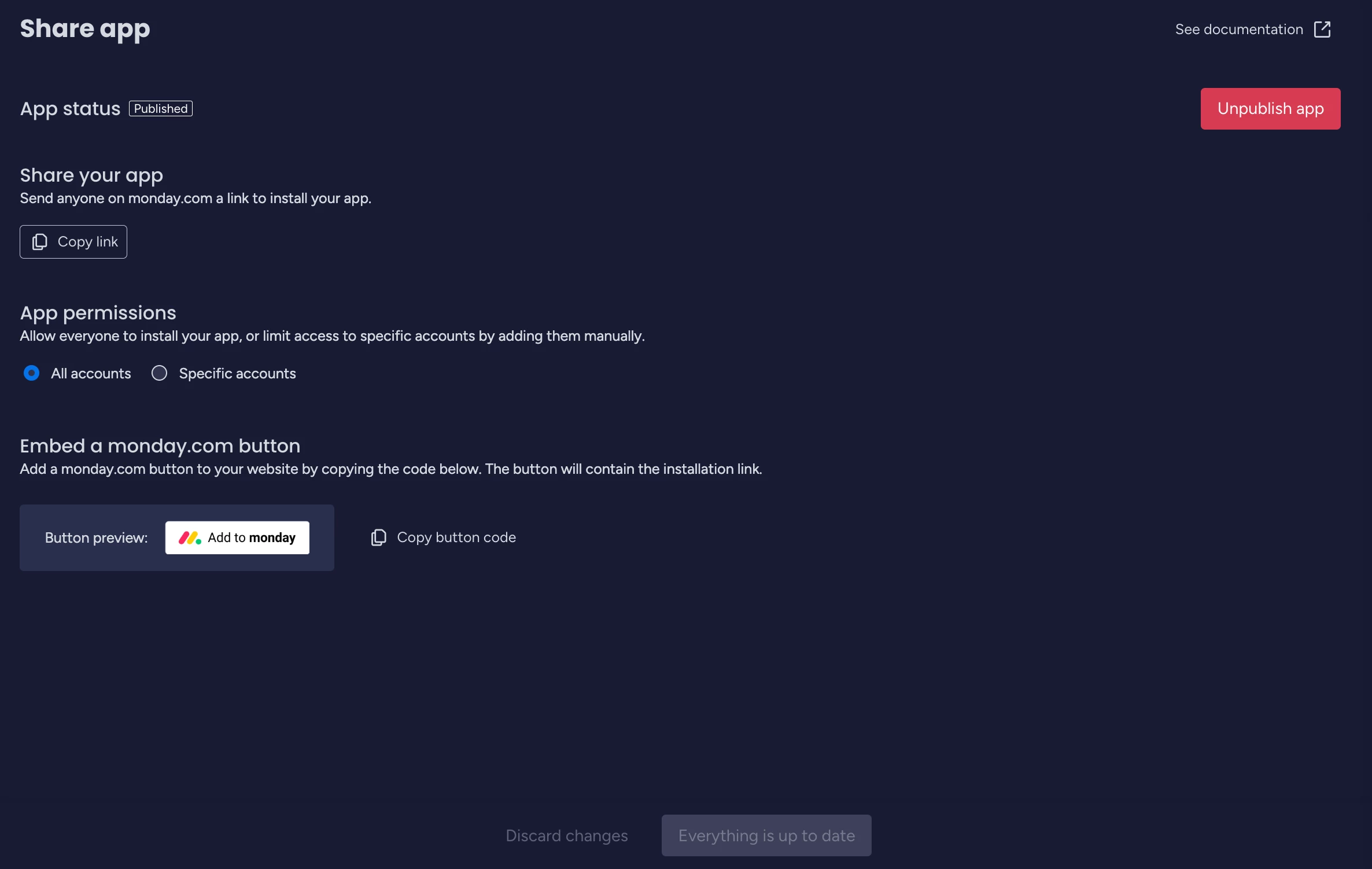
I think the only step you are missing is you haven’t shared the app. Go into the app settings, under “Distribute” select “Share”, and then publish your app. You should see something like the below. 


You can then select all account, or limit it to specfic account Ids, however I expect in your use case, you are looking for all accounts.


Short answer, no, you don’t need to include your app on the monday marketplace if you don’t wish however it does provide visibility of your app so you may get a few more leads (you can also just redirect back to your app during auth processes, etc..). You can also set up custom recipes to make it easier for your customers to customise their solution, i.e select which fields on which boards they want to sync across to your app to make it more flexible.


dvdsmpsn
Forum|alt.badge.img+1
  • Participating Frequently
  • December 22, 2025

Get your app on the marketplace. Otherwise, it’s a good marketing opportunity missed.


  • Author
  • Participating Frequently
  • December 23, 2025

Hello ​@mitchell.hudson ​@dvdsmpsn 

Thanks for your messages really helpful and would be good to publish the app in monday markplace for the exposure.

I did as you had suggested ​@mitchell.hudson setting the app to all accounts and publish it. I have promoted the app as the new live version. 

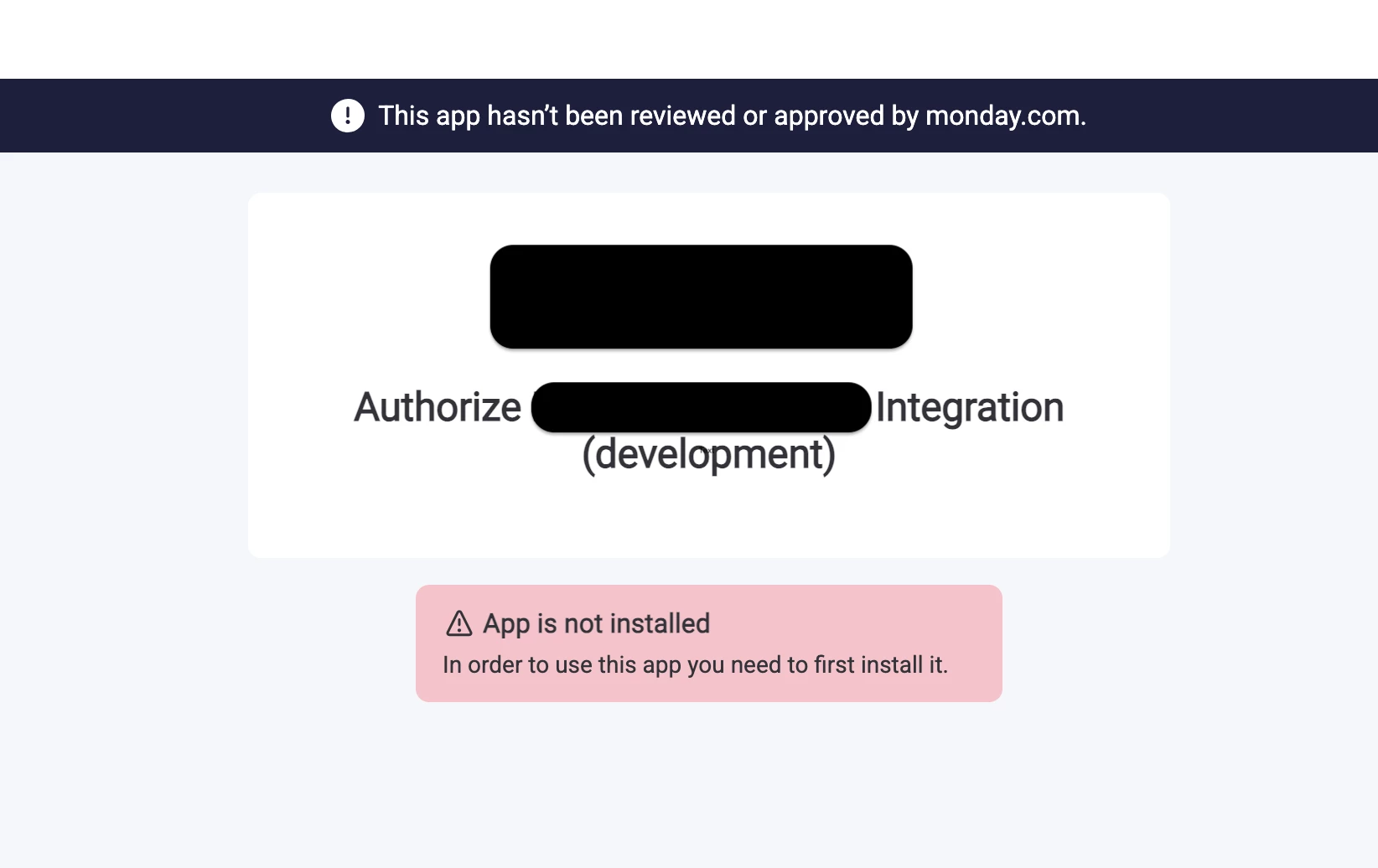
I tried to install the application and perform an OAuth with Monday.com but still encountering message the “In order to use the app you need to first install it” .

The user account which i am testing with is not from the organisation the app is installed. It’s completely new monday.com account.


mitchell.hudson

Hey ​@Sarfaraz,


Yes, the app does need to be installed on the account to proceed through the OAUTH flow.


There are 2 options to do this, first you can have the user manually install the app (via the “Copy link” under “Share your app” section in your screenshot above) or you can add the “force_install_if_needed=true” parameter (https://developer.monday.com/apps/docs/oauth#authorization-request) to the OAUTH redirect request. This will prompt the user to install the app and then continue the OAUTH flow afterware.


  • Author
  • Participating Frequently
  • December 24, 2025


Hey ​@mitchell.hudson,


Thanks for the clarification! To confirm my understanding:The force_install_if_needed=true parameter and the shareable link both require the app to be in a "published" or "shareable" state, correct?

My use case: This is a public integration where any Monday.com user (from any organization) should be able to authenticate via OAuth. I won't know these users in advance - they'll discover and connect through our external CRM platform.

Given these two options, is publishing to the Monday.com Marketplace the standard/recommended approach for public integrations like ours? Also, how long does the marketplace app review and publishing process typically take?


Appreciate your help!