Hi Team,
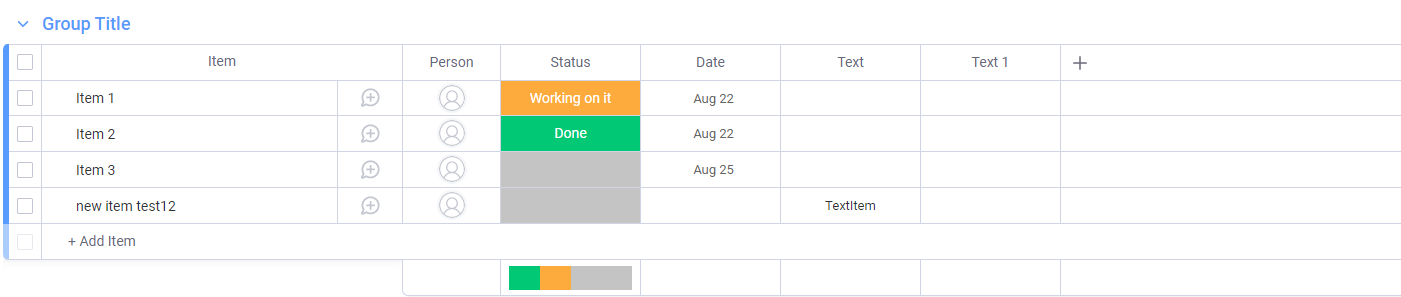
we are trying to create item with column values in Monday.com board from C# code but item is not created please suggest where we are missing
string columnvalue = “ready 5”;
string query = @“{ ““query””: ““mutation {create_item(board_id: 3133804748,item_name: new item test10, column_values:"”{\\"“text\\"”:\\"”” + columnvalue + @“\\"”}"“) { id} }”" }";
string MondayApiKey = “Token”;
string MondayApiUrl = “https://api.monday.com/v2/”;
byte dataBytes = System.Text.Encoding.UTF8.GetBytes(query);
    HttpWebRequest request = (HttpWebRequest)WebRequest.Create(MondayApiUrl);
    request.ContentType = "application/json";
    request.Method = "POST";
    request.Headers.Add("Authorization", MondayApiKey);

    using (Stream requestBody = request.GetRequestStream())
    {
        await requestBody.WriteAsync(dataBytes, 0, dataBytes.Length);
    }

    using (HttpWebResponse response = (HttpWebResponse)await request.GetResponseAsync())
    using (Stream stream = response.GetResponseStream())
    using (StreamReader reader = new StreamReader(stream))
    {
        return await reader.ReadToEndAsync();
    }