In Front-end App how to get and store admin access token in the APP

  • March 17, 2023
  • 10 replies
  • 954 views

  • Participating Frequently

Hi,
As I have developed an front-end APP, I am not performing OAuth.

Instead I have developed an settings page in the front-end APP where I have provided with the option to enter the monday.com access token.
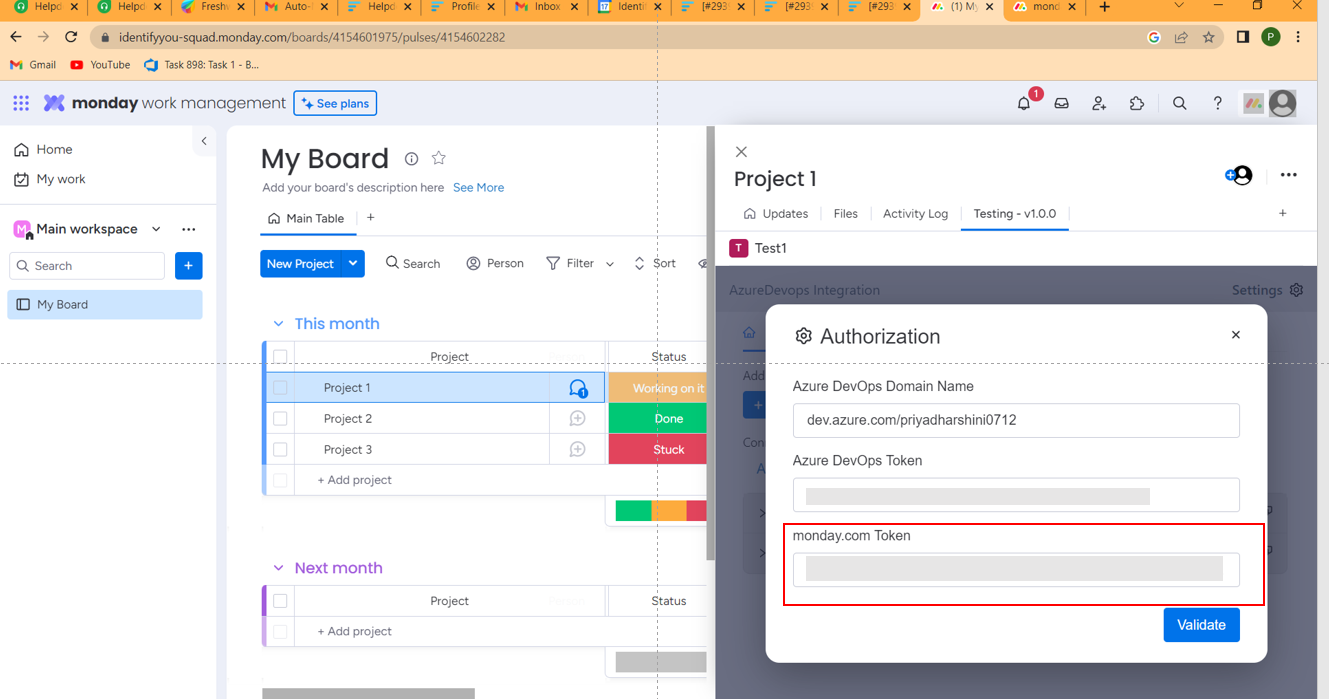
But I received comments from the App review team that should not get the monday.com
access token from the front-end.

So, how to get the admin access token and store it in the APP.

Kindly please advise in this above situation.

Thanks in advance!

10 replies

basdebruin
  • Community Expert
  • March 17, 2023

It is indeed a very bad idea to store tokens in the frontend. You can get the sessionToken easily with:

monday.get("sessionToken").then((res) => (myToken = res.data));

If you really require an admin token you should make a call to a backend where the admin token is stored, but it is still dangerous to store any token.


Matias.Monday
Forum|alt.badge.img
  • monday.com Team Member
  • March 19, 2023

Thank you @basdebruin!

@Priya let us know if you have any question about this.

Cheers,
Matias


  • Author
  • Participating Frequently
  • March 20, 2023

Hi,

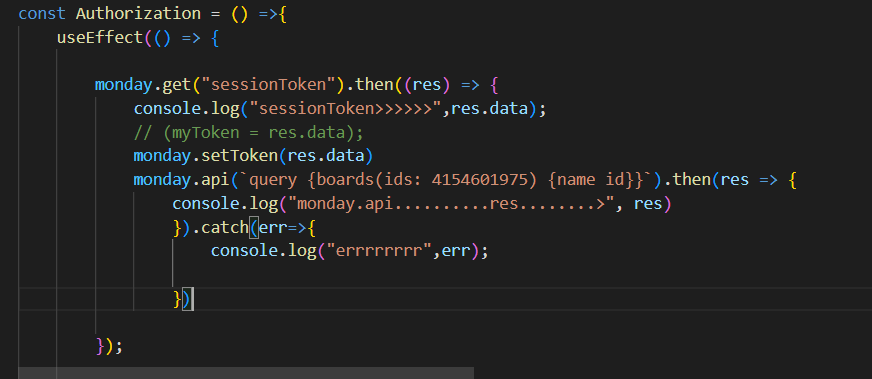
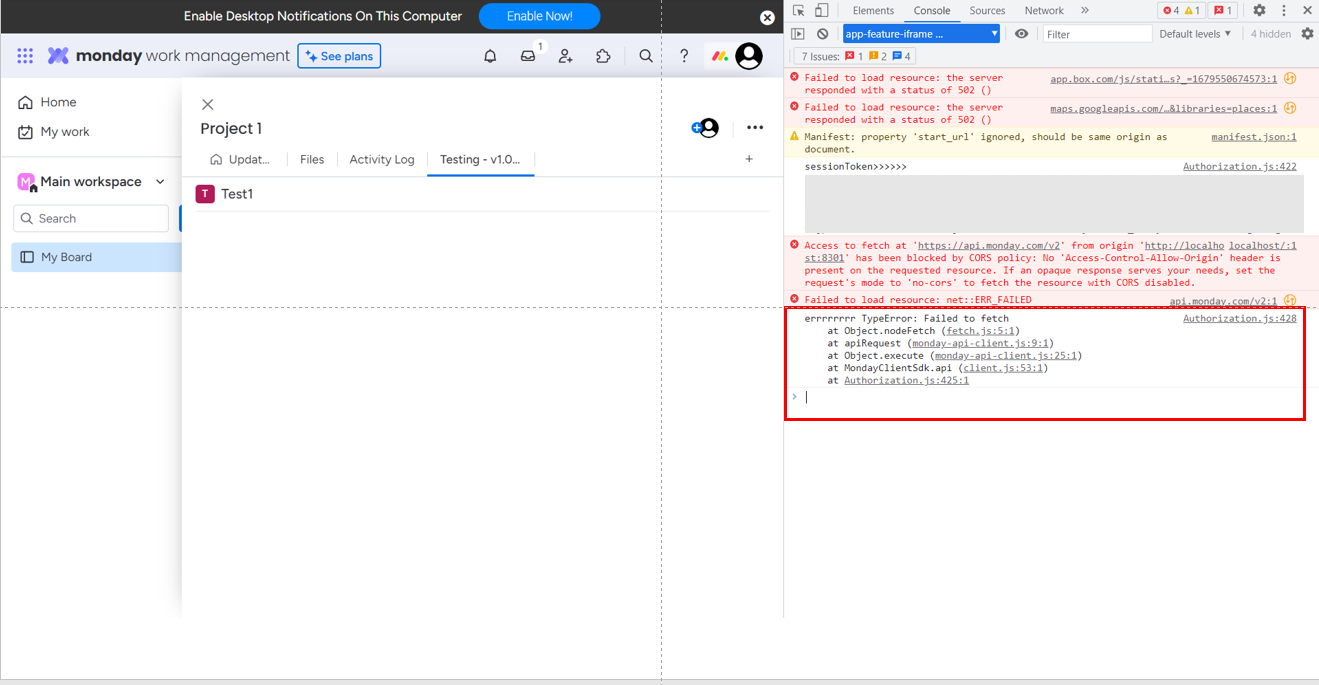
I have used the session token in my code. But shows the bellow error.

Please help me to execute the query.

Sample code Screenshot:

Error in console:

I have doubt in using Session token. As an admin user, I can read the updates(like conversation) using the session token.

In another case the App is installed by the admin. If I am having member access, how to execute the api query with the help of session token. Member has some restriction to execute the query.

Please help on this .

Thanks in Advance!
Priya


Matias.Monday
Forum|alt.badge.img
  • monday.com Team Member
  • March 20, 2023

Hello @Priya,

I noted that you sent an image that had a token. I erased the image from your post so that you don’t expose your token in the community.

Could you upload it again but covering the token so it is not visible?


  • Author
  • Participating Frequently
  • March 23, 2023

Hi @Matias.Monday,

Please refer to the below error screenshot.


Matias.Monday
Forum|alt.badge.img
  • monday.com Team Member
  • March 23, 2023

Hello again @Priya I just noticed that you are missing the “try” there.

I just tested this a little bit and it appears to be that if you don’t have a “try” statement, then you will get the catch error message.


  • Author
  • Participating Frequently
  • March 23, 2023

Hi @Matias.Monday,

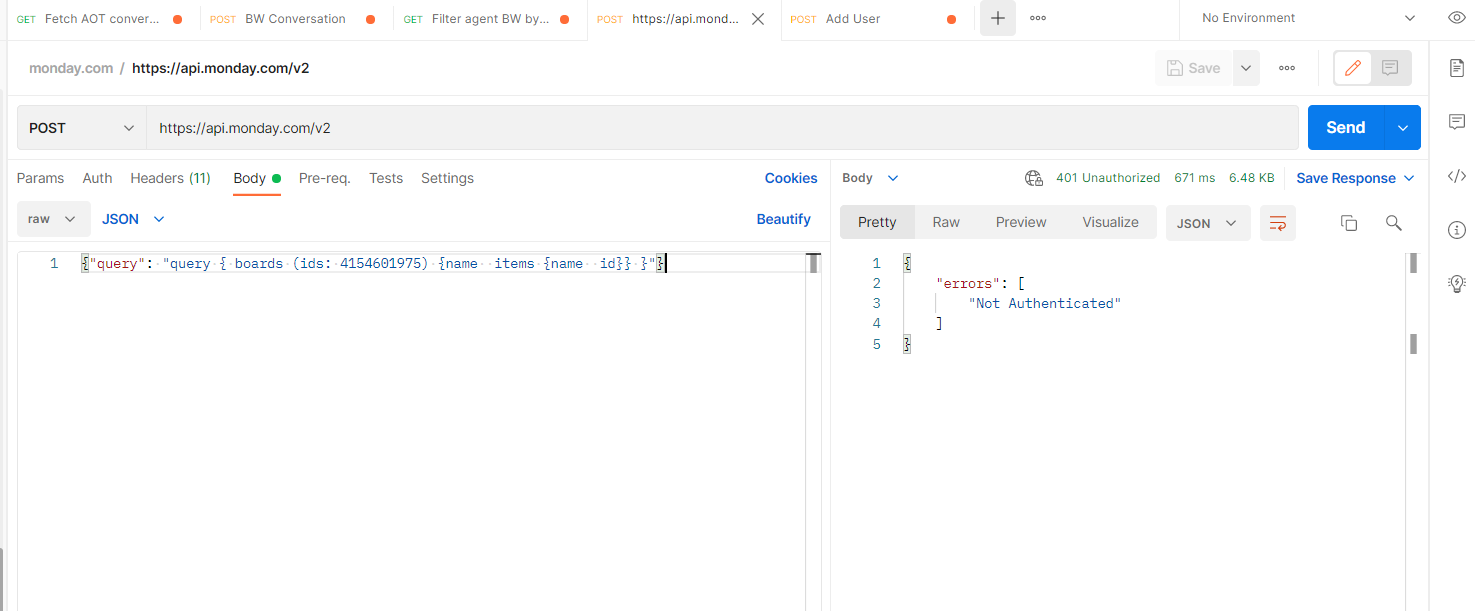
When I tried with the session token in postman. I got the below error.


Matias.Monday
Forum|alt.badge.img
  • monday.com Team Member
  • March 23, 2023

Hello again,

Did you use the session token as a key?

The session token is a JWT token that is decoded with your app’s secret and can be used as a token between your app’s frontend and backend.

It is not for it to be used directly as a key in a headers in the request.

Was that the case?

Did your script work?


  • Author
  • Participating Frequently
  • March 25, 2023

Hi @Matias.Monday,

Thanks for the support!

I removed the set token line from coding and then the App is working fine.

Thanks!


Matias.Monday
Forum|alt.badge.img
  • monday.com Team Member
  • March 26, 2023

Hello @Priya ,

That’s great!

let us know if you have any other questions or issues!

Cheers,
Matias