How to reduce size/length of Toast / Vibe design system

  • March 6, 2023
  • 9 replies
  • 786 views

  • Participating Frequently

Hi ,

I am using toast component in my App.

I need to reduce length/size of the Toast. Please refer the screenshot below.
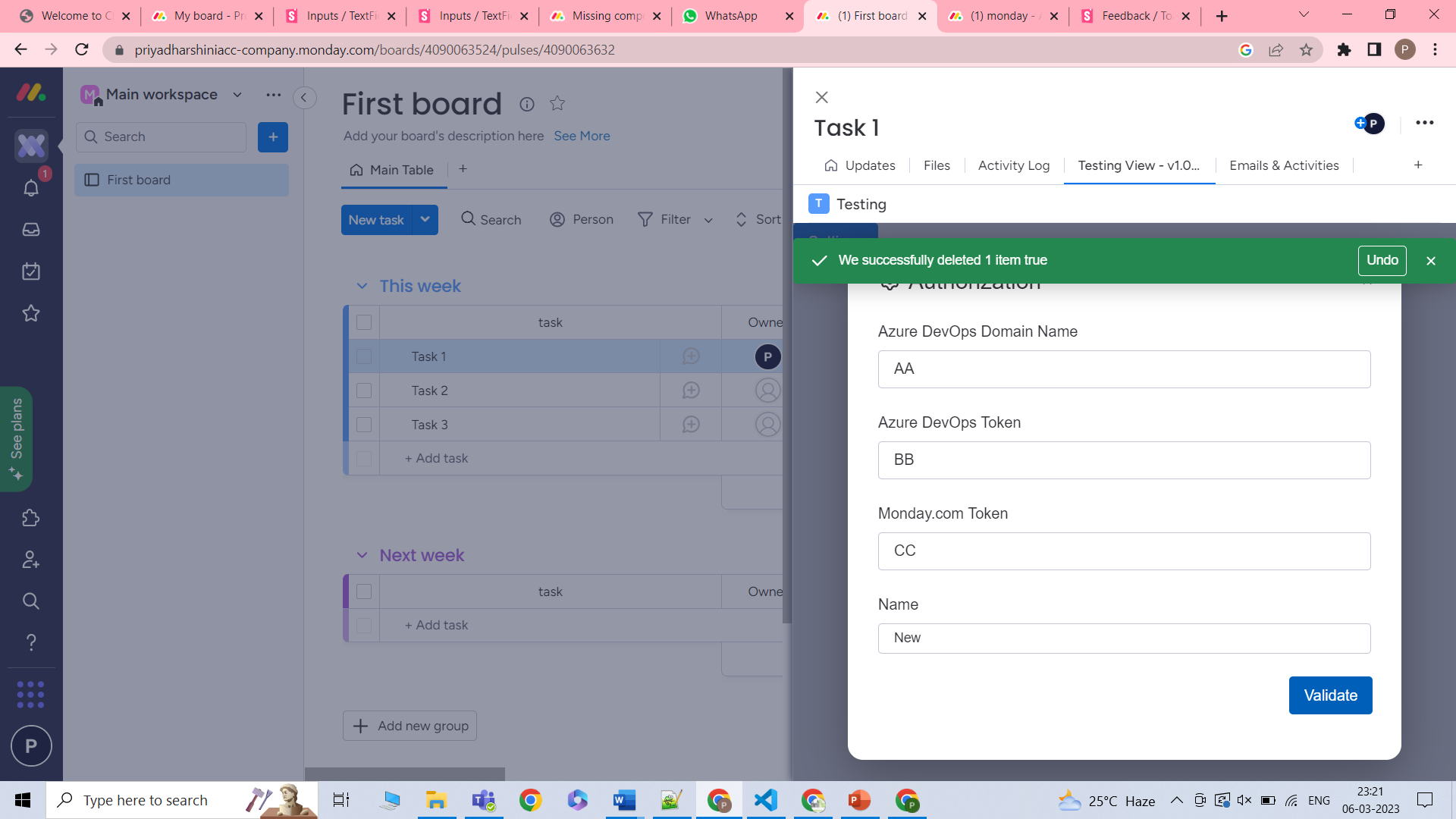
 <Toast open={toastErrOpen} type={Toast.types.NEGATIVE} actions={actions} onClose={onCloseErrCallback} autoHideDuration={1000} className="mondaystorybook-toast_box">
                We successfully deleted 1 item
 </Toast> 

Could you please help on this?

9 replies

SergeyRo
Forum|alt.badge.img
  • monday.com Team Member
  • March 7, 2023

Hey!
You just need to provide className prop and determine width in the corresponding class


Matias.Monday
Forum|alt.badge.img
  • monday.com Team Member
  • March 7, 2023

Thank you @SergeyRo!


  • Author
  • Participating Frequently
  • March 8, 2023

Hi @SergeyRo ,

Thanks for the response!

I have used className=“monday-storybook-alert-banner_small-container”. But still the size is not reduced.

<Toast open={toastSuccOpen} type={Toast.types.POSITIVE} actions={actions} onClose={onCloseCallback} autoHideDuration={1000} className="monday-storybook-alert-banner_small-container">
                 successfully deleted 1 item {JSON.stringify(toastSuccOpen)}
            </Toast>

Matias.Monday
Forum|alt.badge.img
  • monday.com Team Member
  • March 8, 2023

Hello @Priya,

What did you use in your CSS for that class?

Are you sure the CSS file is connected with your file?


  • Author
  • Participating Frequently
  • March 8, 2023

Hi @Matias.Monday,

I have imported the CSS file at the top.

//Styles  
import "../App.css";
import "./authorization.css";
import "monday-ui-react-core/dist/main.css";

kolaai
Forum|alt.badge.img
  • monday.com Partner
  • March 8, 2023

Hello @Priya,

You need to style the component yourself using a class.
For example, if you are using the class in the previous code you posted, which is monday-storybook-alert-banner_small-container, then in your App.css, you will have a block of code like this below which will modify the width of that element.

.monday-storybook-alert-banner_small-container {
  width: 100px;
}

Here is a link to learn more about CSS


Matias.Monday
Forum|alt.badge.img
  • monday.com Team Member
  • March 8, 2023

Thank you @kolaai!

@Priya is that what you were doing or where you missing that part?


  • Author
  • Participating Frequently
  • March 9, 2023

Hi @kolaai & @Matias.Monday,

Thanks for your timely response!

The Above code is working fine.


Matias.Monday
Forum|alt.badge.img
  • monday.com Team Member
  • March 9, 2023

Happy to hear that!

Thank you again @kolaai !