
Solved

How to handle Base URL configuration for multi-region deployments (US/EU/AU)?

  • November 10, 2025
  • 2 replies
  • 110 views

Hello everyone. I need clarification on how to configure the Base URL in my integration features.

When deploying to multiple regions, I receive separate URLs for each region:

  • https://live1-service-X.us.monday.app
  • https://live1-service-X.eu.monday.app
  • https://live1-service-X.au.monday.app

However, when configuring an integration feature (or app event webhook), I can only specify a single "Base URL" in the Feature Details section.
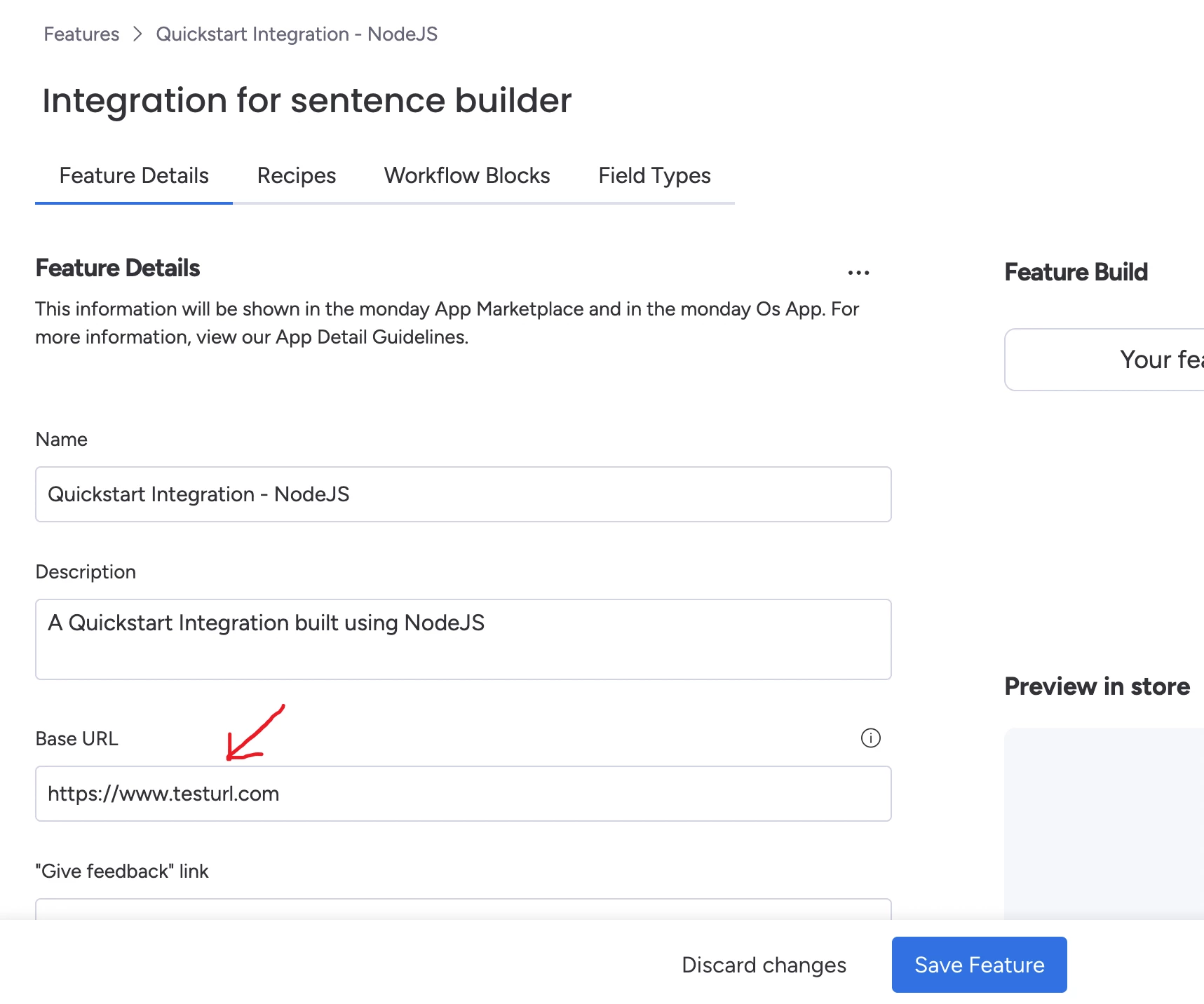
My questions:

  1. Which URL should I enter as the Base URL - just one region?
  2. Does monday.com automatically route requests to the appropriate regional endpoint based on the user's location?
  3. Is there a way to use a dynamic or wildcard URL pattern to handle all regions?
  4. If I need to handle region routing myself in the Base URL, how can I determine the account's region?

Any guidance on best practices for multi-region URL configuration would be greatly appreciated.

Best answer by OmerK

Hello! attaching my team’s answer by bullet points, hope it helps!

  1. To use the multi‑region feature, you must first enable it and then individually deploy your app to all 3 regions. Once enabled, the feature only impacts new app deployments. 
  2. No. monday.com does not route integration requests to regional endpoints. You need to handle routing in your app
  3. No. monday.com does not support dynamic or wildcard Base URLs. Each integration feature/webhook must use a specific URL.​​​​​​​
  4. You can determine the account's region from the JWT token:
    • Decode the JWT provided by monday.com
    • Check the rgn key in the decoded token
    • The rgn value indicates the account's region (e.g., "us", "eu", "au")


2 replies

OmerK
Forum|alt.badge.img+1
  • monday.com Team Member
  • Answer
  • November 16, 2025

Hello! attaching my team’s answer by bullet points, hope it helps!

  1. To use the multi‑region feature, you must first enable it and then individually deploy your app to all 3 regions. Once enabled, the feature only impacts new app deployments. 
  2. No. monday.com does not route integration requests to regional endpoints. You need to handle routing in your app
  3. No. monday.com does not support dynamic or wildcard Base URLs. Each integration feature/webhook must use a specific URL.​​​​​​​
  4. You can determine the account's region from the JWT token:
    • Decode the JWT provided by monday.com
    • Check the rgn key in the decoded token
    • The rgn value indicates the account's region (e.g., "us", "eu", "au")


  • Author
  • New Participant
  • November 17, 2025

@OmerK Thank you. This helped me understand how to handle routing with the multi-region feature.