How can I add webhook via API for "When status changes to Done" send webhook

  • May 3, 2022
  • 12 replies
  • 2231 views

DmitryPatsouski

via API I can add webhook for this event “change_specific_column_value()” and I can set in config columnId, but how can I set also specific value of this column? Thanks.

12 replies

Matias.Monday
Forum|alt.badge.img
  • monday.com Team Member
  • May 8, 2022

Hello @DmitryPatsouski and welcome to the community!

I hope you like it here 💪

If you mean you want to set a webhook to be fired when a specific column changes to a specific value, then that can’t be done.

Hope the information helps!

Cheers,
Matias


  • New Participant
  • November 16, 2022

Upvoting ability to add conditional logic to webhook firings.

I may only want to track if a certain item changes status, not every single item on the board. That’s just a waste of API calls and resources.

Or I may want a certain item to send a webhook to Webhook A and another item to send to webhook B if they are integrating with different external platforms.

Currently, webhooks are an all or nothing approach which greatly reduces their potential, especially in an Enterprise environment.


Matias.Monday
Forum|alt.badge.img
  • monday.com Team Member
  • November 20, 2022

Hello @D_Emporos!

Your vote has been added towards this request 🙂

Cheers,
Matias


YashGarg
  • Participating Frequently
  • February 12, 2024

Hello @Matias.Monday ,

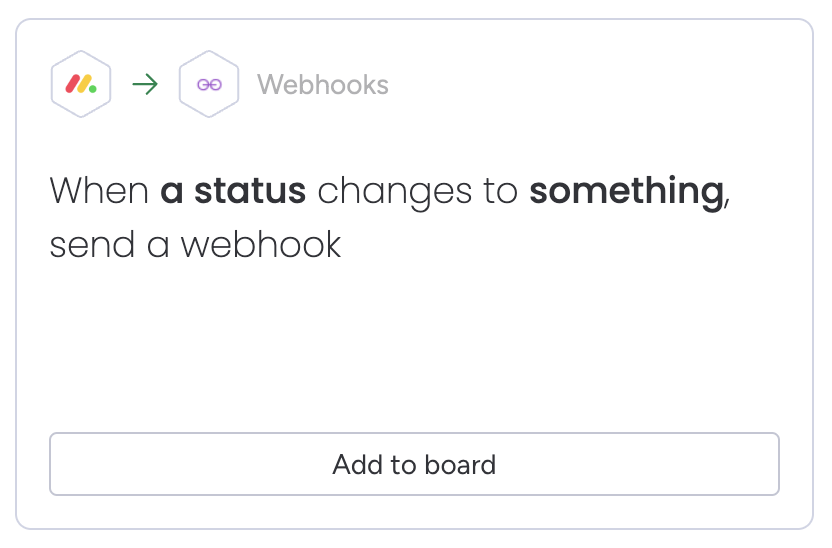
I see this webhook in integration center - “When a status changes to something, send a webhook”. Is it possible to configure the same using APIs ? Adding this question here, as there might be some development, since this felt similar and a lot of time has passed since.

Thanks
Yash Garg


YashGarg
  • Participating Frequently
  • February 13, 2024

@Matias.Monday Do you have any update on this ?


Matias.Monday
Forum|alt.badge.img
  • monday.com Team Member
  • February 14, 2024

Hello there @YashGarg,

You can use something like this:

mutation {
  create_webhook(
    board_id: 1234567890
    url: "https://myendpoint.com"
    event: change_status_column_value
    config: "{\\"columnId\\":\\"status\\", \\"columnValue\\":{\\"index\\" : \\"2\\"}}"
  ) {
    id
  }
}

Of course you would have to choose an index for a status label. You can not just leave “something” since that is for users to configure and there would be no user configuration since the webhook is created via API.

Cheers,
Matias


YashGarg
  • Participating Frequently
  • February 14, 2024

Thanks @Matias.Monday for sharing this.

It was not mentioned in the documentation that we can pass custom config in case of change_status_column_value - Webhooks

Can we get the documentation updated as well for benefit of others ?


Matias.Monday
Forum|alt.badge.img
  • monday.com Team Member
  • February 18, 2024

Hello again @YashGarg,

I will share your feedback with the team 😁

Cheers,
Matias


  • New Participant
  • February 26, 2024

Hello there, I have setup webhook in integration center - “When a status changes to something, send a webhook”. I am getting the data like

"event": {
  "userId": 9603417,
  "originalTriggerUuid": null,
  "boardId": 1771812698,
  "groupId": "topics",
  "pulseId": 1771812728,
  "pulseName": "Crate_item webhook",
  "columnId": "date4",
  "columnType": "date",
  "columnTitle": "Date",
  "value": {
   "date": "2021-10-11",
   "icon": null,
   "time": null
  },
  "previousValue": null,
  "changedAt": 1633943701.9457765,
  "isTopGroup": true,
  "app": "monday",
  "type": "update_column_value",
  "triggerTime": "2021-10-11T09:15:03.429Z",
  "subscriptionId": 73760484,
  "triggerUuid": "645fc8d8709d35718f1ae00ceded91e9"
 }

but I need to get columnValues also like phone number and name


Matias.Monday
Forum|alt.badge.img
  • monday.com Team Member
  • February 26, 2024

Hello there @apptin and welcome to the community!

I hope you like it here 💪

The payloads from the webhooks will not give you all the column values. For that, you can take the pulseId (item ID) and use it in a query with our API to query for the column values you want 😁

Cheers,
Matias


  • New Participant
  • February 26, 2024

Thanks. I have already did that your response was late.


Matias.Monday
Forum|alt.badge.img
  • monday.com Team Member
  • February 27, 2024

I am glad you found the solution @apptin !!