Get itemId from context - integrationa ction

  • May 5, 2022
  • 6 replies
  • 1449 views

Hey everyone!

I’m tring to build an integration action to the custom automations.
I couldn’t find a way to get the item id triggered the automation in the webhook sent to my server.
The only options I get is sentence or trigger, but because the action is relevant for an automation and not for integration sentence I configure. So I cant pass that from the trigger.
By the way, when tring to get the board id it do have context and it works fine

Hope someone can help here 🙂
thanks!

6 replies

basdebruin
  • Community Expert
  • May 5, 2022

hi @Ramarm

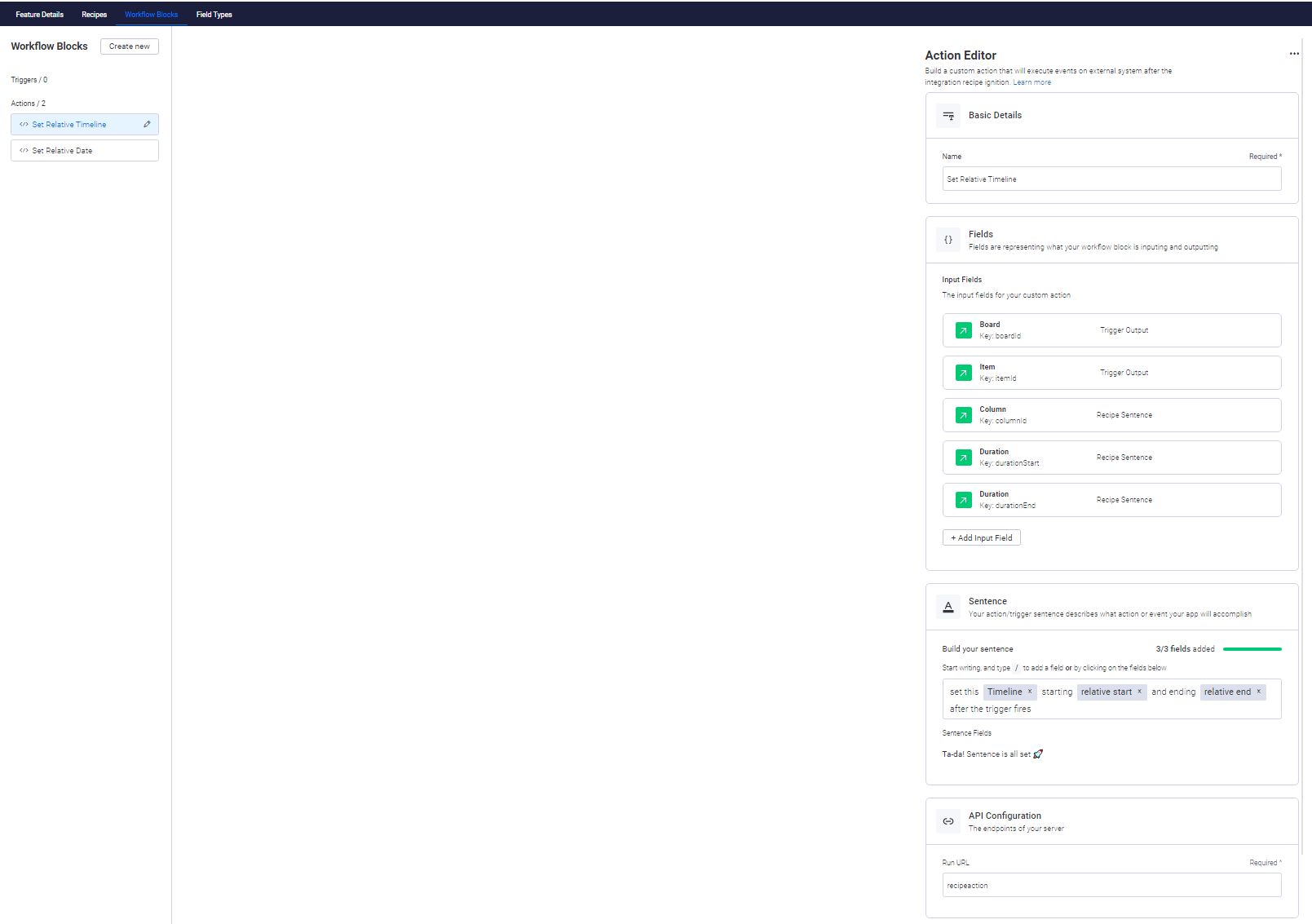
Not sure I fully understand your question. If you want to build an integration that presents itself as a custom automation action block you don’t have to specify the trigger not the recipe. Just have an workflow block that takes the itemId from the trigger and - depending on the trigger type selected by the user - you will have access to the itemId.

Like this app that has only two actions and a few fields, a sentence for the action and a run URL

The run Url is routed to this endpoint

async function recipeAction(req, res) {
  const { payload } = req.body;
  const { inputFields } = payload;
  const { boardId, itemId, columnId, durationStart, durationEnd } = inputFields;
  const { authorization } = req.headers;

and as you can see the itemId is passed to the function. Is that what you are looking for?


  • Author
  • New Participant
  • May 6, 2022

Hey @basdebruin , Thank you very much for helping me.
somehow it didn’t work yesterday but today worked ok. Maybe somethings in my configurations wasn’t right.

Thank you!


gigo6000
  • New Participant
  • April 5, 2024

Hi @basdebruin, is it possible to get the itemId from the “When status changes to something” built-in trigger? thanks


basdebruin
  • Community Expert
  • April 5, 2024

Sure you can. If you pick the built-in trigger “When status changes…” you can get the itemId from the trigger output in your custom action.


gigo6000
  • New Participant
  • April 5, 2024

@basdebruin thank you! I see it’s actually documented here: Built-in triggers


  • Participating Frequently
  • August 27, 2026

If you’re using a custom automation action, the itemId should come through the trigger context rather than needing to be pulled separately. In the webhook payload, you can read it from payload.inputFields, along with the boardId and other fields. The same approach also works with built-in triggers such as status changes.

This kind of clean CRM and communication workflow is also why CTI integration matters. If you’re working with Salesforce, this overview of Best Salesforce CTI Tools for Integration is worth a look.