File upload extension issue

  • February 23, 2021
  • 8 replies
  • 3551 views

Hi all,

I’m developing an application for the marketplace and facing an issue with the files API.

Except for .png files, all the files I’m trying to upload, contain a ‘null’ extension and as a result, the file cannot be previewed.
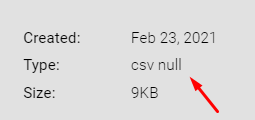
image

I’m using the code below in Node.js:

  const upfile = req.file.path;
  // set auth token and query
  const API_KEY = req.owner;
  let query = `mutation ($file: File!) { add_file_to_column (file: $file, item_id: ${parseInt(
    req.body.itemId
  )}, column_id: "${req.body.columnId}") { id } }`;
  const url = 'https://api.monday.com/v2/file';
  let boundary = 'xxxxxxxxxx';
  let data = '';
  fs.readFile(upfile, function (err, content) {
    data += '--' + boundary + '\\r\\n';
    data += 'Content-Disposition: form-data; name="query"; \\r\\n';
    data += 'Content-Type:application/json\\r\\n\\r\\n';
    data += '\\r\\n' + query + '\\r\\n';
    data += '--' + boundary + '\\r\\n';
    data +=
      'Content-Disposition: form-data; name="variables[file]"; filename="' +
      req.file.originalname +
      '"\\r\\n';
    data += 'Content-Type:application/octet-stream\\r\\n\\r\\n';
    let payload = Buffer.concat([
      Buffer.from(data, 'utf8'),
      new Buffer.from(content, 'binary'),
      Buffer.from('\\r\\n--' + boundary + '--\\r\\n', 'utf8'),
    ]);

    const options = {
      method: 'post',
      headers: {
        'Content-Type': 'multipart/form-data; boundary=' + boundary,
        Authorization: API_KEY,
      },
      body: payload,
    };

    fetch(url, options)
      .then((res) => res.json())
      .then((json) => {
        fs.unlink(upfile, function (err) {
          if (err) throw err;
          console.log('File deleted');
        });
      }).catch((err) => {
        console.log(err);
      });
  });

It’s important to mention that the req.file.originalname contains the name as well as the extension of the file, does someone know what can cause such a problem?

Thanks.

This topic has been closed for replies.

8 replies

Forum|alt.badge.img
  • monday.com Team Member
  • February 24, 2021

Hi @shaharsamira!

Can’t say that I have come across this issue before, but I’m happy to try to figure it out with you.

If you console.log() the req.file.originalname, what does it give you? I would definitely recommend setting up some prints to try and get the information to show, so you know where the issue is occurring.

-Helen


  • Author
  • Participating Frequently
  • February 25, 2021

Hi @Helen,

Thanks for your advise.

Actually, there is no problem with the file name, the req.file.originalname is set as expected.


dipro
Forum|alt.badge.img
  • Leader
  • February 25, 2021

Can you confirm that the original file has a file extension by sending us an example of your full request? Please remove any API keys and other private info from the example.

The only time I’ve seen this before is when the file extension was not included in the API call, so I’d love to verify that this is not the issue here.


  • Author
  • Participating Frequently
  • February 25, 2021

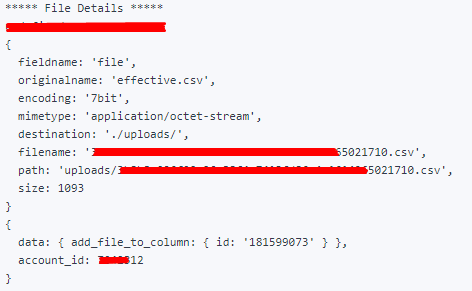
Below is the logs from the server:
image

As you can see, the originalname as well as the filename itself, contains the extension, in addition, I’m getting a success message from monday.com api.

Is there another place, except for filename="' + req.file.originalname to specify the file extension?

Any thoughts?

Thanks in advance.


Forum|alt.badge.img
  • monday.com Team Member
  • March 1, 2021

Hmm super strange!

We did recently update our API to better support file mutations. While we haven’t had a chance to come out with documentation on our SDK ReadMe or in our API documentation, check out Alex’s post in the community: Announcement: Uploading files to monday.com has just become easier :).

Do you mind checking this out and implementing this new method for uploading files and letting us know if this changes anything for you?


Forum|alt.badge.img
  • monday.com Team Member
  • March 1, 2021

@shaharsamira

Spoke with our developer, and it looks like your file upload method is accurate.

Do you mind sending over the file that you’re trying to upload so that we can try ourselves (feel free to DM me if it contains sensitive information).

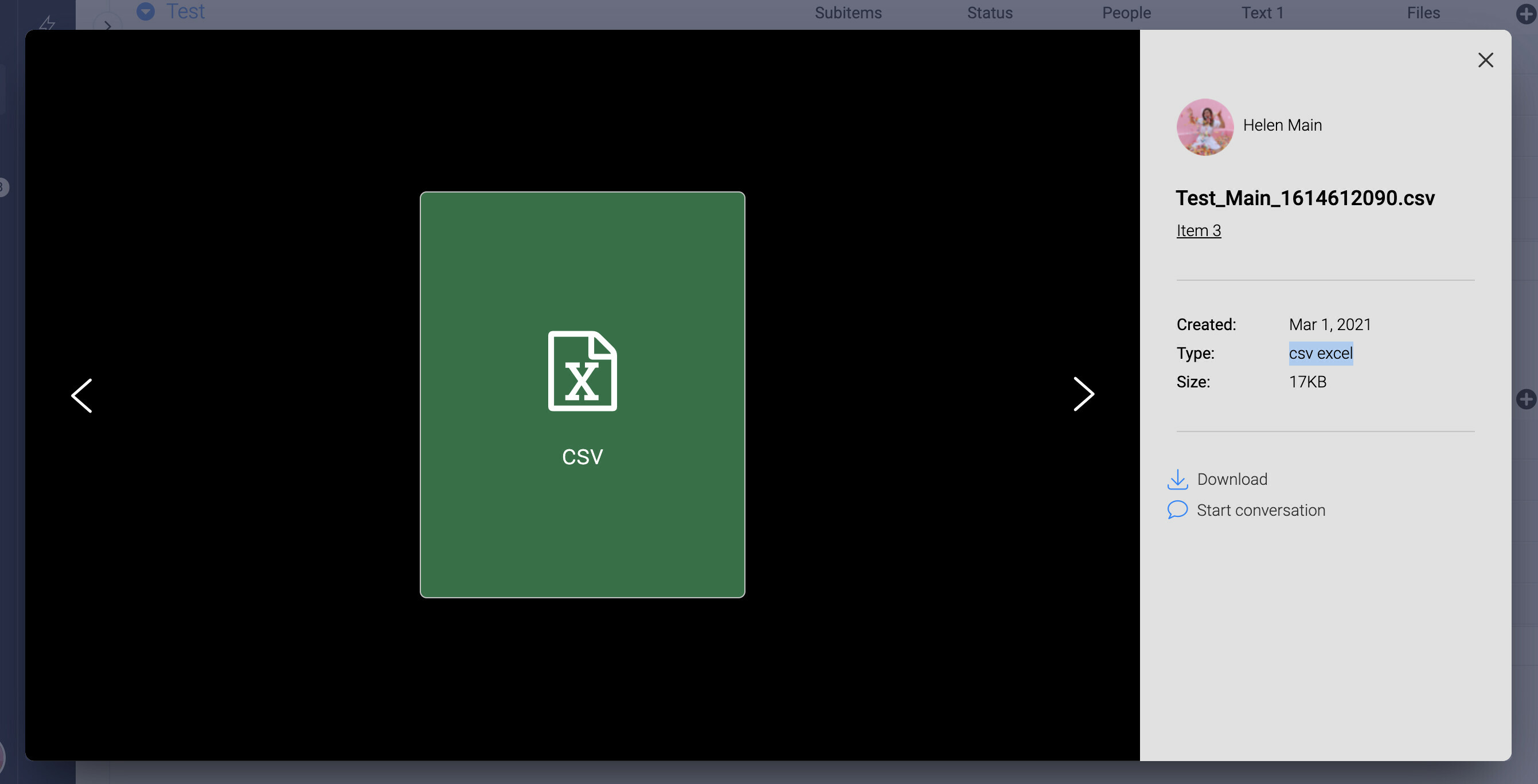
I was able to upload a CSV to a files column! While there was no preview, it was indeed recognized as a CSV, and there was no “null” for the file type:


Forum|alt.badge.img
  • monday.com Team Member
  • March 2, 2021

@shaharsamira Hi can you try changing the content type to “text/csv” and when building the buffer from ‘content’ not specifying binary as the second parameter?

So:
data += ‘Content-text/csv\\r\\n\\r\\n’;
And:
new Buffer.from(content), // ‘utf8’ is the default which should be good


  • March 15, 2021

This topic was automatically closed 7 days after the last reply. New replies are no longer allowed.