Download files from file column using public url

  • March 24, 2023
  • 10 replies
  • 1228 views

Hi! can somebody help me how can I download files using public url?

10 replies

Matias.Monday
Forum|alt.badge.img
  • monday.com Team Member
  • March 26, 2023

Hello there @candyOrate,

you can use a query like this one to get the public URL to download a file:

{
  boards(ids: 1234567890) {
    items(ids: 1122334455) {
      assets {
        public_url
        name
      }
    }
  }
}

This will return a response like this one:

{
  "data": {
    "boards": [
      {
        "items": [
          {
            "assets": [
              {
                "public_url": "https://files-monday-com.s3.amazonaws.com/91111117/resources/811111117/thenameofmyfileplussomeotherinfo",
                "name": "thenameofmyfile.jpg"
              }
            ]
          }
        ]
      }
    ]
  },
  "account_id": 11111111

  • Participating Frequently
  • June 29, 2023

Hi there,

Is it possible to filter with the assetId?
I tried assets (ids: $assetId) but it says “Field ‘assets’ doesn’t accept argument ‘ids’”.

If not, I guess I can get all the assets and filter afterwards, but I’d rather filter it during the request if it’s possible.

Thank you in advance,
Antoine


Matias.Monday
Forum|alt.badge.img
  • monday.com Team Member
  • July 2, 2023

Hello again,

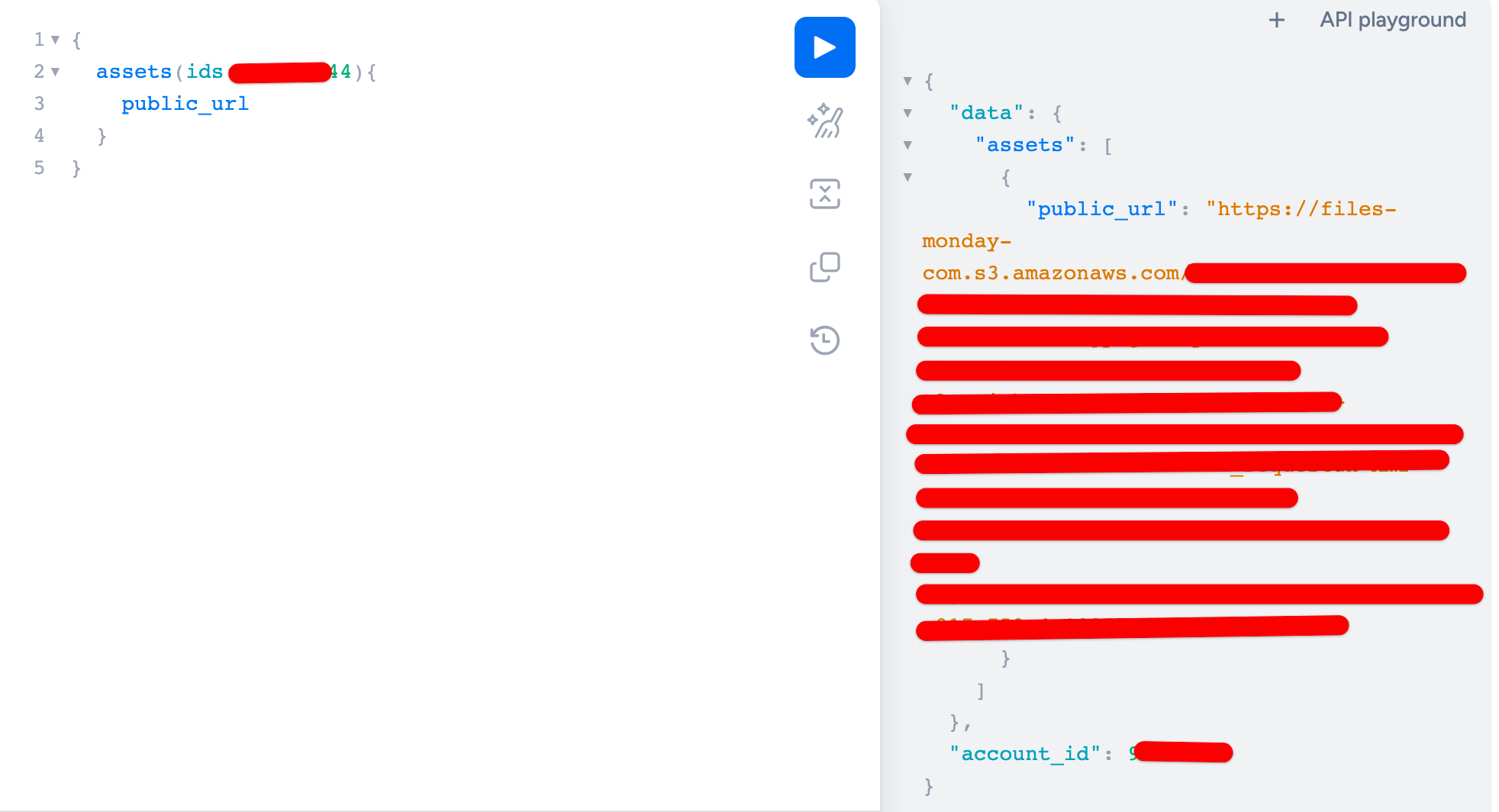
You can get the asset IDs, check which one you need and then use that asset ID like this if you want:

{
  assets(ids:123456){
    public_url
  }
}

But I am not sure it makes much sense.

Let me know if you have any other questions!

Cheers,
Matias


  • Participating Frequently
  • July 3, 2023

Hi Matias,

Thank you for your answer.
Actually as I said I tried this but it returned the message “Field ‘assets’ doesn’t accept argument ‘ids’”.
Why would it not make much sense to you?
My purpose is to get the publicUrl from a specific asset of a specific item.

Cheers,
Antoine


Matias.Monday
Forum|alt.badge.img
  • monday.com Team Member
  • July 3, 2023

Hello again @twan,

As you can see in the next email, if you query for the asset directly, you can use the asset’s ID:

If you want to use a different approach, you can use the flow I sent in the past comment 😁

Let me know if you have any questions!

Cheers,
Matias


  • New Participant
  • August 2, 2024


  • New Participant
  • August 2, 2024

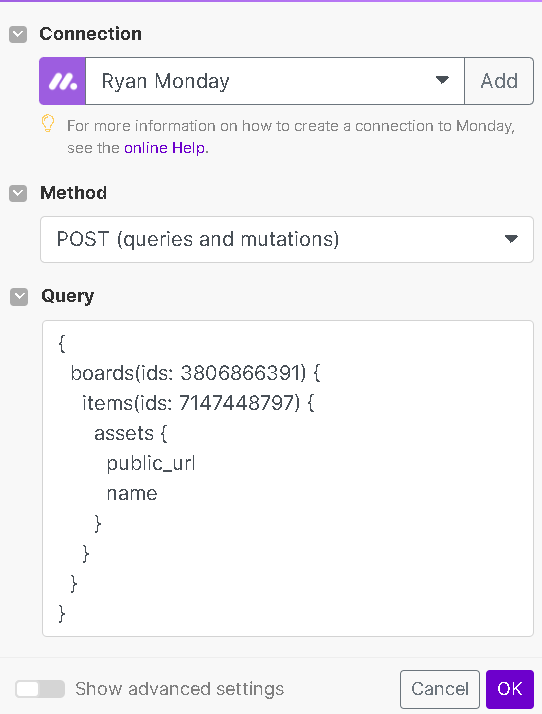
{
boards(ids: 1234567890) {
items(ids: 1122334455) {
assets {
public_url
name
}
}
}
}

tried above but I’m getting this error in Make(dot)com.

[200] [{“message”:“Field ‘items’ doesn’t exist on type ‘Board’”,“locations”:[{“line”:3,“column”:5}],“path”:[“query”,“boards”,“items”],“extensions”:{“code”:“undefinedField”,“typeName”:“Board”,“fieldName”:“items”}}]


rachelatmonday
Forum|alt.badge.img
  • monday.com Team Member
  • August 2, 2024

Hi @RacerX,

You’re likely getting that error because the items field no longer exists on boards. You must use items_page (see more here) 🙂

Best,
Rachel


  • Participating Frequently
  • August 2, 2024

@RacerX in addition to what Rachel said, if you don’t need to query anythign from the board - except the single item, omit the board entirely. It is in no way required to get items by ID.

items(ids: 1122334455) {
 assets {
   public_url 
   name
 }
}

  • Participating Frequently
  • June 9, 2025

Hey How to get this in monday itself so l am sending an email and I want to attach file to it so even person who is not in monday team can see the file

is it possible?