Difficulty in inserting subitem

  • September 13, 2024
  • 9 replies
  • 52 views

  • Participating Frequently

Hello to all.

I’m running via api(GraphQL) the creation of the item and subitem.

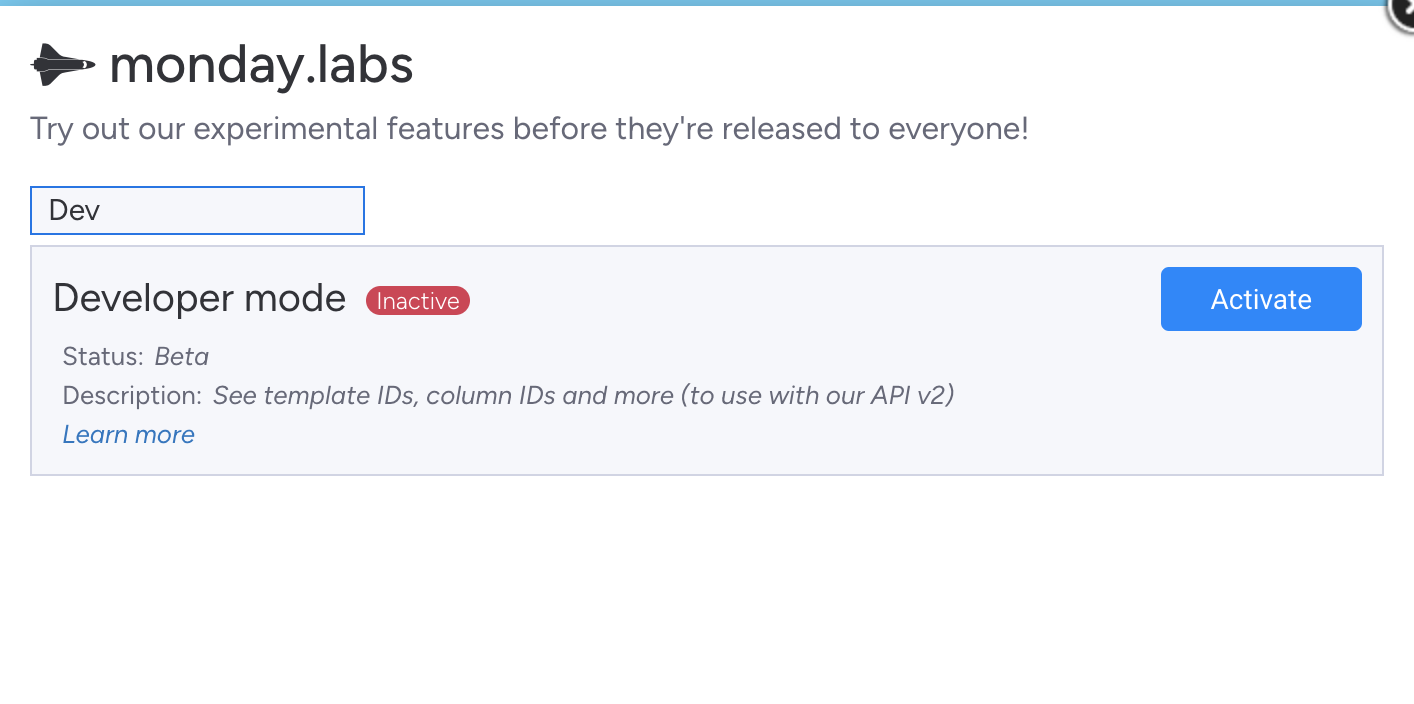
The item creation occurs normally, but the subItem, no. In the CRM panel, is already active the “Dev” mode in (monday.labs).

The evidence is below:

Customer found on Monday.com: 14405239900, ID: 7425239167
Customer already exists with number: 14405232171. Sub-item will be added.
Query to create the sub-item in Monday.com:  
    mutation {
      create_subitem (
        parent_item_id: 7425239167,
        item_name: "VoiceCall-1726230458.11",
        column_values: "{\\"status\\":\\"In progress\\",\\"contact_phone\\":\\"16505239900\\",\\"status5\\":\\"Média\\",\\"long_text4\\":\\"Detalhes da chamada\\",\\"date0\\":\\"2024-09-13\\"}"
      ) {
        id
        board {
          id
        }
      }
    }
    
Complete API response: {
  "error_message": "Item not found",
  "error_code": "InvalidItemIdException",
  "error_data": {
    "item_id": null
  },
  "status_code": 200,
  "account_id": 25101064
}

The return of the API from monday(“Item not found”) that the item was not found is not correct, because the item does exist.

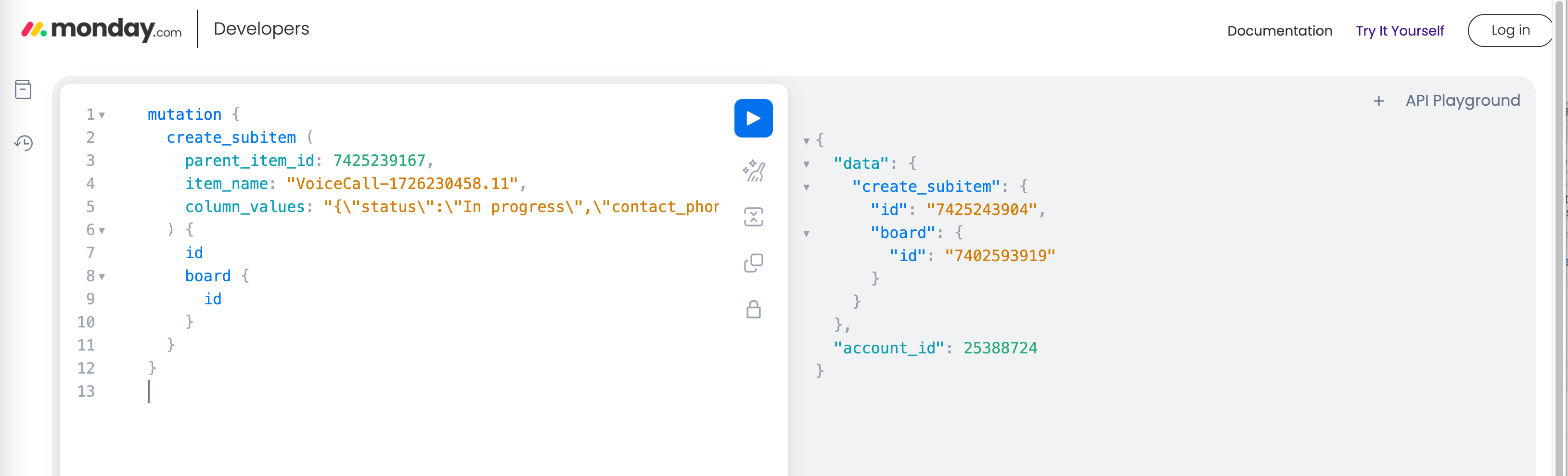
If I extract the query and run it via “Insomnia” or by the development environment of monday, you can enter it normally.

Example:

    mutation {
      create_subitem (
        parent_item_id: 7425239167,
        item_name: "VoiceCall-1726230458.11",
        column_values: "{\\"status\\":\\"In progress\\",\\"contact_phone\\":\\"16505239900\\",\\"status5\\":\\"Média\\",\\"long_text4\\":\\"Detalhes da chamada\\",\\"date0\\":\\"2024-09-13\\"}"
      ) {
        id
        board {
          id
        }
      }
    }

Can anyone help with any ideas?
Thank you!


9 replies

rachelatmonday
Forum|alt.badge.img
  • monday.com Team Member
  • September 13, 2024

Hi @jsilva,

Welcome to the community!

I think you’re more likely to find a solution in the monday apps & developers community category, so I am moving your post there now! Just a head’s up 🙂

Best,
Rachel


  • Author
  • Participating Frequently
  • September 15, 2024

Hi Rachel,
Ok, thank you.


Matias.Monday
Forum|alt.badge.img
  • monday.com Team Member
  • September 15, 2024

Hello there @jsilva,

I am not sure I followed this. It worked when you used the API Playground but it did not work when you tried from where?

Also, had the main item been recently created?

Did a subitems column (it is created automatically after someone adds a subitem to the board) exist before you sent the request?

Looking forward to hearing from you!

Cheers,
Matias


  • Author
  • Participating Frequently
  • September 16, 2024

Hello Matias,

Via my code in nodejs, which can normally enter the item, but the subitem, no.

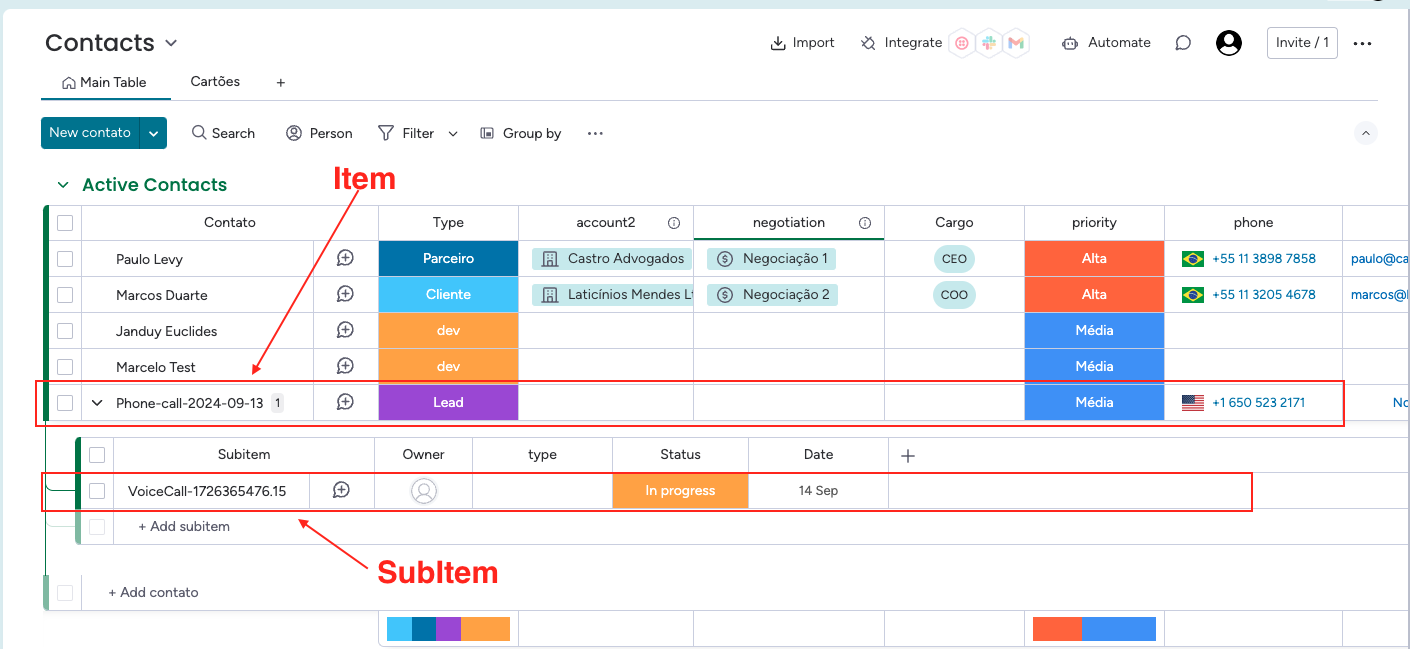
Yes, when an item is added, it has the option of subtiem, I will add a print to facilitate.


  • Author
  • Participating Frequently
  • September 16, 2024

The flow:
The code queries the client on Monday and if it does not exist, inserts , this process works normally. The item created or exist is added a sub-item to it, and should work, I have only problem with the insertion of the sub-item.


Matias.Monday
Forum|alt.badge.img
  • monday.com Team Member
  • September 17, 2024

Hello again @jsilva,

I would still need to understand:

  1. Are you creating the subitem immediately after you create the item via API? If so, would you be able to modify your script so that it waits for 5 seconds after the creation of the main item?
  2. I see in this screenshot only one subitem. The question is if this board already had subitems in it before you saw the error. Because if the board had never had any subitems in it, you would not be able to create a subitem in the board via API.

Looking forward to hearing from you !

Cheers,
Matias


  • Author
  • Participating Frequently
  • September 18, 2024

Hello Matias,

Yes, I already did that, added a timeout to create the subitem, and it didn’t work.
The screen that I sent the print, was a sub-item added manually. I activated the log in my code to see precisely the structure of the mutation type query that is sent to Monday.

Strange that in a test account, previous, I did this process and worked normally, creating the item and then the sub-item, in this new account, no. Can it be something of release? In some research I see some comments informing about the “Monday Labs” feature and enable the developer mode, is this necessary?

Example:

Cheers,
Janduy


  • Author
  • Participating Frequently
  • September 19, 2024

Hello Matias,
I solved it in another way, I used a queue in RabbitMQ to handle the events and a component to read and perform the insertion of the sub item on Monday, worked perfectly. Thank you for your help!

Cheers,
Janduy


Matias.Monday
Forum|alt.badge.img
  • monday.com Team Member
  • September 19, 2024

I am glad you could find that solution @jsilva !!