500 Internal Server Error - Monday API items_by_column_values

  • October 7, 2021
  • 8 replies
  • 5026 views

Hello,

I am trying to get a all the items on Monday from an item value. I have tried multiple ways on Postman, but i keep getting error “500Internal Server Error”. Now i don’t know what mistake i am doing in making API Call.

Below is the Monday Board screenshot.
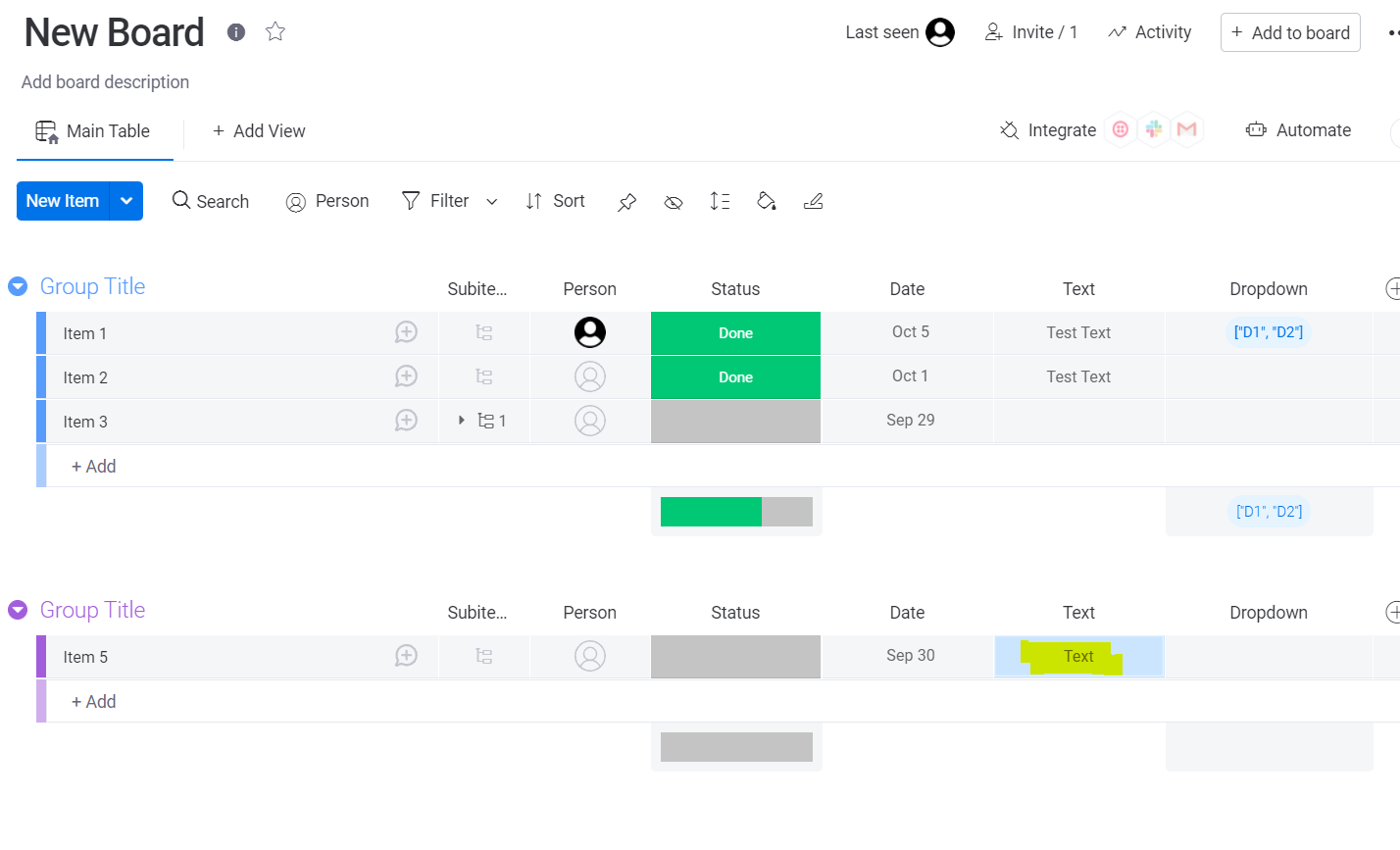
I am trying to get all the value in Item 5 column. Below is the my body on Postman
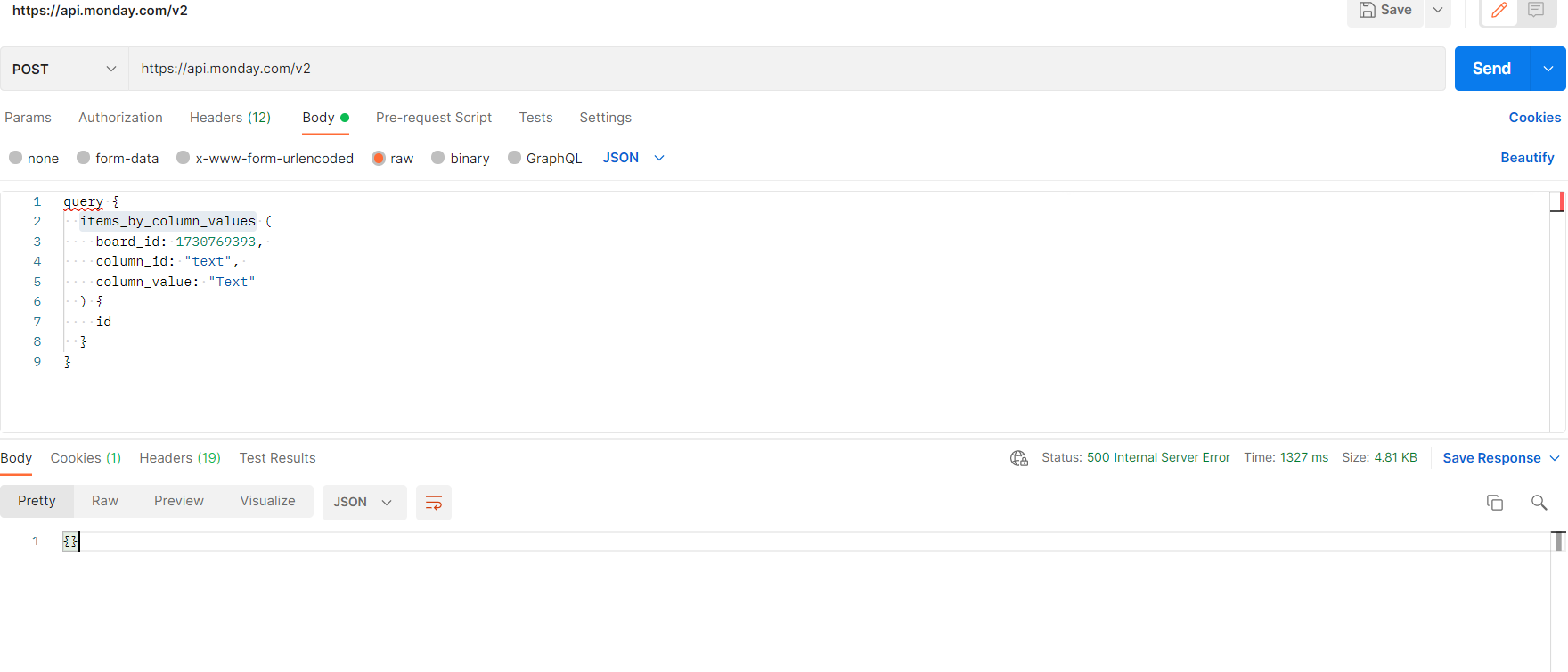
Below is the query

query {

  items_by_column_values (

    board_id: 1730769393, 

    column_id: "text", 

    column_value: "Text"

  ) {

    id

  }

}

This topic has been closed for replies.

8 replies

kolaai
Forum|alt.badge.img
  • monday.com Partner
  • October 7, 2021

Hello @jayesh_da,
A 500 Internal Server Error means that, monday.com’s service might be having a downtime and so the problem is not from your end. You might want to try again later. The status page here sometimes help to determine whether or not that is the case.


  • Author
  • New Participant
  • October 7, 2021

Hey @kolaai ,

Thanks. However the status is all good on Monday. I don’t see any downtime today. Is there any issue with body?


kolaai
Forum|alt.badge.img
  • monday.com Partner
  • October 7, 2021

Yeah, that is why I used sometimes because there have been instances where I’ve also experience 500 errors but the status page looks all good. The main idea I’m trying to push here is that, if you receive a 500 error, the fault is not from your end but from monday.com so you might want to try later.


basdebruin
  • Community Expert
  • October 7, 2021

It depends 🙂. 500 is indeed thrown under heavy load on the monday side, but the most likely issue is 500 (query string not present) which indicates that some formatting within your query string is incorrect. Did you try to enter the query in form data? See also: https://www.loom.com/share/023f0dd71a76414891b33dd1729bd88e


AlexSavchuk
Forum|alt.badge.img
  • monday.com Team Member
  • October 7, 2021

Hey @jayesh_da 👋

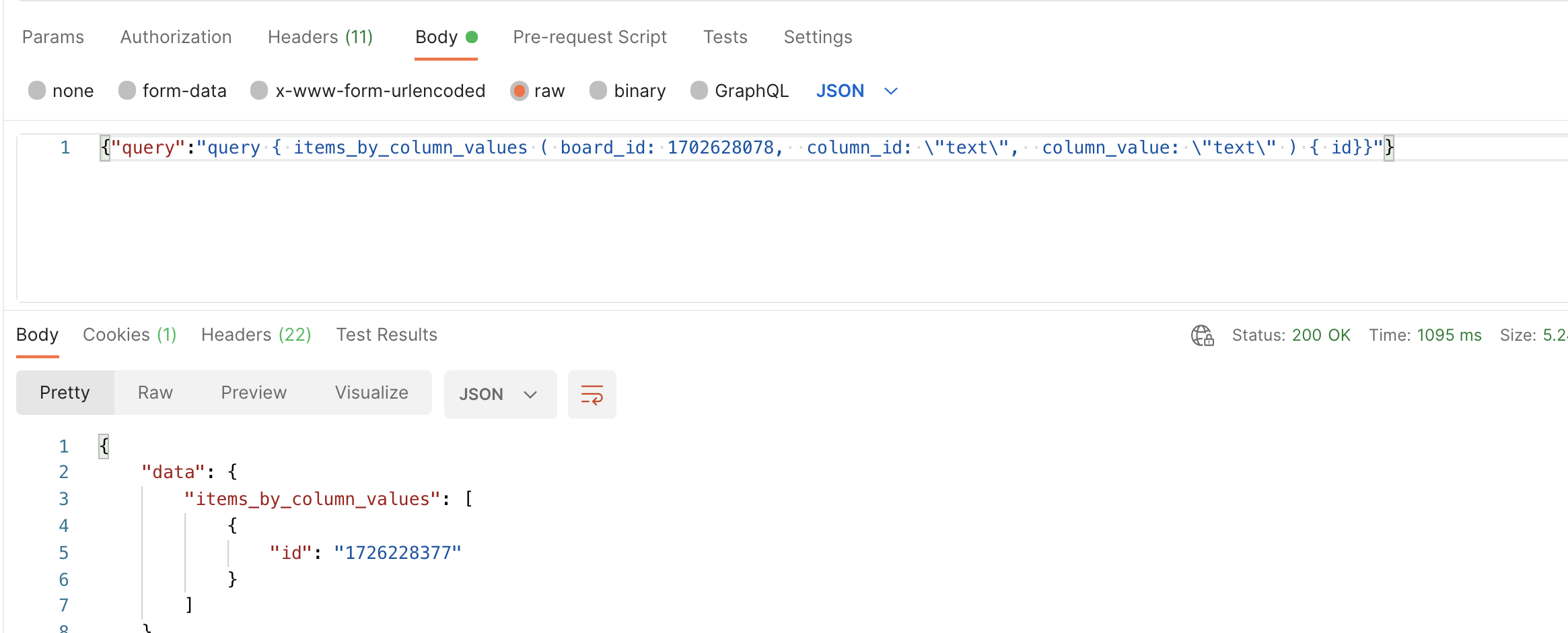
I’d love to clarify this a bit further. Since you are sending the query as a RAW JSON body, you will need to format it correctly, and escape JSON when you are searching for a column value. Here’s a working example:

Here’s the query:

{"query":"query { items_by_column_values ( board_id: 1730769393,  column_id: \\"text\\",  column_value: \\"Text\\" ) { id}}"}

Main differences:

  • Using escape characters around string values -\\" instead of using ";
  • Sending your query as a JSON body means you will need to wrap it in brackets, and send the body as a query, i.e.:

{"query":"{ boards { id }}"}

@basdebruin I appreciate the clarification here! Indeed, as you and @kolaai have mentioned, the 500 error could be thrown during heavy load, but in this case, it is rather related to the formatting of the query.

-Alex


  • Author
  • New Participant
  • October 7, 2021

Thank you so much all of you. The solution by @AlexSavchuk worked properly for me.


AlexSavchuk
Forum|alt.badge.img
  • monday.com Team Member
  • October 7, 2021

@jayesh_da

Glad to hear that worked 🙂

-Alex


  • October 14, 2021

This topic was automatically closed 7 days after the last reply. New replies are no longer allowed.